- Orderan dibawah 500.00 via Goshop / Offline / Marketplace
Laptop Overheating and Noisy Fan? Causes and How to Fix It
Dealing with a laptop that suddenly gets hot quickly accompanied by a loud, noisy fan sound is definitely annoying, especially when you are working on important tasks. This condition is not just uncomfortable to use, but it can also drop your device performance and even shorten its lifespan if you leave it for too long.
In many cases, this issue is actually not caused by severe hardware damage, but rather a buildup of dust or poor usage habits. If your device is also slowing down along with the heat, the problem might be closely related to the slow laptop causes upgrade costs issue that many long-time users experience. Before bringing it to a nearby computer store, let us check the root causes first.
Featured Snippet (Instant Answer):
The most effective way to fix a laptop that is getting hot quickly with a loud fan is to clean dusty air vents using a small blower, always operate the device on a flat wooden desk or elevated stand, close resource-heavy background apps, and reapply fresh thermal paste onto the processor when internal temperatures stay elevated.
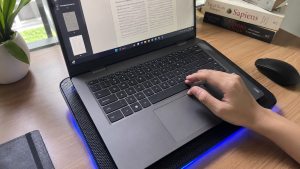
Checklist: Why Is Your Laptop Getting Hot Quickly?
Tick the boxes below if you are experiencing any of these common environment or maintenance factors:
-
[ ] Dust piles up in the vents and cooling fan blades, blocking hot air from flowing out properly.
-
[ ] Too many heavy applications are running at the same time, overloading the processor workload.
-
[ ] Sometime using the device on soft surfaces like a bed, blanket, or pillow that suffocates the bottom cooling vents.
-
[ ] The factory thermal paste on the processor has dried up and can no longer transfer heat effectively to the heatsink.
-
[ ] The internal fan is aging or suffering from mechanical wear, making its rotation noisy and stiff.
Our Recommendation: If you frequently use your laptop on a bed or couch, move to a hard desk immediately. Suffocating bottom intake vents is the number one habit that causes internal temperatures to spike within minutes.
Data Benchmark: Environmental Impact on Laptop Thermal Performance
To give you a clearer picture of how usage habits affect internal hardware temperatures, here is a breakdown of thermal performance under different operating conditions:
| Usage Setup & Environment | Average CPU Temp | Fan Speed & Noise | Real-World Impact on Device |
| Flat Desk & Elevated Stand | 45°C – 65°C (Normal) | Quiet & Stable | Optimal performance, responsive system, long component lifespan |
| Soft Surface (Bed / Pillow) | 75°C – 90°C (High) | Loud & Maximum Speed | System stutters and drops clock speeds (thermal throttling) |
| Dust Buildup & Dry Paste | Above 90°C (Critical) | Loud Rattling Non-stop | Device shuts down automatically to prevent damage (thermal shutdown) |
*Note: The metrics above represent average real-world service desk observations recorded during routine laptop thermal maintenance, rather than abstract laboratory estimates.
How to Fix an Overheating Laptop
You do not need to panic right away. Try these simple maintenance steps to bring your laptop temperature back to normal:
-
Clean the Vents and Fan. Dust is the number one enemy of cooling systems. Use a small blower or compressed air to clean the outer ventilation grilles routinely while the device is fully powered off to clear air passages.
-
Use the Laptop on a Flat Surface. Avoid using it on a bed or blanket because soft fabrics block bottom air circulation. Use a wooden desk or an elevated laptop stand to keep the airflow smooth and unrestricted.
-
Close Apps You Are Not Using. The more applications running in the background, the harder the processor works. Open Task Manager and turn off heavy background programs that are eating up too much RAM and CPU resources.
-
Use a Cooling Pad. This extra accessory really helps maintain a stable casing temperature when you have to work, edit videos, or browse for long hours continuously.
Signs the Problem Is Getting More Serious
If your laptop stays hot even after trying the simple steps above, pay attention to these serious warning signs:
-
The cooling fan makes a very loud rattling noise constantly without stopping or idling down.
-
The laptop suddenly shuts down by itself out of nowhere (thermal shutdown) to protect the internal chips from melting.
-
System performance drops drastically, causing screen stuttering or complete system freezes during work.
This could mean there is a deeper issue with internal hardware components, such as dried-out thermal paste or a failing fan motor. Besides temperature problems, other physical hiccups like a laptop touchpad not working properly are also worth keeping an eye on if the chassis gets warped from internal battery heat swelling.
FAQ (Frequently Asked Questions)
-
Is a hot laptop normal? It is normal if it just feels warm during regular office work, but it is definitely not normal if it gets burning hot to the touch and makes a loud buzzing noise continuously.
-
Can overheating damage a laptop? Yes, extreme heat left unchecked for too long can permanently degrade your processor, drop your battery health, and harm delicate motherboard solder joints.
-
How often should a laptop be cleaned internally? It is highly recommended to perform an internal dust cleanup and reapply thermal paste every 6 to 12 months, depending on how dusty your daily work environment is.
Conclusion
Keeping air circulation vents clean and using your device on a hard surface are the easiest ways to prevent overheating. However, if your laptop remains uncomfortably hot despite basic care, getting a professional evaluation is the safest way to address internal cooling failures before they affect vital motherboard components.
Find Our Address at Aipel Computer
If your high temperatures are caused by dried-out thermal paste or a jammed cooling fan, let our technical team inspect it immediately to get your machine running cool and quiet again.
To check out the driving routes, live maps location, opening hours, or to consult with our technician team, feel free to visit our main website at Aipel Computer in Surabaya for prompt and reliable service!
Tags: computer store surabaya, how to fix hot laptop, laptop overheating, laptop service surabaya, noisy laptop fan, quiet laptop fan

Laptop Overheating and Noisy Fan? Causes and How to Fix It
Few computing issues are more frustrating than turning on your laptop, opening zero heavy programs, and finding Task Manager reporting... selengkapnya
Untuk mengoptimalkan kinerja sistem, salah satu langkah efektif adalah dengan menghilangkan bloatware di Windows 10. Aplikasi bawaan yang tidak terpakai... selengkapnya
Pernahkah kamu hendak menyambungkan laptop ke jaringan Wi-Fi rumah atau tethering hotspot dari HP, tetapi begitu kata sandi dimasukkan, sistem... selengkapnya

Mouse kabel tidak berfungsi tentu menjadi masalah yang sangat menyebalkan sehingga harus diatasi dengan segera. Mouse sendiri merupakan perangkat keras... selengkapnya

Membeli komputer di pusat penjualan komputer, memang tidak bisa dibilang mudah, apalagi jika budget yang Anda miliki terbatas, atau tidak... selengkapnya

Dunia gaming yang semakin berkembang pesat membuat pemilihan keyboard gaming menjadi kunci untuk meraih pengalaman bermain optimal. Dari para pemain... selengkapnya

Cara mengecek spek komputer penting untuk konsumen pahami sebelum membeli perangkat PC atau laptop di toko komputer. Spesifikasi komputer meliputi... selengkapnya
Membeli komputer di tempat grosir bisa lebih hemat budget karena harganya miring. Namun sebelum membeli komputer, pastikan Anda tahu apa... selengkapnya
Menghadapi koneksi internet yang mendadak melambat saat sedang asyik menonton streaming atau mengejar tenggat waktu tugas tentu sangat menguji kesabaran.... selengkapnya
Have you ever booted up your laptop only to notice that the system clock and date in the taskbar suddenly... selengkapnya
20%
A. DESKRIPSI (DESCRIPTION) Konektor USB 2.0 Male to Male adalah solusi praktis untuk menghubungkan dua perangkat secara langsung. Dengan desain… selengkapnya
Rp 4.000 Rp 5.000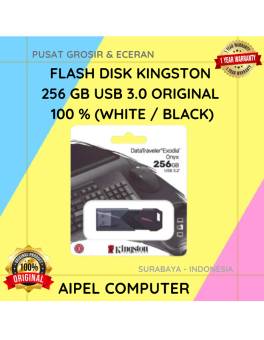
10%
A. DESKRIPSI (DESCRIPTION) Flash Disk KINGSTON 256 GB USB 3.0 Original 100 % (White / Black) adalah flash drive berkapasitas… selengkapnya
Rp 450.000 Rp 500.000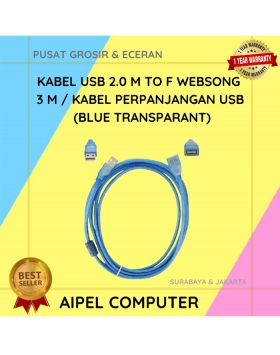
15%
A. DESKRIPSI (DESCRIPTION) Kabel ini adalah solusi fleksibel buat kamu yang pengen koneksi antar perangkat tanpa harus duduk mepet CPU…. selengkapnya
Rp 19.500 Rp 23.000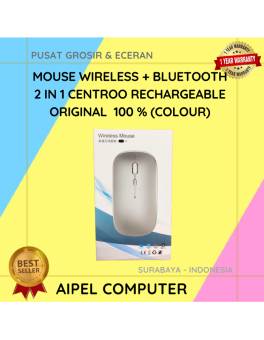
26%
A. DESKRIPSI (DESCRIPTION) Mouse Wireless + Bluetooth 2 in 1 CENTROO Rechargeable adalah perangkat pintar dua koneksi yang memadukan kenyamanan… selengkapnya
Rp 35.000 Rp 47.000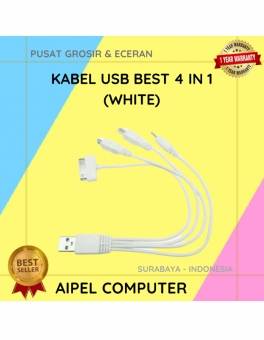
17%
A. DESKRIPSI (DESCRIPTION) Kabel USB 4 in 1 BEST adalah kabel multifungsi yang hadir untuk menjawab tantangan era modern dalam… selengkapnya
Rp 2.500 Rp 3.000
20%
AIPEL COMPUTER Switch HDTV HOBOO 1-3 HQ Manual 4K adalah perangkat andalan yang memungkinkan kamu beralih tampilan antar tiga perangkat… selengkapnya
Rp 60.000 Rp 75.000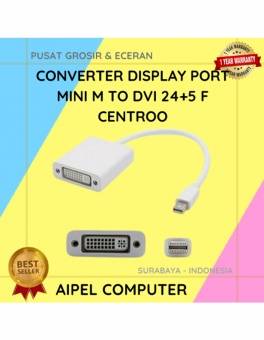
20%
A. DESKRIPSI (DESCRIPTION) Converter Display Port Mini M To DVI 24+5 F CENTROO (Black / White) adalah converter elegan dan… selengkapnya
Rp 20.000 Rp 25.000
14%
A. DESKRIPSI (DESCRIPTION) Kabel HDTV Standard M to M CENTROO 15 M 4K (Box) adalah kabel HDMI premium dari CENTROO… selengkapnya
Rp 120.000 Rp 140.000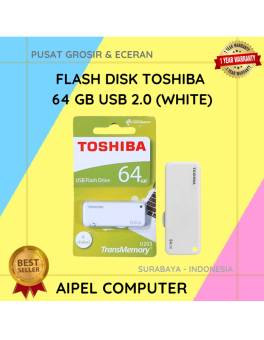
27%
A. DESKRIPSI (DESCRIPTION) Flash Disk USB 2.0 64 GB (White) adalah media penyimpanan portabel yang cocok untuk kamu yang butuh… selengkapnya
Rp 33.000 Rp 45.000
26%
A. DESKRIPSI (DESCRIPTION) EPSON S015511 For LQ-1000 Series Original 100% adalah solusi printing berkualitas tinggi yang dirancang khusus untuk memenuhi… selengkapnya
Rp 37.000 Rp 50.000



Saat ini belum tersedia komentar.