- Orderan dibawah 500.00 via Goshop / Offline / Marketplace
Laptop Clock Resets Every Time Turned On? Causes & Easy Fixes
Have you ever booted up your laptop only to notice that the system clock and date in the taskbar suddenly reverted back to an old year, such as 2000, 2010, or 1970? Because of this inaccurate system time, web browsers like Google Chrome often block internet access instantly, displaying security warnings like “Your clock is behind” or SSL certificate errors.
Many users panic and assume their laptop motherboard is failing or infected by severe malware. In reality, a laptop clock that resets every time the computer shuts down is almost always caused by a depleted CMOS battery (CR2032) that can no longer hold standby power. Similar to troubleshooting a laptop stuck on the boot screen, recognizing the warning signs early helps you resolve the issue quickly and affordably.
Featured Snippet (Instant Answer):
To fix a laptop clock that keeps resetting, synchronize your time zone automatically under Windows Time Settings, ensure the Windows Time Service is set to Automatic, and replace the dead motherboard coin-cell CMOS battery (CR2032 3V) with a new one.
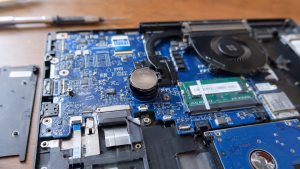
Checklist: Signs Your Laptop CMOS Battery Is Dead
Tick the boxes below to check if these symptoms match your current laptop issue:
-
[ ] The system date and time reset to factory defaults whenever you unplug the charger or shut down the laptop.
-
[ ] You see error messages like “CMOS Date/Time Not Set”, “CMOS Checksum Error”, or “Press F1 to Continue” during bootup.
-
[ ] Web browsers fail to load websites due to time-related security certificate conflicts.
-
[ ] Custom BIOS settings (such as boot priority or AHCI/IDE modes) reset back to defaults automatically.
-
[ ] The laptop takes significantly longer to boot up into Windows than usual.
Practical Advice: Factory CMOS batteries generally last between 3 to 5 years. If your laptop is over 3 years old and the clock starts resetting, the internal coin-cell battery on the motherboard has likely run out of charge.
Comparison Table: Why Does Your Laptop Time Keep Changing?
To help you diagnose the root cause behind system time resetting, here is a quick breakdown based on system behavior:
| Clock Symptom on Screen | Likely Root Cause | Required Action | Real-World Impact on Device |
|---|---|---|---|
| Time off by a few hours | Incorrect Windows Time Zone setting | Change time zone to UTC+07:00 (Bangkok, Hanoi, Jakarta) | Restores correct time without buying parts |
| Time resets to an old year | Depleted CR2032 CMOS battery on motherboard | Replace with a new 3V coin-cell CMOS battery | Saves system date and BIOS settings permanently |
| Clock stops during Sleep mode | Windows Time Service is stopped | Change Startup Type to Automatic via services.msc | Ensures seamless automatic internet time sync |
4 Easy Ways to Fix a Laptop Clock That Keeps Resetting
Try these step-by-step troubleshooting methods to stabilize your laptop date and time:
-
Adjust Time Zone & Enable Automatic Time Sync. Open Settings (
Win + I), navigate to Time & Language > Date & time. Toggle both Set time automatically and Set time zone automatically to On. Under Time zone, select your correct region (e.g., (UTC+07:00) Bangkok, Hanoi, Jakarta). Click Sync now to synchronize your system clock with internet servers. -
Enable the Windows Time Service. Press
Win + R, typeservices.msc, and press Enter. Locate Windows Time, right-click it, and select Properties. Change the Startup type to Automatic, click Start if the service is stopped, then click Apply and OK. -
Replace the CMOS Battery (CR2032 3V). Remove your laptop bottom cover. Locate the small silver coin battery labeled CR2032 (or a wired CMOS battery wrapped in black shrink tubing). Remove the old battery and insert a fresh CR2032 3V CMOS battery so the motherboard can retain system clock and BIOS data when powered off.
-
Update or Reset BIOS Settings. Enter the BIOS menu during startup (usually by tapping
F2,Del, orF12). Set the date and time manually in the main BIOS menu, then pressF10to save changes and exit (Save and Exit).
FAQ (Frequently Asked Questions)
-
Is it safe to use a laptop with a dead CMOS battery?
Yes, it is physically safe for your hardware, but it is inconvenient for daily use. You will have to manually adjust the date and time every time you boot up to prevent internet connection blocks and app glitches on Zoom, WhatsApp Desktop, or web browsers.
-
How much does a laptop CMOS battery cost, and is it easy to replace?
A standard CR2032 coin-cell CMOS battery is very inexpensive, ranging from Rp2,500 to Rp10,000. Replacing it is straightforward: open the laptop bottom chassis using a precision screwdriver set and gently pop out the battery holding clip.
-
Is a CMOS battery the same as a laptop main battery?
No. The main laptop battery is large and supplies power to operate the entire laptop on the go. The CMOS battery is a small coin cell dedicated solely to powering the motherboard’s BIOS chip to hold date, time, and system hardware configurations while the main power is off.
Conclusion
A laptop clock that resets every time you turn it on is almost always caused by a depleted motherboard CMOS coin battery. By re-synchronizing your system clock over the internet and replacing the CR2032 CMOS battery, your laptop date and time settings will stay accurate and permanent.
Shop CMOS Batteries & Computer Accessories at Aipel Computer
Need original CR2032 CMOS batteries, thermal paste, screen cleaning kits, or daily computer accessories to complete your setup? Find a wide range of genuine computer components and hardware accessories at competitive wholesale prices directly at our store.
For product catalogs, stock availability, or directions to our physical store, feel free to visit our main website at Aipel Computer in Surabaya today!
Tags: computer accessories surabaya, cr2032 cmos battery surabaya, fix laptop time resets to old year, grosir komputer, laptop clock resets every time turned on how to fix, replace cmos battery laptop

Laptop Clock Resets Every Time Turned On? Causes & Easy Fixes
Instant panic kicks in the moment your bright and crisp laptop display suddenly turns into an ugly shade of warm... selengkapnya

Rekomendasi printer terbaik dan murah bisa Anda temukan di toko komputer kesayangan. Beberapa printer berkualitas terbaik juga dijual dengan harga... selengkapnya

Have you ever been working in a dimly lit room or late at night, only to find that the backlight... selengkapnya
Kondisi laptop yang mendadak mengeluarkan suara dengungan kipas sangat kencang sering kali memicu kepanikan. Udara panas mendadak menyembur dari ventilasi... selengkapnya

Manfaat belanja di grosir komputer penting untuk Anda pertimbangkan. Sebagaimana yang kita tahu, grosir menyediakan produk secara lengkap dengan harga... selengkapnya
Salah satu produk yang akan Anda temukan di pusat komputer murah adalah PC Rakitan. Seperti namanya, maka jenis PC ini... selengkapnya
Tips memilih motherboard yang tepat di toko komputer berikut ini bisa diterapkan agar mendapatkan produk motherboard yang paling pas untuk... selengkapnya
Hardisk komputer rusak wajib menjadi perhatian penting bagi pengguna komputer. Komponen utama ini, berfungsi sebagai media penyimpanan utama seluruh data... selengkapnya

Grosir komputer menyediakan beragam produk untuk memenuhi setiap kebutuhan konsumen. Mulai dari hardware hingga aksesoris komputer. Apabila Anda saat ingin... selengkapnya
Fungsi LAN card curi perhatian siapa saja, terlebih lagi bagi pengguna komputer. Hal ini karena LAN card termasuk salah satu... selengkapnya
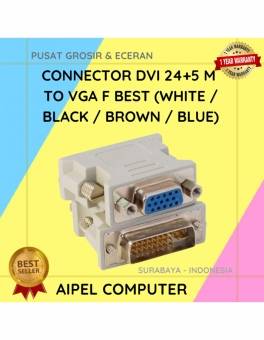
32%
A. DESKRIPSI (DESCRIPTION) DVI 24+5 M ke VGA F BEST adalah konektor andalan untuk menghubungkan perangkat berport DVI ke layar… selengkapnya
Rp 6.500 Rp 9.500
18%
A. DESKRIPSI (DESCRIPTION) EPSON S015632 For LX-310 Original 100% adalah cartridge ribbon andalan yang memberikan hasil cetakan presisi tinggi dengan… selengkapnya
Rp 47.000 Rp 57.000
31%
AIPEL COMPUTER – Pusat Grosir dan Eceran – Belanja Hebat dan Hemat – Harga Murah Garansi Prima * GARANSI –… selengkapnya
Rp 22.000 Rp 32.000
15%
AIPEL COMPUTER – Pusat Grosir dan Eceran – Belanja Hebat dan Hemat – Harga Murah Garansi Prima * GARANSI –… selengkapnya
Rp 55.000 Rp 65.000
27%
A. DESKRIPSI (DESCRIPTION) Cable USB M To Type-C M GENAI GL-Q40 adalah kabel serbaguna dengan kemampuan pengisian daya super cepat… selengkapnya
Rp 27.000 Rp 37.000
10%
A. DESKRIPSI (DESCRIPTION) Ribbon Cartridge EPSON S015531 / S015086 For LQ-2190 Original adalah pita printer berkualitas tinggi untuk mencetak dengan… selengkapnya
Rp 183.000 Rp 203.000
20%
A. DESKRIPSI (DESCRIPTION) Kabel LAN WEBSONG 3 meter adalah solusi praktis dan handal untuk menunjang koneksi internet stabil dan cepat… selengkapnya
Rp 18.500 Rp 23.000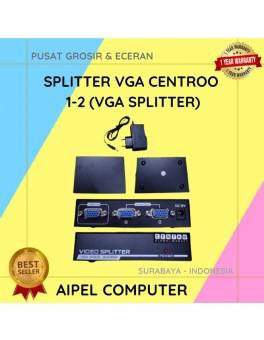
18%
A. DESKRIPSI (DESCRIPTION) Splitter VGA CENTROO 1-2 adalah perangkat praktis yang dirancang untuk membagi satu output VGA ke dua layar… selengkapnya
Rp 53.000 Rp 65.000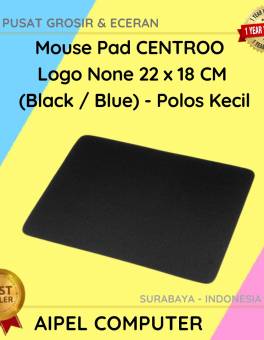
40%
A. DESKRIPSI (DESCRIPTION) Dapatkan pengalaman menggunakan mouse yang lebih nyaman dan stylish dengan Mouse Pad CENTROO. Didesain khusus untuk para… selengkapnya
Rp 3.000 Rp 5.000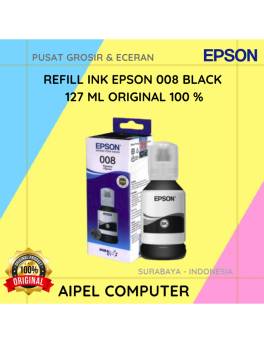
4%
A. DESKRIPSI (DESCRIPTION) Refill Ink EPSON 008 Black 127 ML Original adalah tinta hitam berkualitas tinggi yang diformulasikan secara khusus… selengkapnya
Rp 275.000 Rp 285.000



Saat ini belum tersedia komentar.