- Orderan dibawah 500.00 via Goshop / Offline / Marketplace
Building a PC vs Prebuilt: Which Is Cheaper?
Having a high-performance desktop computer for work, video editing, or gaming is a goal for many tech enthusiasts. However, when it comes time to buy, a classic question often creates confusion: is it better to opt for building a PC vs prebuilt systems?
Many people automatically assume that custom building a desktop is always significantly cheaper than buying a pre-assembled unit from a manufacturer. In reality, which option saves you more money depends heavily on your budget, technical confidence, and long-term usage goals. Before making a decision, let us break down the costs, performance value, and trade-offs in detail below.
Featured Snippet (Instant Answer):
Building a PC is generally cheaper in terms of raw performance per dollar because you avoid manufacturer assembly markups and can allocate your budget directly toward essential parts like the GPU or CPU. However, buying a prebuilt PC can save time and offers better peace of mind for beginners through a single-source warranty and pre-installed software.
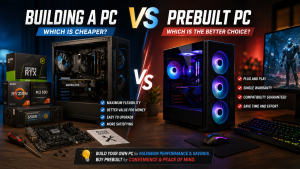
Decision Guide: Custom Building vs Prebuilt Desktop
Here is a quick summary to help you determine which path aligns best with your personal needs:
-
When to Choose Custom PC Building: Ideal if you want total freedom over component brands, easy future upgrades, and maximum hardware performance for every dollar spent.
-
When to Choose a Prebuilt PC: Ideal if you want a hassle-free, plug-and-play experience, guaranteed component compatibility out of the box, and a single system-wide warranty.
Our Recommendation: If you have reviewed our comprehensive custom PC building guide and possess basic technical confidence, custom building delivers far superior overall value for money.
Comparison Table: Value and Efficiency Breakdown
To give you a realistic picture of how these two options stack up against each other, here is a breakdown of key buying factors:
| Comparison Metric | Custom Built PC | Prebuilt System |
|---|---|---|
| Performance Value (Dollar-to-Spec) | Highly Cost-Effective (Full budget to GPU/CPU) | Slightly Higher Cost (Includes labor & brand margin) |
| Upgradeability | Extremely Easy (Uses standard form factors) | Sometimes Limited (May use proprietary parts) |
| Warranty Coverage | Individual warranties per part (1 – 3 years) | Single-source warranty for the whole tower |
| Operating System (OS) | Purchased separately or user-installed | Usually includes a pre-activated Windows license |
| Assembly Risk | Requires careful assembly and research | Zero assembly risk; factory tested before shipping |
*Note: The comparison metrics above are derived from real-world technical observations recorded during routine desktop assembly and repair services, rather than abstract laboratory estimates.
Pros and Cons of Building Your Own PC
Pros:
-
Maximum Component Flexibility. You have complete control over every single part, from the processor and graphics card down to the cable colors and RGB fan layout.
-
Better Hardware for the Same Budget. Without paying extra for custom manufacturer packaging or assembly markups, 100% of your funds go directly toward a faster GPU or higher-capacity RAM.
-
Easy Maintenance and Future Upgrades. Because all parts follow industry-standard dimensions (ATX/Micro-ATX), swapping out an aging component later is straightforward and affordable.
Cons:
-
Assembling components requires attention to detail to avoid cable clutter or seated connection errors.
-
Warranty claims must be handled individually through separate component distributors if a part fails.
Pros and Cons of Buying a Prebuilt PC
Pros:
-
Immediate Plug-and-Play Convenience. Unbox the tower, plug in the power cord and monitor, and your system is instantly ready for work or gaming.
-
Single-Source Warranty Support. If your computer experiences technical difficulties, you deal with one service point rather than diagnosing individual hardware parts yourself.
-
Guaranteed Hardware Compatibility. All internal components are pre-tested by engineers to ensure stability and smooth system communication right out of the box.
Cons:
-
Some mass-market prebuilt models use entry-level power supplies or basic motherboards to keep list prices low.
-
Total cost is generally higher compared to purchasing raw hardware components individually.
Conclusion: Which One Should You Choose?
If your main goal is getting the highest possible hardware performance on a tight budget, building a PC is the clear winner. You save on assembly fees and can direct those savings into vital parts like a faster NVMe SSD or a more powerful graphics card.
However, if you lack the time to research individual parts and prefer avoiding technical assembly risks, purchasing a prebuilt PC or utilizing a trusted local custom build service is the safest, most efficient route.
Consult with Aipel Computer
Looking to build your dream PC with a balanced component selection without worrying about hardware compatibility issues? You can consult directly with our technical team to craft a custom system or check available component stocks by visiting our official website at Aipel Computer in Surabaya for prompt and reliable service.
Tags: building a pc vs prebuilt which is cheaper, computer store surabaya, custom pc vs prebuilt cost, prebuilt gaming desktop value, pros and cons building a pc

Building a PC vs Prebuilt: Which Is Cheaper?
MicroSD card merupakan salah satu perangkat penyimpanan non-volatile yang semakin penting dalam kehidupan digital modern. Dengan beragam merek dan spesifikasi... selengkapnya
Perlu kamu ketahui, UPS Prolink ini menjadi sebuah produk yang cukup populer dan dinilai mempunyai banyak keunggulan. Sehingga, tak heran... selengkapnya
Tips memilih motherboard yang tepat di toko komputer berikut ini bisa diterapkan agar mendapatkan produk motherboard yang paling pas untuk... selengkapnya

Urutan tinta warna Canon sampai saat ini masih sering orang salah pahami. Apalagi ketika tinta tersebut habis dan kita membeli... selengkapnya
Pernahkah kamu membeli kepingan RAM baru untuk melakukan upgrade memori laptop (misalnya dari 8GB ke 16GB), tetapi saat diperiksa di... selengkapnya

Para gamers sejati, wajib tahu beberapa perbedaan gamepad dan joystick agar pemakaiannya bisa sesuai dan semakin optimal. Dalam dunia game,... selengkapnya

Dalam pembagiannya, komputer terbagi menjadi keras, dan perangkat lunak. Perangkat keras juga biasa disebut sebagai perangkat hardware. Komponen ini... selengkapnya
HDD Caddy menjadi salah satu kebutuhan dalam perangkat laptop. HDD dalam laptop atau komputer memiliki fungsi penting bagi para pengguna.... selengkapnya
Kabel data atau data cable merupakan alat banyak dijumpai di toko-toko komputer. Bahkan, mungkin Anda sudah tidak asing lagi dengan... selengkapnya
Pernahkah kamu membeli SSD M.2 NVMe baru untuk menambah kapasitas penyimpanan laptop, namun setelah dipasang di slot motherboard, drive tersebut... selengkapnya

20%
A. DESKRIPSI (DESCRIPTION) Adaptor Laptop ACER 19V 2.1A DC adalah solusi terbaik untuk memenuhi kebutuhan daya laptop Anda. Dengan desain… selengkapnya
Rp 60.000 Rp 75.000
5%
A. DESKRIPSI (DESCRIPTION) Docking Hard Disk FIDECO USB 3.0 + RGB LED (Black) adalah docking berdesain stylish dengan lampu RGB… selengkapnya
Rp 372.000 Rp 390.000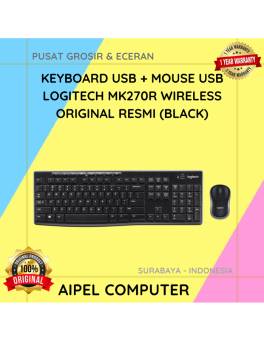
5%
A. DESKRIPSI (DESCRIPTION) keyboard mouse wireless MK270R adalah perangkat combo keyboard dan mouse wireless dari LOGITECH yang dirancang khusus untuk… selengkapnya
Rp 333.000 Rp 350.000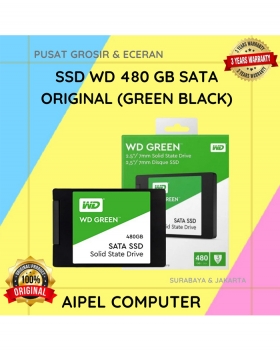
21%
A. DESKRIPSI (DESCRIPTION) SSD WD 480 GB Original (Green Black) adalah solusi upgrade terbaik bagi kamu yang menginginkan kecepatan, efisiensi,… selengkapnya
Rp 515.000 Rp 650.000
8%
A. DESKRIPSI (DESCRIPTION) Earphone Wireless GENAI TWS21 Earbuds Zinc Alloy adalah perangkat audio nirkabel bergaya premium dengan housing berbahan logam… selengkapnya
Rp 220.000 Rp 240.000
19%
A. DESKRIPSI (DESCRIPTION) Charger 5V 1 Port Type-C + Cable Type-C M to M GENAI ZC045 Fast Charger PD adalah… selengkapnya
Rp 63.000 Rp 78.000
7%
AIPEL COMPUTER ADDRESS (Offline Store) Ruko Manyar Mas 27 Blok C3 – C4 Jalan Raya Manyar 63C Kelurahan Menur Pumpungan… selengkapnya
Rp 152.000 Rp 164.000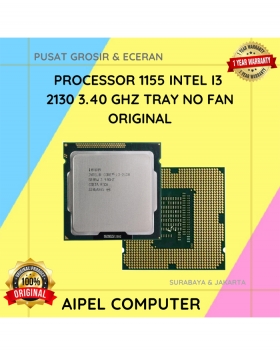
18%
A. DESKRIPSI (DESCRIPTION) Processor INTEL I3 2130 3.40 GHz Tray No Fan Original adalah prosesor generasi LGA 1155 yang membawa… selengkapnya
Rp 70.000 Rp 85.000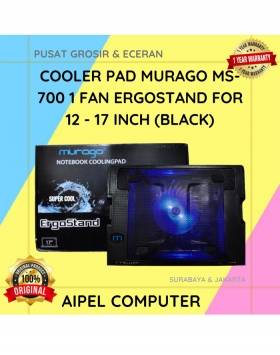
19%
A. DESKRIPSI (DESCRIPTION) Cooler Pad MURAGO MS-700 adalah penopang laptop yang tidak hanya memberikan kenyamanan saat mengetik, tapi juga menjaga… selengkapnya
Rp 65.000 Rp 80.000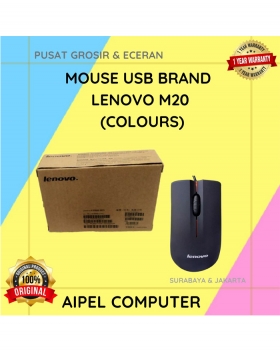
40%
A. DESKRIPSI (DESCRIPTION) Mouse Wired USB M20 (Colour Black) adalah perangkat input dengan desain sederhana dan fungsionalitas maksimal yang cocok… selengkapnya
Rp 15.000 Rp 25.000



Saat ini belum tersedia komentar.