- Orderan dibawah 500.00 via Goshop / Offline / Marketplace
High RAM Usage with Few Apps Open? Causes and Easy Fixes
Few computing issues are more frustrating than turning on your laptop, opening zero heavy programs, and finding Task Manager reporting memory usage locked between 85% and 95%. As a result, cursor tracking stutters, window animations lag, and web browsers crash unexpectedly (force close).
A laptop suffering from high memory usage while idle is rarely caused by insufficient physical RAM; it typically indicates a software memory leak. A memory leak occurs when buggy programs or background drivers refuse to release working memory back to the pool after completing tasks, when Windows SysMain aggressively caches files, or when virtual memory allocations are disabled. Much like troubleshooting when your laptop lagging or freezing when multitasking to regain snappy performance, you can reclaim working RAM yourself without immediately buying memory upgrades.
Featured Snippet (Quick Answer):
To fix high RAM usage with few apps open, disable the SysMain service in Windows Services (
services.msc), turn off Fast Startup in Power Options, close hidden startup programs via Task Manager, and configure Virtual Memory (Paging File) allocations manually.
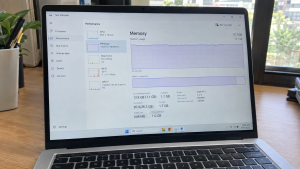
Checklist: Signs of Laptop Memory Leaks
Check the boxes below if your laptop exhibits these conditions:
-
[ ] Memory consumption hovers above 70% right after booting into the desktop.
-
[ ] RAM percentage steadily climbs upward while the laptop sits completely idle.
-
[ ] Windows displays “Your computer is low on memory” warnings.
-
[ ] Web browsers frequently crash or report Out of Memory status errors.
-
[ ] System responsiveness returns to normal only immediately after rebooting.
Practical Recommendation: Avoid installing third-party RAM cleaner software. Restart your laptop once and disable the SysMain service to clear memory bloat safely.
Comparison Table: Causes of High RAM Usage and Fixes
Here is an overview of why RAM consumption spikes and recommended troubleshooting actions:
| Memory Load Symptom | Underlying Cause | Performance Risk | Recommended Fix |
|---|---|---|---|
| High RAM upon cold boot | Fast Startup holds onto old session cache | Sluggish boots & clogged memory | Disable Fast Startup in Control Panel |
| RAM climbs continuously | Driver memory leak in network / GPU | System lockup (freeze) | Update drivers in Device Manager |
| Windows service hogs RAM | Overly aggressive SysMain service | Drives RAM and disk load to 100% | Set SysMain startup type to Disabled |
| Crashes running 2 apps | Paging file disabled or too small | Triggers forced application crashes | Configure Virtual Memory to Custom Size |
4 Steps to Reduce High RAM Usage on Your Laptop
Follow these system tuning steps in order:
-
Disable the SysMain Service in Windows. Press
Win + R, typeservices.msc, and press Enter. Scroll down to locate SysMain (labeled Superfetch on older Windows versions). Double-click the entry, click Stop, change the Startup type dropdown to Disabled, and click Apply. This service frequently overloads working RAM by preloading application caches aggressively. -
Turn Off Windows Fast Startup. The Fast Startup feature avoids complete kernel resets during shutdown, allowing corrupted memory cache remnants to accumulate over weeks. Open Control Panel > Power Options > Choose what the power buttons do. Click Change settings that are currently unavailable, uncheck Turn on fast startup, and save changes.
-
Trim High-Impact Startup Applications. Open Task Manager (
Ctrl + Shift + Esc) and switch to the Startup apps tab. Review the active list. Disable unnecessary background software—such as cloud sync tools, chat clients, or gaming updaters—by right-clicking each entry and choosing Disable. -
Reconfigure Virtual Memory (Paging File) Size. Search for View advanced system settings in Windows. On the Advanced tab, click Settings under Performance. Select the Advanced tab again and click Change under Virtual memory. Uncheck Automatically manage, select drive C:, check Custom size, enter an Initial size equal to 1.5 times physical RAM and a Maximum size equal to 3 times physical RAM, click Set, and restart your laptop.
When to Consider a Physical RAM Upgrade
If you have terminated non-essential background processes and disabled SysMain yet memory usage consistently hits 85% when launching your primary work application, your laptop’s installed hardware capacity has reached its ceiling.
Adding an extra RAM module (upgrading to 8GB or 16GB dual-channel) provides the physical memory headroom modern operating systems require for smooth multitasking.
FAQ (Frequently Asked Questions)
Are third-party RAM cleaners safe to use?
They are not recommended. These utilities aggressively flush active memory onto storage drives, which forces the processor to work harder and induces system stuttering.
What is normal idle RAM consumption on Windows?
On clean installations of Windows 10 or Windows 11, normal idle memory consumption typically sits between 25% and 45%, depending on total installed hardware capacity.
Conclusion
High RAM usage with few apps open is usually caused by excessive caching in the SysMain service, driver memory leaks, or active Fast Startup settings. By shutting down redundant background services and managing Virtual Memory properly, you can restore smooth system responsiveness.
Shop RAM Modules, SSDs & Upgrade Consultation at Aipel Computer
Struggling with sluggish multitasking due to limited factory memory, looking for guaranteed original DDR3L/DDR4/DDR5 RAM sticks, or wanting an SSD upgrade for faster performance? Explore our complete inventory of computer parts at wholesale prices directly in our store.
To check RAM slot compatibility or find store directions, visit the official Aipel Computer website in Surabaya today.
Tags: buy laptop ram surabaya, disable sysmain high memory, fix 90 percent memory usage windows 10, fix laptop memory leak, high ram usage with few apps open, laptop repair surabaya

High RAM Usage with Few Apps Open? Causes and Easy Fixes
Spesifikasi dan harga komputer untuk desain grafis tentunya berbeda dengan komputer yang digunakan untuk kebutuhan lainnya. Untuk kebutuhan desain grafis,... selengkapnya
Switch komputer menjadi barang yang berguna dalam kebutuhan perangkat komputer. Perangkat komputer tidak bisa lepas dari berbagai komponen yang mendukung.... selengkapnya
Hard disk merupakan hardware atau perangkat keras yang berfungsi untuk menyimpan data pada sebuah komputer maupun laptop. Setiap komputer telah... selengkapnya

Radiasi layar komputer dapat mengganggu kesehatan mata jika terjadi secara terus-menerus. Hal ini terutama perlu diwaspadai oleh para pekerja yang... selengkapnya
Cara memperbaiki laptop tidak bisa connect WiFi belum banyak diketahui oleh sebagian orang. Padahal, mengetahui cara ini sangat penting agar... selengkapnya
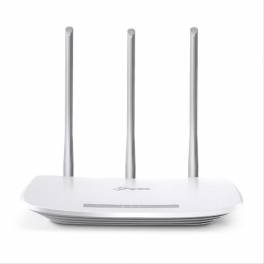
TP Link antena merupakan salah satu pilihan router yang kualitasnya bisa bisa diandalkan. Ya, jika Anda ingin memasang router di... selengkapnya

Cara screenshot di komputer atau laptop tidak memerlukan kemampuan teknis yang rumit. Hanya perlu menggunakan beberapa tombol di keyboard atau... selengkapnya
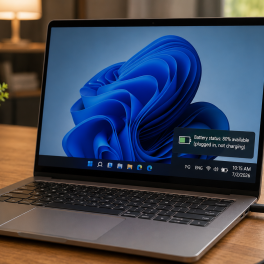
Pernahkah kamu mencolokkan kabel pengisi daya (charger) ke laptop, melihat lampu indikator pengisian menyala, tetapi ikon baterai di sudut kanan... selengkapnya

USB Hub merupakan salah satu perangkat yang digunakan sebagai perantara. Perantara ini diperlukan untuk menghubungkan antara perangkat eksternal dengan komputer.... selengkapnya
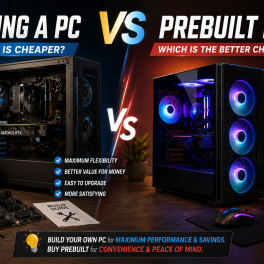
Having a high-performance desktop computer for work, video editing, or gaming is a goal for many tech enthusiasts. However, when... selengkapnya

4%
A. DESKRIPSI (DESCRIPTION) Docking Hard Disk FIDECO Y842H adalah docking hard disk aluminium dual bay dari FIDECO yang dirancang untuk… selengkapnya
Rp 450.000 Rp 470.000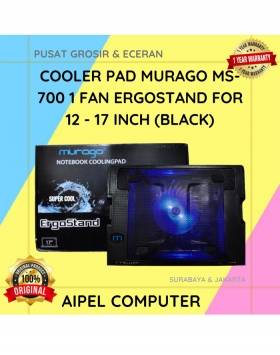
19%
A. DESKRIPSI (DESCRIPTION) Cooler Pad MURAGO MS-700 adalah penopang laptop yang tidak hanya memberikan kenyamanan saat mengetik, tapi juga menjaga… selengkapnya
Rp 65.000 Rp 80.000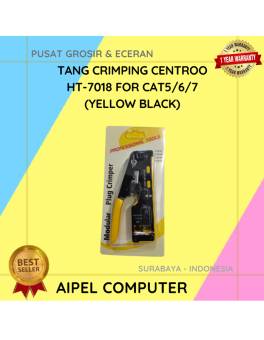
14%
A. DESKRIPSI (DESCRIPTION) Tang Crimping Tool CENTROO Double for Cat 5 6 7 (Black Yellow) adalah alat presisi tinggi yang… selengkapnya
Rp 120.000 Rp 140.000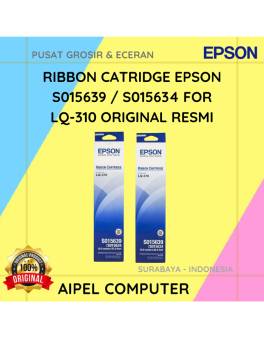
17%
A. DESKRIPSI (DESCRIPTION) EPSON S015639 / S015634 For LQ-310 Original 100% adalah cartridge ribbon berkualitas yang dirancang untuk memberikan hasil… selengkapnya
Rp 62.000 Rp 75.000
5%
A. DESKRIPSI (DESCRIPTION) Hard Disk Internal 2.5 SEAGATE 500 GB For Laptop Original adalah media penyimpanan ideal bagi pengguna laptop… selengkapnya
Rp 385.000 Rp 405.000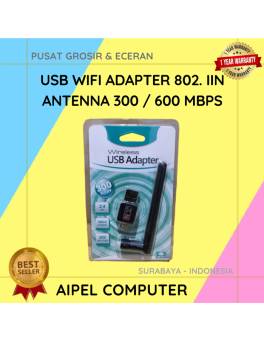
23%
A. DESKRIPSI (DESCRIPTION) USB Wifi Adapter Antenna CENTROO adalah adaptor jaringan eksternal yang dibekali antena penguat sinyal untuk hasil koneksi… selengkapnya
Rp 30.000 Rp 39.000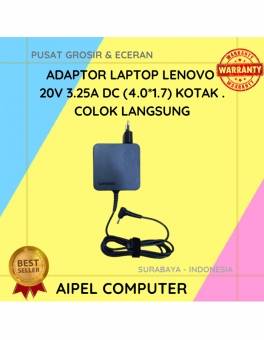
17%
A. DESKRIPSI (DESCRIPTION) Adaptor Laptop LENOVO 20V 3.25A DC (4.0*1.7) Kotak Colok Langsung adalah solusi cerdas untuk kebutuhan daya laptop… selengkapnya
Rp 75.000 Rp 90.000
29%
A. DESKRIPSI (DESCRIPTION) Splitter HDTV CENTROO 1-4 adalah perangkat pendukung multimedia yang memungkinkan satu sumber HDMI dibagi ke empat layar… selengkapnya
Rp 53.000 Rp 75.000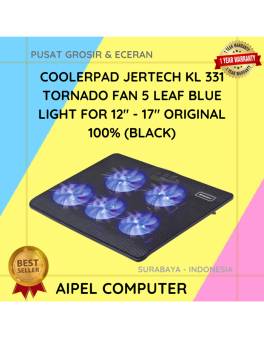
12%
A. DESKRIPSI (DESCRIPTION) KL331 TORNADO adalah cooler pad laptop dari JERTECH yang dirancang untuk menjaga suhu perangkat tetap optimal. ❄️💻… selengkapnya
Rp 131.648 Rp 150.000
8%
A. DESKRIPSI (DESCRIPTION) TP-LINK DECO E4 1-PACK adalah solusi mesh WiFi pintar dari TP-LINK yang dirancang untuk memberikan koneksi internet… selengkapnya
Rp 367.000 Rp 400.000



Saat ini belum tersedia komentar.