- Orderan dibawah 500.00 via Goshop / Offline / Marketplace
Laptop Fan Spinning Weak and Not Maxing Out? Causes and Fixes
Have you noticed your laptop body becoming scorching hot, yet the air pushing out of the exhaust vents feels exceptionally faint, weak, or virtually non-existent?
Unlike noisy, roaring fans, a laptop fan that fails to spin at full capacity is uniquely dangerous because it silently traps heat inside the chassis. Similar to troubleshooting thermal issues like laptop overheating and shutting down causes fixes within hardware cooling setups, identifying the root cause of fan sluggishness is essential to save your processor and graphics card from permanent thermal damage.
Featured Snippet (Quick Answer):
Common causes of a weak or sluggish laptop fan include thick dust buildup clogging the rotor bearing axle, dried/sticky bearing lubricant, Windows power plans restricting fan speeds (Power Saver mode), or degraded motherboard capacitors reducing voltage to the fan header.
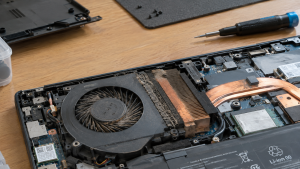
Checklist: Evaluating Laptop Cooling Fan Rotation
Check the boxes below if these fan symptoms describe your situation:
-
[ ] Fan noise sounds unusually faint or stutters intermittently even under heavy system load.
-
[ ] Airflow coming out of side or rear exhaust vents feels very weak or barely noticeable.
-
[ ] Laptop experiences sudden shutdowns (thermal shutdown) a few minutes into intensive tasks.
-
[ ] Underside chassis gets uncomfortably hot while sitting on a desk.
-
[ ] Fan only begins spinning after manually blowing air into vents or tapping the housing.
Practical Recommendation: Do not ignore weak exhaust airflow. Regularly check ventilation grills for dust blockages and ensure your OS power plan is not set to Power Saver or Silent during demanding computational workloads.
Comparison Table: Fan Rotation Symptoms and Recommended Actions
| Rotation Condition | Underlying Cause | Impact on System | Recommended Action |
|---|---|---|---|
| Sluggish & Squeaking | Dry bearing / dust resistance | Internal heat spikes rapidly | Clean axle & apply light sewing machine oil |
| Sluggish & Silent | Power Saver mode / BIOS profile | System thermal throttling (lag) | Switch power mode to High Performance |
| Stuttering / Jerky | Worn motor coil / weak capacitor | Risk of sudden thermal shutdown | Replace cooling fan module (fan replacement) |
| Stiff When Spun Manually | Caked-on grime blanket | Motor winding risk of burn out | Disassemble chassis & clean fan blades |
4 Ways to Fix a Weak or Sluggish Laptop Fan
-
Clear Caked Dust from the Rotor Shaft. Remove the laptop bottom panel, detach the fan module, and clean dust clumps wrapped around the rotor magnet and shaft using a soft brush or isopropyl alcohol.
-
Apply Light Lubricant to Fan Bearings. If fan blades feel stiff when flicked with a finger, peel back the shaft cover sticker and drop 1–2 drops of sewing machine oil or silicone lubricant onto the spindle to restore smooth spinning.
-
Adjust Power Profile & Fan Curves. Navigate to Windows Power & Battery settings and set the power mode to Best Performance. On gaming or workstation laptops, use the vendor control software to switch fan profiles to Turbo or Custom Speed.
-
Perform an Embedded Controller (EC) / BIOS Reset. Occasionally, the motherboard Embedded Controller managing fan voltage gets hung. Turn off the laptop, unplug power, and hold the Power button for 30 seconds to reset internal hardware power states.
When to Replace the Laptop Fan Module
If you have cleaned out dust and lubricated the shaft yet the fan continues to spin slowly, or if the rotor spindle feels loose and wobbly, the motor coil has worn out. Installing a new replacement fan module is the safest path to protect your motherboard from severe overheating.
FAQ (Frequently Asked Questions)
Does a slowly spinning laptop fan always mean it is broken?
Not necessarily. When a laptop is idle and operating at low temperatures, system firmware automatically lowers fan speeds to conserve battery life and reduce fan noise.
Can I use heavy motor oil or chain lube on a laptop fan?
No. Heavy lubricants like chain grease are too viscous and sticky, which will trap more dust particles and eventually seize the fan motor completely.
Conclusion
A laptop fan that spins weakly and fails to max out can often be resolved through routine dust cleaning and shaft lubrication. When physical motor degradation occurs, replacing the cooling fan at a qualified service center ensures long-term system stability.
Shop Laptop Fans, Cooling Accessories & Repairs at Aipel Computer
Looking for genuine replacement laptop fan modules, premium thermal paste, or complete cooling maintenance services? Find reliable hardware solutions and expert care directly at Aipel Computer.
Tags: how to lubricate laptop fan bearing, laptop fan spinning weak not maxing out, sluggish laptop fan fix

Laptop Fan Spinning Weak and Not Maxing Out? Causes and Fixes
Perangkat PC atau komputer memiliki banyak manfaat mulai dari mengolah data, dokumen, sampai dengan bermain game. Di dalam beberapa tahun... selengkapnya

Ketika membeli komputer di toko komputer terbaik dan terpercaya, pastinya bisa mendapatkan produk berkualitas. Akan tetapi, seiring berjalannya waktu, komputer... selengkapnya

Ingin beli PC? Bingung harus ke pusat komputer terdekat atau belanja secara online? Bagi yang merasa kesulitan, tidak ada salahnya... selengkapnya
GA H61M DS2 merupakan salah satu tipe motherboard dari vendor Gigabyte, yang biasa digunakan dalam perangkat laptop atau PC. Motherboard... selengkapnya

Tips Membeli Aksesoris Laptop Untuk menunjang penggunaannya, komputer memiliki beberapa aksesoris yang banyak macamnya dengan fungsi berbeda-beda. Contoh aksesoris yang... selengkapnya
Keyboard komputer tidak berfungsi tentu akan mengganggu serta menghambat kenyamanan saat kita menggunakan perangkat tersebut. Meskipun harga komputer terbilang tinggi,... selengkapnya

Spek komputer untuk desain grafis tidak bisa Anda pilih dengan asal. Kebutuhan akan perangkat komputer pada kemajuan era teknologi digital... selengkapnya
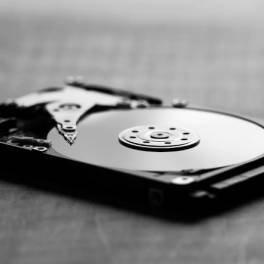
Casing hardisk external adalah aksesoris penting yang sering diabaikan oleh banyak pengguna komputer. Padahal, casing ini tidak hanya melindungi hardisk... selengkapnya
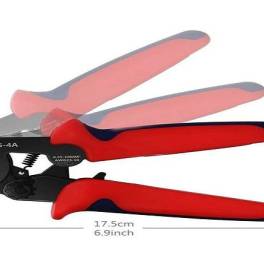
Tang crimping seringkali dimanfaatkan dalam bidang elektronik. Namun, sebagian besar orang sering kali merasa bingung dengan istilah-istilah lain yang mengacu... selengkapnya

Komputer tidak bisa shutdown adalah masalah umum yang sering dihadapi oleh pengguna. Ketika komputer tidak merespon perintah shutdown, ini dapat... selengkapnya

40%
AIPEL COMPUTER – Pusat Grosir dan Eceran – Belanja Hebat dan Hemat – Harga Murah Garansi Prima * GARANSI –… selengkapnya
Rp 9.000 Rp 15.000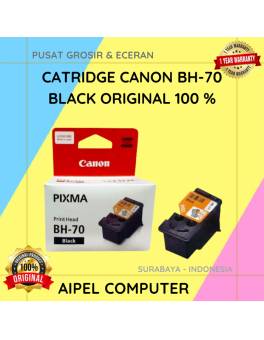
5%
A. DESKRIPSI (DESCRIPTION) Kenalkan, Catridge CANON BH-70 Black Original – solusi cemerlang untuk kebutuhan cetak Anda! Didesain khusus untuk printer… selengkapnya
Rp 412.000 Rp 435.000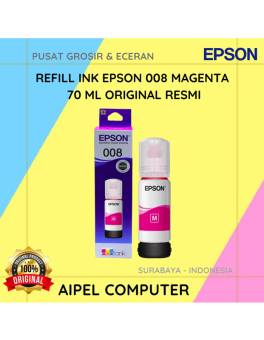
20%
A. DESKRIPSI (DESCRIPTION) Refill Ink EPSON 008 Magenta 70 ML Original 100 % adalah tinta warna magenta yang lembut namun… selengkapnya
Rp 225.000 Rp 280.000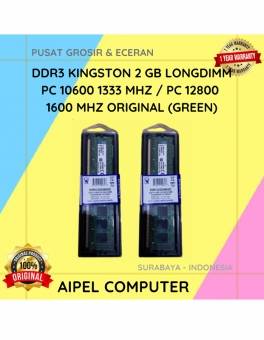
23%
A. DESKRIPSI (DESCRIPTION) DDR3 KINGSTON 2 GB adalah memori RAM berkualitas yang dirancang untuk menunjang performa komputer Anda agar tetap… selengkapnya
Rp 47.500 Rp 62.000
7%
A. DESKRIPSI (DESCRIPTION) Printer CENTROO 58 MM Thermal Bluetooth Portable 1500 MAH adalah printer thermal portabel yang sangat praktis digunakan… selengkapnya
Rp 270.000 Rp 290.000
5%
A. DESKRIPSI (DESCRIPTION) Docking Hard Disk FIDECO YPZ04-S2H-U3 adalah docking dual bay dari FIDECO yang memungkinkan Anda memasang dua hard… selengkapnya
Rp 400.000 Rp 420.000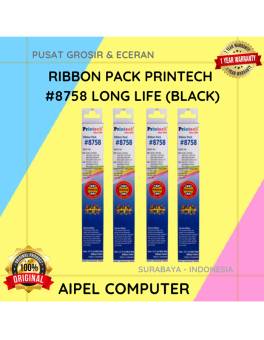
40%
A. DESKRIPSI (DESCRIPTION) Ribbon Pack PRINTECH #8758 LONG LIFE (Black) adalah tinta pita printer berkualitas tinggi yang dibuat khusus untuk… selengkapnya
Rp 9.000 Rp 15.000
7%
A. DESKRIPSI (DESCRIPTION) Kabel HDTV Standart M To M CENTROO 30 M 4K (Box) adalah solusi kabel HDMI panjang dari… selengkapnya
Rp 250.000 Rp 270.000
20%
A. DESKRIPSI (DESCRIPTION) Gamepad Double DIGIGEAR Analog Motor (Black) adalah kontroler yang dirancang untuk memberikan pengalaman gaming yang seru dan… selengkapnya
Rp 60.000 Rp 75.000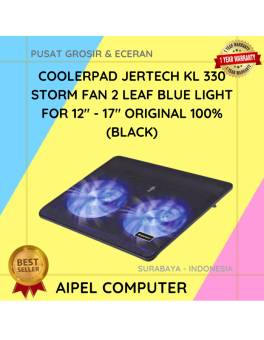
9%
A. DESKRIPSI (DESCRIPTION) Cooler Pad JERTECH KL 330 STORM Black adalah solusi cooling stylish dengan dua kipas dan lampu biru…. selengkapnya
Rp 86.020 Rp 95.000



Saat ini belum tersedia komentar.