- Orderan dibawah 500.00 via Goshop / Offline / Marketplace
Laptop Blue Screen of Death (BSOD)? Causes and Fixes
Have you ever been working on an important document or playing a game when your laptop suddenly freezes, displaying a bright blue screen with a sad face :( and the message Your PC ran into a problem and needs to restart?
This frustrating event, known as the Blue Screen of Death (BSOD), causes panic because the computer crashes and reboots unexpectedly. However, much like diagnosing system boot loops in laptop stuck on boot screen how to fix 2, a blue screen error is actually a built-in safety mechanism designed by Windows to halt operations and prevent permanent physical hardware damage.
Featured Snippet (Quick Answer):
Common causes of a laptop Blue Screen of Death (BSOD) include corrupted hardware drivers, system file corruption, faulty or dirty RAM modules, and bad sectors on internal SSD/HDD storage drives.
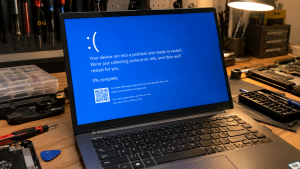
Checklist: Diagnosing Blue Screen Symptoms on Your Laptop
Check the boxes below if these BSOD symptoms match your situation:
-
[ ] Blue screen crashes occur during heavy multitasking or gaming sessions (system overload).
-
[ ] Error messages display specific Stop Codes like
MEMORY_MANAGEMENTorCRITICAL_PROCESS_DIED. -
[ ] Laptop crashes repeatedly after installing a recent graphics driver or Windows update.
-
[ ] Laptop experiences continuous reboot loops with a blue screen (boot loop).
-
[ ] Laptop operates normally once allowed to cool down for a few minutes.
Practical Recommendation: When a blue screen appears, write down or take a photo of the Stop Code displayed at the bottom (such as DRIVER_IRQL_NOT_LESS_OR_EQUAL). These error codes isolate the specific driver or hardware module causing the crash without guessing.
Comparison Table: BSOD Error Codes and Recommended Actions
| BSOD Error Code | Underlying Cause | Device Damage Risk | Recommended Action |
|---|---|---|---|
| MEMORY_MANAGEMENT | Dirty / faulty / corrupted RAM stick | System data corruption | Clean RAM contacts with pencil eraser / replace stick |
| DRIVER_IRQL_NOT_LESS_OR_EQUAL | Conflicting / outdated hardware driver | Repeated system crashes | Update / rollback driver via Windows Safe Mode |
| INACCESSIBLE_BOOT_DEVICE | SSD/HDD corruption / damaged boot files | Windows boot failure | Run Startup Repair / check storage drive connections |
| PAGE_FAULT_IN_NONPAGED_AREA | Virtual memory / system file error | System performance lag | Run sfc /scannow & chkdsk commands |
4 Ways to Fix a Laptop Blue Screen of Death (BSOD)
-
Run System File Checker (SFC Scan). Open Command Prompt (Run as administrator), type
sfc /scannowand press Enter. Allow the process to reach 100% completion so Windows can automatically repair corrupted system files. -
Remove and Clean RAM Modules. Power off the laptop, disconnect the charger, and remove the RAM sticks from their slots. Gently rub the gold contact pins with a clean pencil eraser to remove static oxidation before reseating them securely.
-
Boot into Safe Mode & Uninstall Recent Drivers. If your laptop suffers from reboot loops, enter Safe Mode (force power off 3 times during boot to trigger the Recovery Menu). In Safe Mode, open Device Manager and uninstall recent drivers or updates causing conflicts.
-
Scan Storage Drive for Errors. Open Command Prompt (Admin) and run
chkdsk C: /f /rto scan and repair bad sectors on your system drive. For SSDs, use vendor diagnostic utilities to inspect drive health.
When to Seek Professional Repair Services
If you have performed a clean reinstallation of Windows and blue screen errors persist with changing error codes, your laptop likely has physical hardware degradation in motherboard power circuits, onboard RAM, or the SSD.
This condition requires motherboard power component diagnostics or hardware replacement by a qualified technician to restore system stability and protect valuable data.
FAQ (Frequently Asked Questions)
Can a Blue Screen of Death (BSOD) cause permanent data loss?
The blue screen itself is a protective measure to prevent data corruption. However, any unsaved work in progress at the exact moment of the crash may be lost or corrupted.
Why does my laptop trigger a BSOD when it gets hot?
Overheating causes thermal throttling in the CPU and RAM. If temperatures exceed safe operating limits, Windows triggers a BSOD to shut down the system and prevent the silicon chips from burning out.
Conclusion
A laptop Blue Screen of Death (BSOD) is a critical warning signal from Windows triggered by driver conflicts, file corruption, or RAM errors. Identifying Stop Codes and performing routine hardware maintenance will restore smooth system operation.
Shop Genuine RAM, SSDs & Laptop Repairs at Aipel Computer
Need genuine RAM upgrades, high-speed M.2 NVMe SSDs, or professional Blue Screen (BSOD) repair services with an official warranty? Find trusted hardware replacement parts and expert repair services directly at Aipel Computer.
For spare parts availability or technical consultations, visit the official Aipel Computer website today.
Tags: causes of laptop blue screen reboot loop, how to fix blue screen windows 11, laptop blue screen of death bsod fixes

Laptop Blue Screen of Death (BSOD)? Causes and Fixes

HDMI splitter termasuk perangkat yang penting. Hanya saja, tak sedikit orang yang masih belum mengenalnya secara lebih mendalam. Untuk itu,... selengkapnya
Seiring dengan perkembangan teknologi, piranti pelengkap komputer atau PC kian beragam. Salah satu yang cukup menarik atensi adalah kehadiran mouse... selengkapnya

Ketika ingin memberikan keamanan pada ruangan atau bangunan beberapa orang akan mengandalkan produk yang bisa membantu pengintaian. Salah satunya adalah... selengkapnya
Membeli komputer di tempat grosir bisa lebih hemat budget karena harganya miring. Namun sebelum membeli komputer, pastikan Anda tahu apa... selengkapnya
Baterai menjadi sumber energi listrik yang perannya tak bisa dilepaskan dari laptop. Tanpa adanya baterai, maka laptop tak bisa berfungsi... selengkapnya

Komputer tidak ada suara jelas mengganggu penggunaannya. Hal ini karena pengguna jadi kesulitan dalam memanfaatkan aplikasi tertentu. Misalnya saja YouTube... selengkapnya
Menghadapi jaringan internet nirkabel yang mendadak hilang dan terhubung kembali secara berulang kali tentu sangat mengganggu konsentrasi kerja maupun kenyamanan... selengkapnya

Instant frustration kicks in the moment your smooth laptop suddenly stutters, locks up, and grinds to a total freeze as... selengkapnya

Harga mouse laptop memang sangat beragam. Ada berbagai jenis mouse laptop yang bisa ditemukan di pusat grosir komputer. Tentu saja... selengkapnya
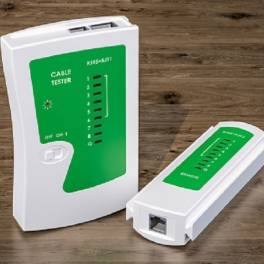
Kabel tester menjadi salah satu alat yang bisa Anda manfaatkan untuk menguji suatu sambungan kabel. Untuk berbagai kebutuhan kabel memang... selengkapnya
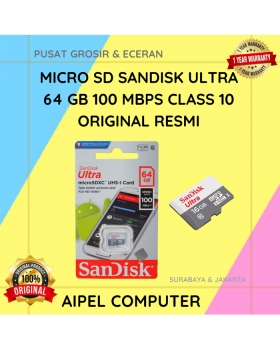
6%
A. DESKRIPSI (DESCRIPTION) Micro SD SANDISK Ultra 64 GB adalah kartu memori berkapasitas besar yang ideal untuk menyimpan foto, video,… selengkapnya
Rp 299.000 Rp 319.000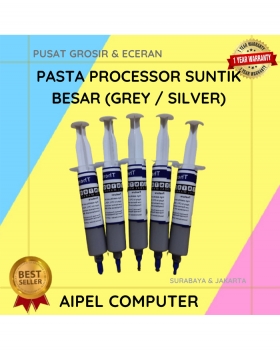
36%
A. DESKRIPSI (DESCRIPTION) Pasta Processor Suntik Besar adalah produk yang dirancang untuk memberikan perlindungan dan perawatan maksimal pada processor Anda…. selengkapnya
Rp 9.000 Rp 14.000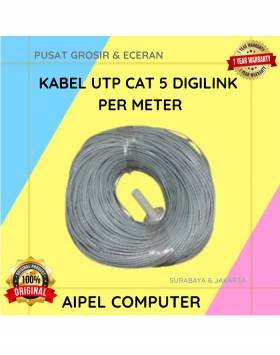
33%
A. DESKRIPSI (DESCRIPTION) Kabel UTP CAT 5 DIGILINK Per Meter (Grey) adalah solusi kabel jaringan berkualitas yang dirancang untuk mendukung… selengkapnya
Rp 2.000 Rp 3.000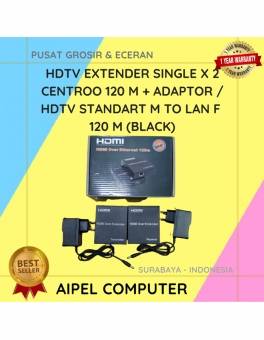
4%
A. DESKRIPSI (DESCRIPTION HDTV Extender Single X 2 CENTROO 120 M + Adaptor / HDTV STANDART M To LAN F… selengkapnya
Rp 450.000 Rp 470.000
14%
A. DESKRIPSI (DESCRIPTION) Kabel HDTV Standart M To M CENTROO 25 M 4K (Box) adalah kabel berkualitas tinggi yang dirancang… selengkapnya
Rp 180.000 Rp 210.000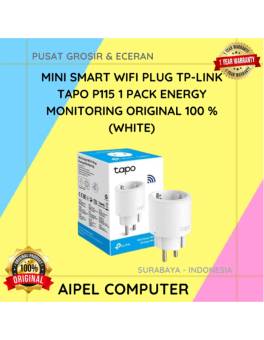
4%
AIPEL COMPUTER – Pusat Grosir dan Eceran – Belanja Hebat dan Hemat – Harga Murah Garansi Prima * GARANSI –… selengkapnya
Rp 135.000 Rp 140.000
23%
A. DESKRIPSI (DESCRIPTION) USB Wifi CENTROO adalah adaptor jaringan berperforma tinggi yang dirancang untuk memberikan koneksi internet stabil dan cepat…. selengkapnya
Rp 30.000 Rp 39.000
27%
A. DESKRIPSI (DESCRIPTION) Cable USB M To Lightning M GENAI GL-Q31 adalah kabel data dan pengisi daya yang didesain untuk… selengkapnya
Rp 27.000 Rp 37.000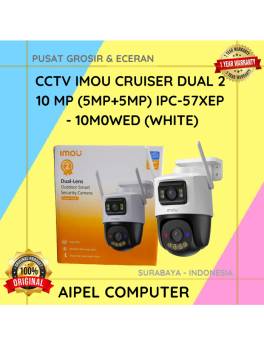
5%
AIPEL COMPUTER – Pusat Grosir dan Eceran – Belanja Hebat dan Hemat – Harga Murah Garansi Prima * GARANSI –… selengkapnya
Rp 1.329.000 Rp 1.400.000
7%
A. DESKRIPSI (DESCRIPTION) External Case M2 NVME SATA FIDECO M203CP to Type-C adalah External Case SSD M.2 dari FIDECO yang… selengkapnya
Rp 310.000 Rp 335.000



Saat ini belum tersedia komentar.