- Orderan dibawah 500.00 via Goshop / Offline / Marketplace
Laptop M.2 NVMe SSD Not Detected in BIOS or Windows? Causes and Fixes
Have you recently purchased a new M.2 NVMe SSD to expand your laptop’s storage capacity, only to find that after installing it into the motherboard slot, the drive fails to appear in File Explorer, Disk Management, or even the main BIOS setup menu?
Having an unreadable storage drive often leads users to worry that their newly bought SSD is dead on arrival (DOA). However, much like troubleshooting boot errors in laptop stuck on boot screen how to fix, an undetected M.2 SSD is frequently caused by Intel VMD/RAID Controller settings on modern processors, uninitialized drive partitions (Unallocated), or improperly seated PCIe sockets.
Featured Snippet (Quick Answer):
Primary causes of an undetected laptop M.2 NVMe SSD include active Intel VMD (Volume Management Device) Controller features in BIOS missing RST drivers, uninitialized drive space in Disk Management, protocol mismatches between SATA and NVMe slots, or oxidized M.2 connector pins.
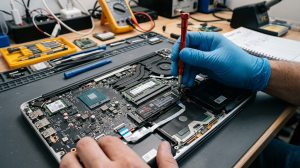
Checklist: Evaluating Laptop M.2 SSD Detection Issues
Check the boxes below if these SSD symptoms match your situation:
-
[ ] M.2 SSD is clearly visible in BIOS settings, but disappears during Windows OS installation or in File Explorer.
-
[ ] M.2 SSD is brand new and has never been initialized (Unallocated Volume) via Disk Management.
-
[ ] Laptop M.2 slot supports only the SATA protocol, while the installed drive is NVMe PCIe (or vice versa).
-
[ ] SSD feels scalding hot to the touch when powered on, yet remains completely unreadable by the system.
-
[ ] Drive detection disappears consistently after the laptop wakes up from Sleep or Hibernate mode.
Practical Recommendation: When reinstalling Windows on laptops with 11th Gen Intel processors or newer, do not panic if your SSD drive is missing on the Where do you want to install Windows? screen. Simply disable Intel VMD Technology in your BIOS settings or load the Intel RST (RST Driver) from your installation USB flash drive.
Comparison Table: SSD Detection Causes and Recommended Actions
|
4 Ways to Fix an Undetected Laptop M.2 NVMe SSD
-
Initialize New SSD in Disk Management. If the SSD does not appear under This PC, right-click Start > select Disk Management. When the prompt appears, choose GPT (GUID Partition Table) as the partition style > click OK. Right-click the Unallocated black bar > select New Simple Volume to complete setup.
-
Disable Intel VMD / AHCI Mode in BIOS. Power on the laptop and tap F2/Delete/Fn+F2 to enter BIOS. Navigate to Advanced or Configuration > locate Intel VMD Technology or Storage Controller Mode > change the setting to Disabled or AHCI. Save settings (F10) and restart.
-
Clean SSD Gold Pins and M.2 Socket. Turn off the laptop, unplug the charger, and disconnect the internal battery. Remove the M.2 SSD mounting screw, gently rub the gold connector pins with a clean pencil eraser, then reinsert the SSD firmly at a 45-degree angle until seated flush.
-
Verify M.2 Protocol Compatibility (NVMe vs SATA). Check your laptop’s specification manual. Ensure the M.2 slot supports NVMe PCIe protocols (rather than M.2 SATA only). Installing an NVMe M.2 SSD into a SATA-only M.2 slot will prevent the drive from being recognized on a hardware level.
When to Seek Professional Repair Services
If you have disabled VMD features and tested the SSD in another laptop yet the drive remains unreadable across all BIOS menus, or if the controller chip on the SSD PCB burns hot immediately upon receiving power, the SSD module has suffered internal NAND Flash or power IC failure.
This condition requires official warranty replacement of the SSD unit or motherboard M.2 power rail circuit diagnostics performed by a qualified technician.
FAQ (Frequently Asked Questions)
Do all laptop M.2 slots support NVMe SSDs?
Not all. Older laptop models often feature M.2 slots restricted exclusively to the M.2 SATA protocol. Always verify your motherboard specifications before purchasing an NVMe SSD.
Why is selecting MBR instead of GPT discouraged when initializing a new SSD?
MBR (Master Boot Record) is legacy partition architecture that caps maximum partition sizes at 2TB and lacks support for UEFI Secure Boot required by modern Windows 11 operating systems. Always select GPT.
Conclusion
An undetected M.2 NVMe SSD in a laptop is typically caused by Intel VMD controller configurations in BIOS or brand-new drives awaiting initialization in Disk Management. Auditing slot protocol specifications and BIOS storage settings will bring your new drive online smoothly.
Shop OEM M.2 NVMe SSDs, Upgrades & Repairs at Aipel Computer
Need genuine high-speed M.2 NVMe SSD upgrades with warranty, professional Windows OS installation, or motherboard M.2 slot circuit diagnostics? Find trusted replacement parts and expert repair services directly at Aipel Computer.
forall spare parts inquiries, storage upgrades, or technical repair consultations, visit the official Aipel Computer website today.
Tags: fix new ssd not showing up disk management, intel vmd controller ssd missing, laptop m2 nvme ssd not detected bios windows, laptop ssd upgrade surabaya

Laptop M.2 NVMe SSD Not Detected in BIOS or Windows? Causes and Fixes

Layar monitor 24 inci menawarkan berbagai kelebihan tersendiri yang pastinya cukup bahkan sangat menguntungkan bagi para penggunanya. Layar komputer memang... selengkapnya
Cara mengatasi blue screen Windows 10 mungkin cukup membingungkan. Hal itu karena tidak semua orang memahami komputer dengan baik. Dengan... selengkapnya
Pernahkah kamu mencolokkan kabel pengisi daya (charger) ke laptop, melihat lampu indikator pengisian menyala, tetapi ikon baterai di sudut kanan... selengkapnya
Pasta processor bantu atasi panas berlebih pada perangkat elektronika. Seiring dengan usia pemakaian, laptop Anda bisa mengalami penurunan performa secara... selengkapnya

Rekomendasi printer terbaik dan murah bisa Anda temukan di toko komputer kesayangan. Beberapa printer berkualitas terbaik juga dijual dengan harga... selengkapnya

TP Link TL-WR820N bisa menjadi pilihan untuk Anda yang sedang mencari wireless router dengan harga murah namun kualitasnya tetap terbaik.... selengkapnya

Spesifikasi kabel UTP hadir dengan berbagai keunggulan. Kabel ini memiliki pelindung pelapis pada bagian internalnya. Fungsi dari kabel UTP itu... selengkapnya

Dewasa ini, membeli perangkat, komponen, maupun hardware komputer sudah semakin mudah. Kamu hanya perlu datang ke toko komputer kemudian melakukan... selengkapnya
Seiring dengan berkembangnya teknologi, manusia semakin mudah dalam memenuhi berbagai macam kebutuhan nya. Mulai dari kebutuhan sehari-hari hingga barang mewah.... selengkapnya

Layar komputer blank hitam tapi hidup tiba-tiba bisa menjadi masalah yang membingungkan. Indikasi umum dari kondisi ini adalah lampu indikator... selengkapnya
27%
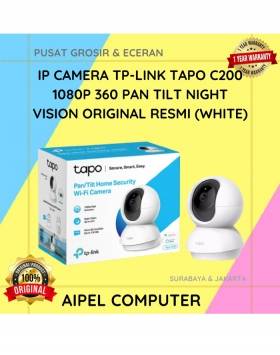
A. DESKRIPSI (DESCRIPTION) TP-LINK TAPO C200 adalah kamera keamanan pintar dengan kemampuan rotasi 360° yang siap menjaga rumah Anda tetap… selengkapnya
Rp 255.000 Rp 350.000
19%
A. DESKRIPSI (DESCRIPTION) Charger 5V 1 Port Type-C + Cable Type-C M to M GENAI ZC045 Fast Charger PD adalah… selengkapnya
Rp 63.000 Rp 78.000
29%
A. DESKRIPSI (DESCRIPTION) Earphone GENAI GM-T11 adalah pilihan ideal untuk pengguna yang mencari kenyamanan, koneksi Type-C, dan audio beresolusi tinggi… selengkapnya
Rp 37.000 Rp 52.000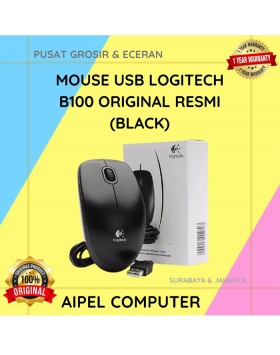
16%
A. DESKRIPSI (DESCRIPTION) Mouse LOGITECH B100 adalah perangkat input berkualitas dari LOGITECH yang hadir untuk menunjang produktivitas harian Anda. 🖱️✨… selengkapnya
Rp 54.500 Rp 65.000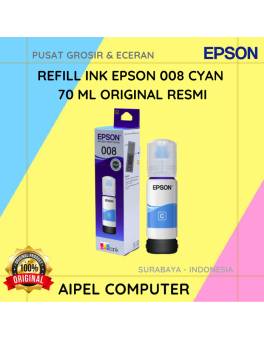
20%
A. DESKRIPSI (DESCRIPTION) Refill Ink EPSON 008 Cyan 70 ML Original adalah tinta isi ulang berkualitas tinggi yang dirancang khusus… selengkapnya
Rp 225.000 Rp 280.000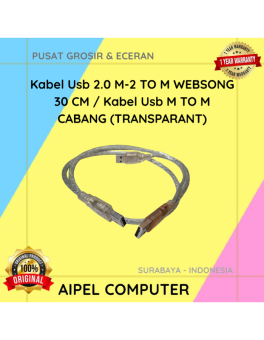
34%
A. DESKRIPSI (DESCRIPTION) Kabel USB 2.0 M-M Websong 30 CM / Kabel USB M to M Cabang (Transparant) merupakan kabel… selengkapnya
Rp 12.500 Rp 19.000
9%
A. DESKRIPSI (DESCRIPTION) Adaptor Laptop LENOVO 19.5V 6.32A DC (USB) Panjang Kabel Power adalah pilihan ideal untuk pengguna yang memprioritaskan… selengkapnya
Rp 155.000 Rp 170.000
20%
A. DESKRIPSI (DESCRIPTION) Gamepad Double DIGIGEAR Analog Motor (Black) adalah kontroler yang dirancang untuk memberikan pengalaman gaming yang seru dan… selengkapnya
Rp 60.000 Rp 75.000
8%
AIPEL COMPUTER – Pusat Grosir dan Eceran – Belanja Hebat dan Hemat – Harga Murah Garansi Prima * GARANSI –… selengkapnya
Rp 1.940.000 Rp 2.100.000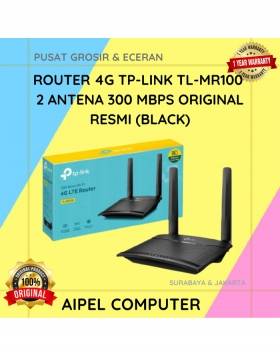
9%
A. DESKRIPSI (DESCRIPTION) TP-LINK MR100 adalah router 4G yang dirancang untuk menghadirkan koneksi internet cepat dan stabil di mana saja… selengkapnya
Rp 608.000 Rp 665.000



Saat ini belum tersedia komentar.