- Orderan dibawah 500.00 via Goshop / Offline / Marketplace
Laptop Keyboard Typing by Itself (Ghost Typing)? Causes and Fixes
Have you ever been typing a document or browsing the web when suddenly rows of random characters start flooding your screen without you touching any keys? Or perhaps your cursor jumps erratically across pages because an Arrow or Backspace key acts as if it is continuously held down by an invisible force?
This annoying phenomenon, known as Ghost Typing or keyboard auto-press, is one of the most frustrating hardware glitches a laptop user can face. However, much like troubleshooting physical key friction in laptop spacebar or enter key sticking causes fixes, a self-typing keyboard doesn’t always mean the entire module is ruined. It is frequently triggered by food crumbs trapped beneath membrane domes, moisture-induced micro shorts, or corrupted input drivers.
Featured Snippet (Quick Answer):
Primary causes of a laptop keyboard typing by itself (ghost typing) include dirt or crumbs lodged under keycaps, moisture corrosion on the printed circuit board (PCB) membrane layer, or corrupted Standard PS/2 Keyboard drivers in Windows.
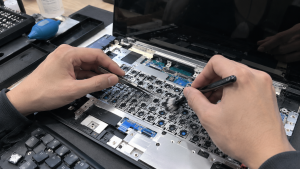
Checklist: Diagnosing Laptop Keyboard Behavior
Check the boxes below if these keyboard symptoms match your current situation:
-
[ ] Specific characters (such as
ppppppppor\\\\\\\\) continuously spawn automatically in text fields. -
[ ] Keys feel mushy, depressed, or lack tactile bounce when pressed.
-
[ ] The auto-typing phenomenon stops temporarily when you firmly tap the offending key once or twice.
-
[ ] The laptop was previously exposed to liquid spills, coffee, or condensation.
-
[ ] The issue vanishes completely when using an external USB/Bluetooth keyboard and disabling internal keys.
Practical Recommendation: When ghost typing occurs, isolate the issue using the Windows On-Screen Keyboard (press Windows + R, type osk, and hit Enter). Observe which key lights up in blue or dark grey—that specific key is actively registering a short circuit.
Comparison Table: Ghost Typing Causes and Recommended Actions
|
4 Ways to Fix a Laptop Keyboard Typing by Itself
-
Clean Out Debris with Compressed Air or Brushes. Power off the laptop. Tilt the chassis upside down over a table and gently tap the back. Use compressed air or a soft-bristled brush to sweep out crumbs and dust trapped beneath keys.
-
Remove Keycaps and Clean Rubber Domes (Carefully). On supported laptop models, gently pry up the affected keycap using a small plastic spudger. Inspect for sticky residues over the rubber dome. Clean the area with a cotton swab dampened with 99% isopropyl alcohol, allowing it to dry before snapping the keycap back on.
-
Reinstall Keyboard Drivers in Device Manager. Press Windows + X > select Device Manager. Expand Keyboards. Right-click Standard PS/2 Keyboard > select Uninstall device. Restart your laptop to let Windows reinstall a fresh driver and reset input buffer memory.
-
Disable Built-In Keyboard via Command Prompt (Temporary Fix). If you need to use your laptop urgently with an external keyboard, temporarily disable the internal keyboard. Open Command Prompt (Admin), run
sc config i8042prt start= disabledand restart. To re-enable it later, runsc config i8042prt start= auto.
When to Seek Professional Repair Services
If you have cleaned beneath the keys and reinstalled system drivers, yet ghost typing persists across multiple keys (especially post-liquid spill), the internal printed circuit layer inside the membrane has suffered permanent corrosion.
This condition requires installing a new original laptop keyboard assembly by a qualified technician to restore smooth, accurate typing.
FAQ (Frequently Asked Questions)
Can a self-typing laptop keyboard be caused by malware or viruses?
Yes, although rare. Certain types of malware or keylogging scripts can simulate automated keypresses. Perform a full scan using Windows Defender to ensure your system is free from malicious code.
Can turning off Sticky Keys fix a ghost-typing keyboard?
It can help if the issue is triggered by rapid Shift key toggles. Navigate to Settings > Accessibility > Keyboard, and ensure both Sticky Keys and Filter Keys are toggled OFF.
Conclusion
A laptop keyboard typing by itself (ghost typing) is usually driven by trapped particles under rubber domes, moisture corrosion, or temporary Windows input driver glitches. Cleaning out key switches and resetting drivers will eliminate these frustrating input errors.
Shop OEM Laptop Keyboards, Accessories & Repairs at Aipel Computer
Looking for genuine replacement laptop keyboards with warranty, high-quality external keyboards, or professional keyboard installation services? Find trusted replacement parts and expert repair services directly at Aipel Computer.
Tags: computer store surabaya, fix keyboard auto pressing keys, laptop keyboard typing by itself ghost typing, replace laptop keyboard surabaya, why is my laptop keyboard typing random letters

Laptop Keyboard Typing by Itself (Ghost Typing)? Causes and Fixes
Mousepad adalah aksesoris yang biasa digunakan sebagai alas mouse atau juga bisa disebut sebagai bantalan mouse yang biasanya diletakan di... selengkapnya

Saat ini, webcam laptop menjadi salah satu alat penting untuk komunikasi secara virtual. Baik untuk video konferensi, pembelajaran daring, atau... selengkapnya
Kabel power printer merupakan salah satu komponen printer yang memiliki peran dan fungsi penting. Anda bisa mendapatkan jenis kabel tersebut... selengkapnya
Have you noticed your laptop body becoming scorching hot, yet the air pushing out of the exhaust vents feels exceptionally... selengkapnya
Pernahkah kamu mencolokkan kabel pengisi daya (charger) ke laptop, melihat lampu indikator pengisian menyala, tetapi ikon baterai di sudut kanan... selengkapnya

Connector HDMI memiliki banyak tipe yang perlu Anda sesuaikan dengan kebutuhan. Dunia teknologi saat ini telah mengalami perkembangan pesat. Untuk... selengkapnya
Distributor Grosir Accessories Komputer sepertinya harus Anda cari tahu informasinya ketika Anda tertarik ingin berjualan berbagai produk yang terkait dengan... selengkapnya

Dalam era globalisasi dan persaingan kerja yang semakin ketat, semangat belajar dan mengembangkan diri menjadi kunci sukses bagi setiap individu.... selengkapnya

Merakit komputer sendiri bisa menjadi pilihan untuk menghemat pengeluaran untuk memenuhi kebutuhan komputer. Salah satu trik yang bisa dilakukan adalah... selengkapnya
Kerusakan pada layar komputer bisa menjadi masalah besar bagi penggunanya. Beberapa faktor dapat menyebabkan layar komputer rusak, dan Anda bisa... selengkapnya
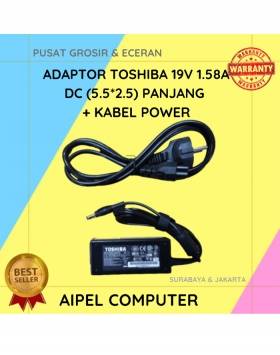
19%
A. DESKRIPSI (DESCRIPTION) Adaptor Laptop 19V 1.58A DC (5.5*2.5) adalah pengisi daya berkualitas untuk kebutuhan laptop dengan spesifikasi tertentu. 🌟… selengkapnya
Rp 65.000 Rp 80.000
5%
A. DESKRIPSI (DESCRIPTION) Docking Hard Disk FIDECO YPZ04-S2H-U3 adalah docking dual bay dari FIDECO yang memungkinkan Anda memasang dua hard… selengkapnya
Rp 400.000 Rp 420.000
40%
AIPEL COMPUTER Kabel HDTV Standart M to M CENTROO 5 M Polos adalah solusi koneksi yang dirancang dengan performa dan… selengkapnya
Rp 15.000 Rp 25.000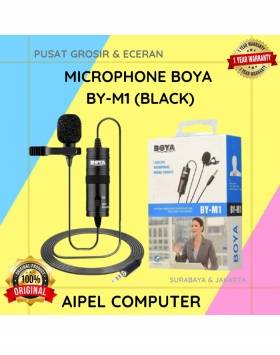
30%
A. DESKRIPSI (DESCRIPTION) Microphone BOYA BY-M1 Original Design adalah mikrofon clip-on berkualitas tinggi yang dirancang untuk kebutuhan perekaman audio yang… selengkapnya
Rp 70.000 Rp 100.000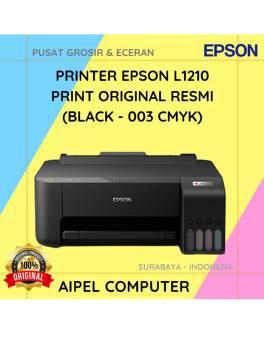
6%
A. DESKRIPSI (DESCRIPTION) Printer EPSON L1210 Print Original (Black 003 CMYK) adalah printer multifungsi dengan teknologi EcoTank yang dirancang untuk… selengkapnya
Rp 1.975.000 Rp 2.100.000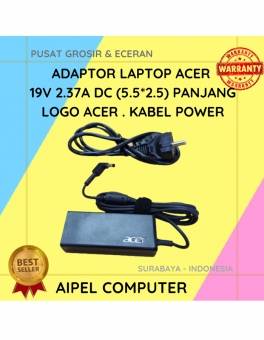
14%
A. DESKRIPSI (DESCRIPTION) Adaptor Laptop ACER 19V 2.37A DC (5.5 X 2.5) adalah solusi sempurna untuk kebutuhan daya laptop Anda…. selengkapnya
Rp 95.000 Rp 110.000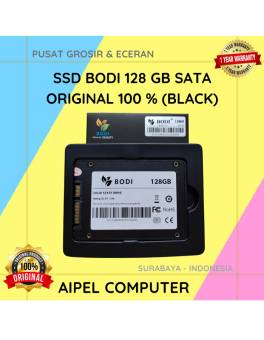
5%
A. DESKRIPSI (DESCRIPTION) Perkenalkan, BODI128S – Solid State Drive (SSD) 128 GB SATA yang dirancang untuk meningkatkan kecepatan dan performa… selengkapnya
Rp 395.000 Rp 415.000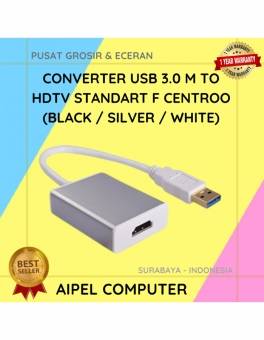
20%
A. DESKRIPSI (DESCRIPTION) Converter USB 3.0 M To HDTV Standart F CENTROO/HOBOO (Black / Silver / White) adalah alat serbaguna… selengkapnya
Rp 68.000 Rp 85.000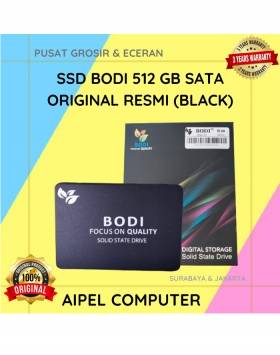
11%
A. DESKRIPSI (DESCRIPTION) Introducing BODI512S – SSD BODI 512 GB SATA Original 100%! Hadir dengan desain sleek berwarna hitam yang… selengkapnya
Rp 1.065.000 Rp 1.200.000
14%
A. DESKRIPSI (DESCRIPTION) GENAI QC-Q32 Charger Type-C + Kabel Type-C to Type-C PD adalah charger bertipe QC-Q32 berdaya maksimal 30W… selengkapnya
Rp 86.000 Rp 100.000



Saat ini belum tersedia komentar.