- Orderan dibawah 500.00 via Goshop / Offline / Marketplace
Laptop Speakers Crackling, Buzzing, or No Sound? Causes and Fixes
Have you ever been enjoying music or watching a film when suddenly your laptop speakers start crackling, producing harsh buzzing noises, or cutting out entirely with zero sound output?
Internal speaker failure is an acoustic annoyance that severely impacts your multimedia experience. However, much like troubleshooting sound output failures in laptop speaker crackling or buzzing causes and easy fixes, crackling or missing sound doesn’t always mean the internal speaker modules need immediate replacement. It is frequently triggered by over-aggressive audio enhancement settings, torn rubber speaker surrounds from maxed-out volumes, or Windows audio driver conflicts.
Featured Snippet (Quick Answer):
Primary causes of crackling or silent laptop speakers include torn rubber speaker diaphragms from running volumes at 100%, dust buildup blocking speaker grilles, corrupted Realtek Audio drivers, or conflicting Windows Spatial Sound settings.
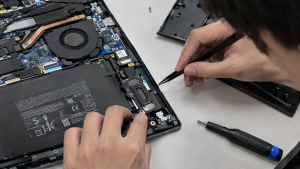
Checklist: Evaluating Laptop Speaker Condition
Check the boxes below if these audio symptoms match your current situation:
-
[ ] Sound output sounds distorted, rattling, or crackling when volume levels exceed 70%.
-
[ ] A persistent hum or buzzing noise plays constantly even when no media files are active.
-
[ ] The taskbar volume icon displays a red cross or a “No Audio Output Device is Installed” warning.
-
[ ] Audio functions normally when plugging in headphones, but distorts or stays silent through internal speakers.
-
[ ] The laptop was previously exposed to liquid splashes or high humidity environments.
Practical Recommendation: Never make a habit of playing music or videos with volume levels pushed to 100% for extended periods, especially on thin modern laptops. The tiny size of internal speakers makes their rubber surrounds extremely vulnerable to tearing and melting from excessive voice coil heat.
Comparison Table: Speaker Damage Causes and Recommended Actions
| Speaker Damage Symptom | Underlying Cause | Damage Risk | Recommended Action |
|---|---|---|---|
| Crackling / Distortion at High Volume | Torn or degraded rubber speaker cone surround | Permanent acoustic degradation | Cap volume at 80% / replace speaker module |
| No Sound Output At All | Corrupted audio driver / stopped Audio Service | System fails to process audio signals | Restart Windows Audio Service & reinstall driver |
| Humming Noise / Minor Pops | Ground signal resistance / loose flex cable | Noisy background interference | Inspect speaker ribbon cable routing to motherboard |
| Red Cross on Sound Icon | Audio controller disabled in BIOS/Device Manager | Sound card unrecognized by OS | Re-enable audio device via Device Manager |
4 Ways to Fix Crackling or Silent Laptop Speakers
-
Disable Audio Enhancements & Spatial Sound. Open Settings > System > Sound > click your active speaker device. Locate enhancements or spatial audio settings (such as Windows Sonic for Headphones or Dolby Atmos), and switch them to Off. These digital processing enhancements frequently overwork tiny internal speakers, causing distortion.
-
Restart Windows Audio Services. Press Windows + R, type
services.mscand press Enter. Scroll down to locate services named Windows Audio and Windows Audio Endpoint Builder. Right-click each service and select Restart. This refreshes the operating system’s audio data pipeline. -
Reinstall or Update Audio Drivers in Device Manager. Press Windows + X > select Device Manager. Expand Sound, video and game controllers. Right-click Realtek Audio (or your primary sound card) > select Uninstall device. Afterward, restart your laptop so Windows automatically reinstalls clean audio drivers free of glitches.
-
Clean Out Debris from Speaker Grilles. Accumulated dust or fine lint trapped behind speaker grille covers can physically compress speaker diaphragms and produce rattling distortion. Clean the area gently using a soft-bristled brush while clearing dust with compressed air.
When to Seek Professional Repair Services
If you have tried restarting audio services and switching drivers, yet audio remains distorted or completely dead even though Windows volume meters show normal playback activity, the physical speaker diaphragm has blown or voice coil wiring is severed.
This condition requires replacing the entire original internal speaker module set by an experienced technician to restore clean, crisp laptop audio output.
FAQ (Frequently Asked Questions)
Can blown laptop speakers be repaired with glue?
Technically yes if the tear is minuscule, using flexible adhesive. However, audio quality rarely returns to normal because the added weight of glue alters diaphragm balance. Replacing the speaker module is the superior solution.
Why did my laptop sound suddenly disappear after a Windows Update?
Windows Updates occasionally overwrite manufacturer-customized audio drivers with generic drivers incompatible with your laptop amplifier chip. Reinstalling the official audio driver from your laptop support site restores sound.
Conclusion
Crackling or silent laptop speakers are typically caused by physical diaphragm tears from excessive volume, audio driver conflicts, or unstable audio enhancement settings. Keeping volumes below 80% and maintaining clean drivers will extend the lifespan of your laptop’s acoustic components.
Shop OEM Laptop Speakers, Audio Accessories & Repairs at Aipel Computer
Looking for genuine original replacement internal laptop speakers with warranty, quality external Bluetooth speakers, or professional audio repair services? Find trusted replacement parts and expert repair services directly at Aipel Computer.
Tags: fix realtek audio crackling windows 11, laptop internal speakers not working solutions, laptop speakers crackling or buzzing causes fixes, replace laptop speakers surabaya

Laptop Speakers Crackling, Buzzing, or No Sound? Causes and Fixes

Sekarang ini teknologi informasi berkembang pesat dan canggih selaras dengan kebutuhan masyarakat akan perlengkapan digital yang meningkat tajam. Tak heran... selengkapnya
Charger USB sekarang ini banyak dijumpai di setiap toko komputer. Hal itu lantaran, hampir seluruh perangkat elektronik akan memerlukan konektor... selengkapnya
Menghadapi koneksi internet yang mendadak melambat saat sedang asyik menonton streaming atau mengejar tenggat waktu tugas tentu sangat menguji kesabaran.... selengkapnya
Hearing your laptop cooling fan roar continuously at top speed makes any workspace distracting. Warm air pushes endlessly from side... selengkapnya
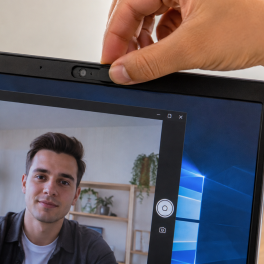
When you open Zoom, Google Meet, or the built in Windows Camera app, an error message suddenly pops up stating... selengkapnya
Komputer merupakan salah satu teknologi yang saat ini banyak dibutuhkan dan digunakan seseorang dalam penyelesaian tugas pekerjaannya. Untuk mendukung pengoprasian... selengkapnya

Firewall Windows adalah fitur keamanan penting yang membantu melindungi komputer dari akses tidak sah dan ancaman berbahaya. Firewall bertindak sebagai... selengkapnya

Layar komputer merupakan salah satu hal penting sehingga jangan sampai luput dari perhatian. Tak terkecuali pula memperhatikan tingkat kecerahannya. Akan... selengkapnya
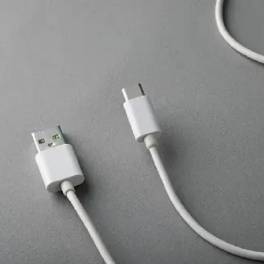
Universal Serial Bus atau USB sudah dikembangkan sejak 1990 an. Hal tersebut sebagai upaya untuk menyederhanakan koneksi antar perangkat. Konektor... selengkapnya
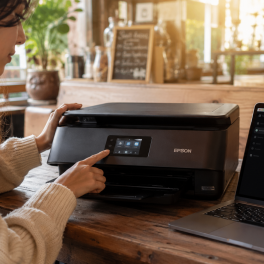
Kehadiran printer nirkabel (wireless printer) berbasis jaringan WiFi tentu sangat membantu produktivitas harian, baik untuk menyelesaikan tugas kuliah maupun operasional... selengkapnya

30%
A. DESKRIPSI (DESCRIPTION) Cable USB M to Type-C 3 in 1 GENAI S550 – Micro M + Type-C M +… selengkapnya
Rp 32.000 Rp 46.000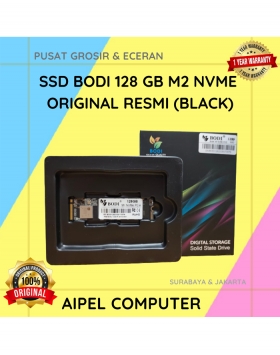
4%
A. DESKRIPSI (DESCRIPTION) Kenalkan, BODI128N | SSD BODI 128 GB M2 NVME Original! Teknologi penyimpanan terbaru yang dirancang untuk memenuhi… selengkapnya
Rp 325.000 Rp 340.000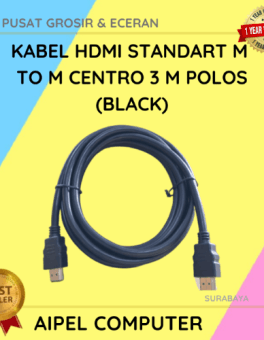
20%
AIPEL COMPUTER – Pusat Grosir dan Eceran – Belanja Hebat dan Hemat – Harga Murah Garansi Prima * GARANSI –… selengkapnya
Rp 12.000 Rp 15.000
14%
A. DESKRIPSI (DESCRIPTION) Kabel HDTV Standard M to M CENTROO 15 M 4K (Box) adalah kabel HDMI premium dari CENTROO… selengkapnya
Rp 120.000 Rp 140.000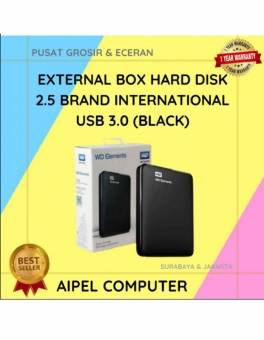
21%
A. DESKRIPSI (DESCRIPTION) External Box Hard Disk 2.5 WD Elements USB 3.0 (Black) adalah solusi ideal untuk menyimpan dan memindahkan… selengkapnya
Rp 55.000 Rp 70.000
12%
AIPEL COMPUTER – Pusat Grosir dan Eceran – Belanja Hebat dan Hemat – Harga Murah Garansi Prima * GARANSI –… selengkapnya
Rp 75.000 Rp 85.000
27%
A. DESKRIPSI (DESCRIPTION) Cable USB M to Type-C M GENAI GL-Q26 100CM 6A 120W (White) adalah pilihan cerdas untuk kamu… selengkapnya
Rp 32.000 Rp 44.000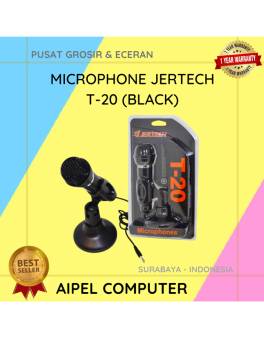
12%
A. DESKRIPSI (DESCRIPTION) Microphone JERTECH T20 Original 100 % adalah microphone stylish yang menggabungkan desain minimalis dengan kualitas audio premium…. selengkapnya
Rp 64.362 Rp 73.000
23%
A. DESKRIPSI (DESCRIPTION) Refill Ink EPSON 057 Black Original 100 % adalah tinta isi ulang hitam pekat berkualitas tinggi yang… selengkapnya
Rp 198.000 Rp 257.000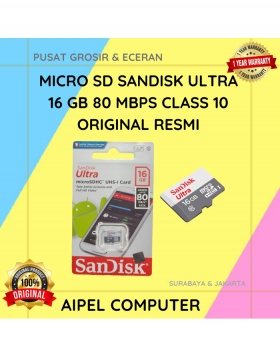
13%
A. DESKRIPSI (DESCRIPTION) Micro SD SANDISK Ultra 16 GB 80 MBPS CLASS 10 Original (Black) adalah kartu memori canggih berkapasitas… selengkapnya
Rp 113.000 Rp 130.000



Saat ini belum tersedia komentar.