- Orderan dibawah 500.00 via Goshop / Offline / Marketplace
Laptop Keyboard Keys Not Working Partially? Causes and Fixes
Have you ever been busy typing an important assignment, only to discover that several letter or number keys on your laptop keyboard refuse to respond entirely—as if those specific buttons are dead while the remaining keys function normally?
A laptop keyboard functioning only partially (partial failure) represents a deeply frustrating technical hurdle. Unlike physical keycap damage, this issue stems directly from internal keyboard circuit pathways. Frequently, this trouble is triggered by carbon conductor ribbon cable traces corroding from moisture vapor, microscopic dust buildup inside motherboard sockets, or flex cables pinching during prior chassis teardowns.
Furthermore, similar to inspecting connection hardware issues in laptop usb port not working loose causes fixes, ensuring proper mechanical alignment inside fragile ports is critical to maintaining signal continuity.
Featured Snippet (Quick Answer):
Primary causes of partial laptop keyboard failures include severed carbon conductor traces on flexible membrane sheets due to corrosion, loose motherboard locking sockets, or dust blocking keyboard data pin connectors.
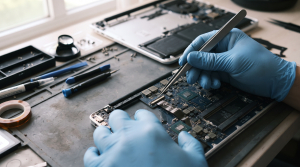
Checklist: Evaluating Partial Keyboard Failure Severity
Check the boxes below if these keyboard symptoms match your current situation:
-
[ ] Specific rows or clusters of keys (such as the spacebar, enter, or letters A-S-D-F) fail completely.
-
[ ] Non-responsive keys occasionally start working again normally after leaving the laptop idle for hours.
-
[ ] The laptop experienced minor liquid spills in the past even though it seemingly dried out.
-
[ ] This issue appeared immediately after the laptop was disassembled or serviced elsewhere.
Practical Recommendation: Never rush to condemn the entire keyboard layout as permanently broken. Frequently, technicians simply need to open the body casing, detach the keyboard ribbon cable, clean it with contact cleaner, and reseat it securely to bring all keys back to life.
Comparison Table: Partial Keyboard Failure Actions
| Partial Failure Symptom | Underlying Cause | Damage Risk | Recommended Action |
|---|---|---|---|
| Entire Row of Keys Dead | Severed conductor matrix traces on membrane | Key cluster loses data signal flow | Clean flex traces / replace with new keyboard |
| Keys Delay or Double-Bounce | Mild oxidation across ribbon cable pins | Slow & out-of-sync typing response | Detach flex socket & clean with alcohol |
| Keys Fail Following Teardown | Loose ribbon cable locking latch | Data pin contacts fail to seat securely | Teardown chassis & tighten socket latch |
| Random Characters Firing Together | Liquid short circuit across circuit matrix | Cross-talk signal bleed between keys | Wash flexible membrane or replace new module |
4 Ways to Fix Partially Unresponsive Laptop Keyboard Keys
-
Clean Keyboard Ribbon Sockets and Pins. Power down the laptop, open the bottom chassis cover, and detach the keyboard ribbon cable latch from the motherboard. Clean copper pins using a thin cotton swab dampened with alcohol to remove white oxidation layers.
-
Inspect ZIF (Zero Insertion Force) Socket Security. Ensure the plastic locking lever on the motherboard flex socket locks down completely. Loose latches prevent partial data pins from transmitting keystroke signals to the system.
-
Test Functionality Using Virtual Keyboard. Open the built-in Windows On-Screen Keyboard app to verify whether unresponsive keys suffer from true hardware failure or merely Windows system driver glitches.
-
Use an External Keyboard While Awaiting Replacement. If internal membrane conductor traces inside the keyboard prove physically severed, plug in an external USB keyboard temporarily to secure your daily productivity.
When to Seek Professional Repair Services
If cleaning flex sockets and reseating connections yields no improvement yet several keys remain permanently dead, graphite conductor traces inside the keyboard membrane sheets have suffered total physical severance.
This condition requires replacing with a brand new keyboard module handled by an experienced technician to restore normal, responsive typing across every key.
FAQ (Frequently Asked Questions)
Can severed laptop keyboard membrane traces be soldered?
No. Conductor traces inside laptop keyboard membrane sheets consist of microscopic carbon ink impossible to solder using standard tin solder. If primary traces break, replacement remains the sole solution.
Shop OEM Keyboards & Repairs at Aipel Computer
Discover high-quality original keyboard spare parts and trusted hardware repair services in Surabaya directly through Aipel Komputer.
Tags: fix partial dead keys laptop windows 11, keyboard ribbon cable repair surabaya, laptop keyboard keys not working partially causes fixes

Laptop Keyboard Keys Not Working Partially? Causes and Fixes

Printer bluetooth adalah printer mini yang berguna untuk mencetak struk pembayaran dengan mudah dan simpel. Printer ini bisa terhubung ke... selengkapnya
Cara masuk safe mode Windows 10 bisa dilakukan dengan beberapa cara. Safe Mode merupakan salah satu fitur pemecahan masalah yang... selengkapnya
Have you ever gone to open your laptop lid as usual, only to hear a startling snapping sound followed by... selengkapnya
When you switch on your laptop, you suddenly hear an irritating high pitched buzzing, a heavy rattling noise, or a... selengkapnya
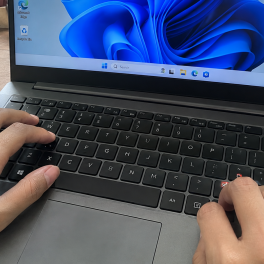
Mendapati tombol papan ketik laptop mendadak mogok saat hendak menyelesaikan dokumen penting adalah situasi yang sangat merepotkan. Kamu sudah menekan... selengkapnya
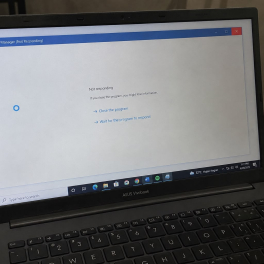
Dealing with a slow laptop or a sluggish system when you are rushing to meet a task deadline can definitely... selengkapnya

Jenis-jenis jaringan komputer beserta fungsinya memang cukup vital. Sebuah jaringan pada perangkat komputer merupakan komponen dengan tugas sebagai alat komunikasi... selengkapnya

DDR4 adalah singkatan dari Double Data Rate 4. Double Data Rate (DDR) merupakan jenis dari sebuah RAM komputer sebagai penerus... selengkapnya
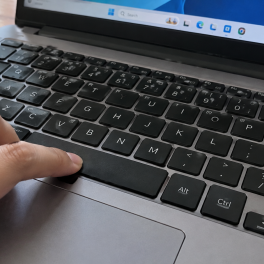
Typing comfortably only for the Spacebar or Enter key to suddenly feel stiff, sink without springing back up, or require... selengkapnya
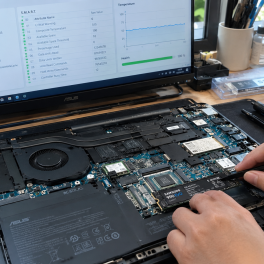
Pernahkah kamu menyadari bahwa laptop yang sudah menggunakan SSD mendadak terasa sangat lambat saat membuka aplikasi, proses transfer file sering... selengkapnya
5%
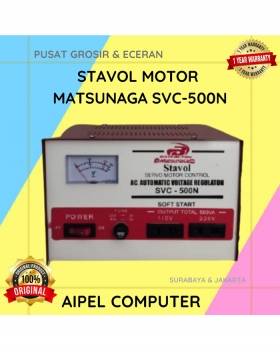
A. DESKRIPSI (DESCRIPTION) Stavol Motor MATSUNAGA SVC-500N (Red White) adalah stabilizer canggih yang dirancang untuk menjaga kestabilan listrik di rumah… selengkapnya
Rp 343.000 Rp 360.000
30%
A. DESKRIPSI (DESCRIPTION) Pasta Processor Suntik MAXTOR CTG8C 2G Grease Cleanser Packing Mika adalah pelumas sekaligus pembersih termal modern yang… selengkapnya
Rp 35.000 Rp 50.000
14%
A. DESKRIPSI (DESCRIPTION) Kabel HDTV Standart M to M CENTROO 20M 4K (Box) adalah solusi terbaik untuk kebutuhan transfer audio… selengkapnya
Rp 150.000 Rp 175.000
24%
A. DESKRIPSI (DESCRIPTION) Mouse Pad JERTECH MP44 Gaming 44 x 35 CM adalah alas mouse berukuran besar yang memberikan ruang… selengkapnya
Rp 30.500 Rp 40.000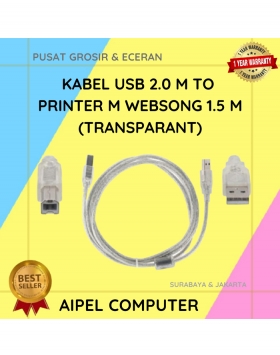
22%
A. DESKRIPSI (DESCRIPTION) Kabel USB 2.0 M to Printer dari WEBSONG adalah solusi praktis dan modern buat kamu yang butuh… selengkapnya
Rp 12.500 Rp 16.000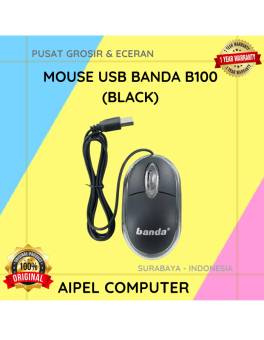
17%
A. DESKRIPSI (DESCRIPTION) Mouse USB BANDA B100 adalah perangkat yang dirancang untuk memberikan kenyamanan serta keakuratan dalam setiap klik dan… selengkapnya
Rp 10.000 Rp 12.000
45%
A. DESKRIPSI (DESCRIPTION) Splitter ADSL 1-2 CENTROO HXSP-III adalah perangkat yang dirancang untuk memisahkan sinyal ADSL dari sinyal telepon biasa…. selengkapnya
Rp 6.000 Rp 11.000
22%
A. DESKRIPSI (DESCRIPTION) Kabel HDTV STANDART M To M WEBSONG 5 M (White) adalah solusi sempurna untuk Anda yang mencari… selengkapnya
Rp 62.000 Rp 79.000
6%
A. DESKRIPSI (DESCRIPTION) Micro SD SANDISK Ultra 64 GB adalah kartu memori berkapasitas besar yang ideal untuk menyimpan foto, video,… selengkapnya
Rp 299.000 Rp 319.000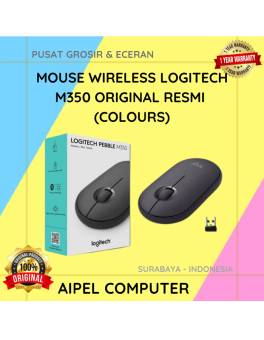
11%
A. DESKRIPSI (DESCRIPTION) Mouse wireless M350 adalah mouse wireless elegan dari LOGITECH dengan desain yang ramping dan ringan, ideal untuk… selengkapnya
Rp 280.000 Rp 315.000



Saat ini belum tersedia komentar.