- Orderan dibawah 500.00 via Goshop / Offline / Marketplace
Laptop Speakers Crackling or No Sound? Causes and Fixes
Have you ever been busy playing a music video or listening to a meeting presentation, only to discover that your laptop speakers suddenly sound distorted, buzzing (crackling), or completely silent with zero audio output at all?
Troubleshooting failing laptop speakers represents one of the most frequently encountered audio hurdles among users. This glitch usually stems not from a fried motherboard sound card, but rather from buggy audio drivers, unstable audio enhancement settings, or physical speaker membrane tears induced by prolonged playback at maximum volume levels.
Furthermore, much like troubleshooting external peripheral dropouts in laptop headphone jack not working sound playing through speakers fix, systematic checks spanning software layers down to hardware components are essential for accurate diagnosis. Additionally, pointer navigation anomalies can be reviewed using insights from laptop cursor fixes to bring it back.
Featured Snippet (Quick Answer):
Primary causes of crackling or silent laptop speakers include physical membrane damage from excessive volume levels, corrupted Realtek audio system drivers, or malfunctioning Windows audio enhancements.
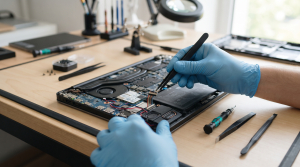
Checklist: Evaluating Laptop Speaker Damage Severity
Check the boxes below if these speaker symptoms match your current situation:
-
[ ] Audio sounds distorted, crackling, or raspy exclusively at high volume levels (above 70%).
-
[ ] Absolutely zero sound emits from internal speakers even though the Windows volume slider sits at maximum.
-
[ ] Sound functions normally when plugging in headphones, yet crackles instantly upon switching back to built-in speakers.
-
[ ] The laptop was recently exposed to heavy dust buildup or minor liquid splashes near speaker grilles.
Practical Recommendation: Avoid habitually streaming music or movies at 100% volume using built-in laptop speakers! Cap volume levels at 70–80% to prevent magnetic voice coils inside speakers from overheating and tearing delicate paper or polymer membranes.
Comparison Table: Speaker Failure Types & Actions
|
4 Ways to Fix Crackling or Silent Laptop Speakers
-
Disable Audio Enhancements in Windows.
Right-click the speaker icon in the bottom-right taskbar > select Sound settings > click More sound settings > select the Playback tab. Right-click Speakers > select Properties > open the Enhancements tab, and check the box for Disable all enhancements (or toggle off Spatial Audio). This setting frequently triggers sudden crackling or audio loss following system updates. Additionally, if you encounter layout malfunctions elsewhere on the board, review proper troubleshooting steps in laptop keyboard keys not working partially causes fixes.
-
Run the Windows Audio Troubleshooter.
Navigate to Settings > System > Troubleshoot > Other troubleshooters, and run diagnostics under Playing Audio. Let Windows automatically detect and resolve sound output configuration errors.
-
Update or Reinstall Realtek Audio Drivers.
Press Windows + X > select Device Manager. Expand Sound, video and game controllers, right-click Realtek Audio, and select Uninstall device. Afterward, restart your laptop so Windows automatically reinstalls clean, error-free audio drivers.
-
Clean Speaker Grilles from Dust Buildup.
Use an ultra-soft bristle brush or low-pressure compressed air blower to clear dust and fine debris obstructing external speaker grille holes, as trapped particles on membranes trigger strange buzzing vibrations.
When to Seek Professional Repair Services
If you have disabled enhancements, reinstalled audio drivers, confirmed zero system glitches yet speakers remain severely distorted or completely dead, physical internal components have suffered permanent failure.
This condition requires replacing an entire new internal speaker module set handled by an experienced technician to restore crisp, normal laptop audio.
FAQ (Pertanyaan yang Sering Diajukan)
Can crackling laptop speakers be repaired without replacement?
If the culprit is merely surface dust or trapped debris on the membrane, cleaning helps. However, once paper or plastic membranes tear from excessive volume, replacing with a brand new speaker module remains the sole solution to restore normal sound.
Shop OEM Speaker Parts & Repairs at Aipel Computer
Discover original warranted internal speaker spare parts and trusted hardware audio repair services in Surabaya directly through Aipel Computer.
Tags: fix distorted laptop audio windows 11, laptop repair surabaya, laptop speaker repair surabaya, laptop speakers crackling no sound causes fixes, replace laptop speakers aipel komputer

Laptop Speakers Crackling or No Sound? Causes and Fixes

Headset microphone merupakan perangkat audio khusus untuk dipasang di kepala lengkap dengan fitur microphone. Headset ini memungkinkan pengguna mendengarkan audio... selengkapnya
Do you find yourself constantly wiggling, bending, or propping up your laptop charger cable with heavy objects just to keep... selengkapnya
Mengatasi mouse tidak bisa klik kiri dapat diatasi dengan beberapa langkah sederhana. Mengingat betapa pentingnya peran mouse dalam penggunaan laptop,... selengkapnya

Fan casing PC atau kipas casing adalah komponen vital dalam menjaga suhu komputer tetap optimal selama penggunaan. Terpasang di sisi... selengkapnya

Komputer lengkap murah generasi pertama dibuat pada tahun 1937 ditemukan oleh Charles Babbage. Ketika itu Ia bisa menciptakan sebuah mesin... selengkapnya
HDMI extender dapat membantu memperpanjang jarak kabel HDMI dengan efektif. Biasanya, extender ini dihubungkan ke ujung kabel HDMI dan dapat... selengkapnya
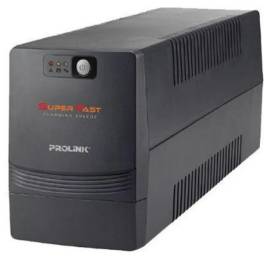
Baterai UPS atau Uninterruptible Power Supply, juga dikenal sebagai Suplai Daya Bebas Gangguan. Alat ini merupakan perangkat yang umumnya menggunakan... selengkapnya
Lagi butuh ngeprint dokumen penting, tapi printer malah nggak mau jalan? Situasi kayak gini pasti bikin panik, apalagi kalau lagi... selengkapnya
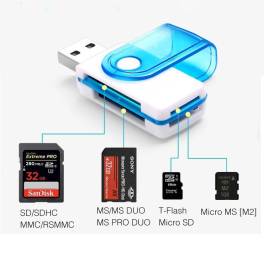
Salah satu elemen penting yang dapat mendukung kemudahan dalam membaca informasi adalah card reader. Seperti yang kita ketahui, perkembangan teknologi... selengkapnya
Banyak pengguna mengeluhkan laptop mereka sudah mengalami penurunan performa secara drastis atau bahkan rusak parah padahal baru digunakan selama 1... selengkapnya
24%
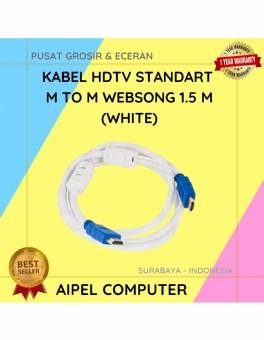
A. DESKRIPSI (DESCRIPTION) Kabel HDTV Standart WEBSONG 1.5 M (White) hadir sebagai solusi tepat bagi Anda yang menginginkan kualitas tampilan… selengkapnya
Rp 28.000 Rp 37.000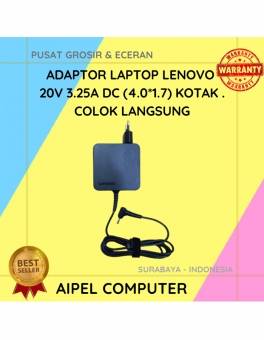
17%
A. DESKRIPSI (DESCRIPTION) Adaptor Laptop LENOVO 20V 3.25A DC (4.0*1.7) Kotak Colok Langsung adalah solusi cerdas untuk kebutuhan daya laptop… selengkapnya
Rp 75.000 Rp 90.000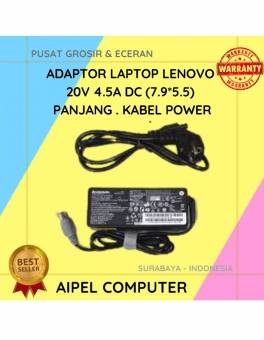
16%
A. DESKRIPSI (DESCRIPTION) Adaptor Laptop LENOVO 20V 4.5A DC (7.9*5.5) Panjang Kabel Power adalah pilihan ideal untuk Anda yang menginginkan… selengkapnya
Rp 80.000 Rp 95.000
36%
A. DESKRIPSI (DESCRIPTION) Adaptor Universal CENTROO 12V 1A DC 5.5 x 2.5 adalah adaptor serbaguna yang cocok untuk berbagai perangkat… selengkapnya
Rp 23.000 Rp 36.000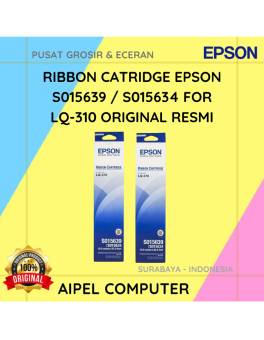
17%
A. DESKRIPSI (DESCRIPTION) EPSON S015639 / S015634 For LQ-310 Original 100% adalah cartridge ribbon berkualitas yang dirancang untuk memberikan hasil… selengkapnya
Rp 62.000 Rp 75.000
23%
AIPEL COMPUTER – Pusat Grosir dan Eceran – Belanja Hebat dan Hemat – Harga Murah Garansi Prima * GARANSI –… selengkapnya
Rp 23.000 Rp 30.000
25%
A. DESKRIPSI (DESCRIPTION) Mouse Wireless JERTECH JR9 CAITLIN Original adalah mouse nirkabel berkualitas tinggi dari JERTECH yang menawarkan kombinasi sempurna… selengkapnya
Rp 45.000 Rp 60.000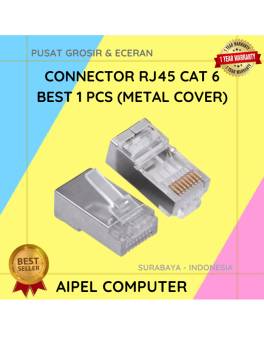
33%
A. DESKRIPSI (DESCRIPTION) Connector RJ45 CAT 6 BEST 1 PCS dengan penutup metal adalah konektor jaringan yang dirancang untuk memberikan… selengkapnya
Rp 1.000 Rp 1.500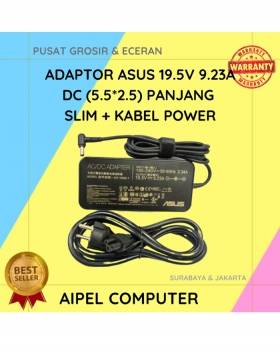
7%
A. DESKRIPSI (DESCRIPTION) Adaptor Laptop ASUS 19.5V 9.23A DC adalah perangkat pengisi daya berkualitas tinggi yang dirancang khusus untuk memberikan… selengkapnya
Rp 275.000 Rp 295.000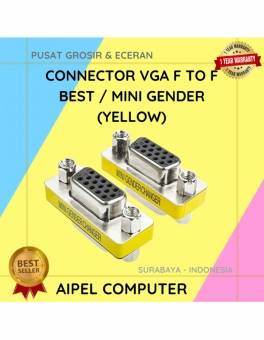
20%
A. DESKRIPSI (DESCRIPTION) Connector VGA F To F BEST / Mini Gender adalah konektor mini berkualitas tinggi yang dirancang khusus… selengkapnya
Rp 6.000 Rp 7.500



Saat ini belum tersedia komentar.