- Orderan dibawah 500.00 via Goshop / Offline / Marketplace
Laptop Cursor Missing (All Brands)? Easy Fixes to Bring It Back!
Have you ever been busy using your laptop, only to watch the mouse cursor suddenly vanish entirely from the screen and refuse to move no matter how many times you swipe across the touchpad surface?
A mysteriously disappearing cursor represents one of the most frustrating annoyances across all laptop brands (ranging from ASUS, Lenovo, Acer, HP, to Toshiba). This hurdle is generally triggered by trivial issues—such as accidentally pressing keyboard shortcut keys locking the touchpad, frozen Windows Explorer systems, or pointers requiring driver refreshes.
Furthermore, much like troubleshooting structural mechanical issues in laptop hinge broken stiff cracked causes fixes, identifying trigger points early saves you from panicking over hardware disassembly.
Featured Snippet (Quick Answer):
Primary causes of missing laptop cursors across all brands include accidental touchpad locking shortcuts on keyboards (such as Fn + F7 or Fn + F5), frozen Windows Explorer interfaces, or corrupted pointing device drivers in Windows.
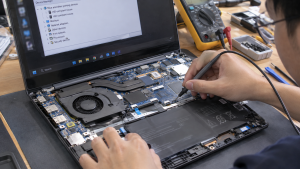
Checklist: Evaluating Missing Cursor Severity
Check the boxes below if these cursor symptoms match your current situation:
-
[ ] The cursor fails to appear on screen entirely despite sweeping across the touchpad area.
-
[ ] Other keyboard keys function normally, yet the mouse pointer refuses to move.
-
[ ] This issue appeared immediately after booting up from Sleep or Hibernation modes.
-
[ ] Plugging in an external USB mouse makes the cursor reappear and function normally.
Practical Recommendation: Avoid instantly panicking and rushing to a repair shop! Try plugging in an external USB mouse first to determine whether your Windows system still responds correctly to pointer movements.
Comparison Table: Touchpad Shortcut Keys Across Laptop Brands
| Laptop Brand | Touchpad Lock Shortcut Keys |
|---|---|
| ASUS | Fn + F9 or Fn + F7 |
| Lenovo | Fn + F6 or Fn + F8 (varies by model) |
| Acer | Fn + F7 or Fn + F3 |
| HP (Hewlett-Packard) | Double-tap top-left touchpad corner / Fn + F12 |
| Toshiba / Dell | Fn + F5 or Fn + F9 |
4 Easy Steps to Fix a Missing Laptop Cursor (All Brands)
-
Re-enable Touchpad Using Shortcut Keys.
Locate the crossed-out touchpad icon across function keys above your keyboard (F1 through F12), and press it alongside the Fn key (e.g., Fn + F7 on Acer, Fn + F9 on ASUS, or Fn + F6 on Lenovo) to unlock the touchpad function.
-
Restart Windows Explorer via Task Manager.
If shortcut keys fail to respond, press the key combination Ctrl + Shift + Esc to open Task Manager. Use keyboard arrow keys to locate Windows Explorer in the process list, press Alt + E (or right-click using a USB mouse) and select Restart to reload the frozen desktop interface.
-
Check Touchpad Settings in Windows Settings.
Press Windows + I to open Settings, type
"Touchpad"into the search bar, and ensure the Touchpad status toggle sits in the On position to re-engage touch input hardware. -
Update Mouse Drivers in Device Manager.
Press Windows + X > select Device Manager. Expand Mice and other pointing devices, select your touchpad driver, then choose Update driver or Uninstall device and restart the laptop to let the system cleanly reinstall pointing software.
When to Seek Professional Repair Services
If you have tried pressing shortcut keys matching your laptop brand, restarting Windows Explorer, plugging in a USB mouse yet the cursor remains completely dead, or notice physical touchpad components sinking inward, the problem has transitioned into hardware failure.
This condition requires inspecting loose touchpad flex cables inside the casing or replacing a new touchpad module by an experienced technician to restore normal laptop navigation.
FAQ (Frequently Asked Questions)
Why does my laptop cursor keep disappearing after Windows updates?
This typically occurs because system updates overwrite factory default touchpad drivers with generic drivers lacking full synchronization. Re-downloading official drivers from your laptop manufacturer’s support site resolves this issue entirely.
Tags: fix missing mouse cursor windows 11 laptop, laptop cursor missing all brands causes fixes, laptop cursor repair surabaya, laptop repair surabaya, touchpad not working all brands surabaya

Laptop Cursor Missing (All Brands)? Easy Fixes to Bring It Back!
Contoh hardware input tentunya sangat beragam. Berikut akan kita bahas beberapa contohnya beserta fungsinya masing-masing. Komponen utama komputer terdiri atas... selengkapnya
Toko komputer baik online maupun offline juga menyediakan berbagai aksesoris komputer maupun laptop yang penting dan berguna. Salah satu aksesorisnya... selengkapnya
Pernahkah kamu mencoba mengisi daya laptop menggunakan kabel USB Type-C dan kepala charger HP, tetapi ikon baterai di layar tidak... selengkapnya

Toko komputer tidak hanya menyediakan komputer. Sektor utamanya memang bergerak dalam penjualan komputer, namun tak menutup kemungkinan toko juga menawarkan... selengkapnya

Baterai UPS atau Uninterruptible Power Supply, juga dikenal sebagai Suplai Daya Bebas Gangguan. Alat ini merupakan perangkat yang umumnya menggunakan... selengkapnya

Belanja aksesoris komputer secara online memang terbilang lebih praktis dan efisien. Apalagi ketika Anda berbelanja di grosir aksesoris komputer, sudah... selengkapnya
Tips memilih processor di grosir komputer berikut ini jangan sampai Anda lewatkan agar bisa mendapatkan processor yang tepat. Processor merupakan... selengkapnya

Mengenal jenis mousepad menjadi penting bagi para pengguna komputer atau laptop dalam kehidupan sehari-hari agar pemakaiannya optimal. Mousepad terbagi berdasarkan... selengkapnya
Have you ever been working on an important document or playing a game when your laptop suddenly freezes, displaying a... selengkapnya
23%
A. DESKRIPSI (DESCRIPTION) USB Wifi Adapter Antenna CENTROO adalah adaptor jaringan eksternal yang dibekali antena penguat sinyal untuk hasil koneksi… selengkapnya
Rp 30.000 Rp 39.000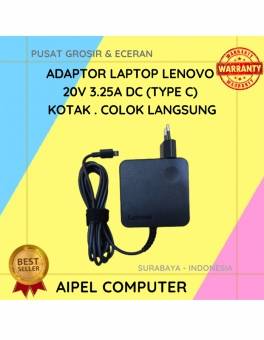
10%
A. DESKRIPSI (DESCRIPTION) Adaptor Laptop LENOVO 20V 3.25A Type C Kotak Colok Langsung adalah perangkat power supply dengan desain kotak… selengkapnya
Rp 135.000 Rp 150.000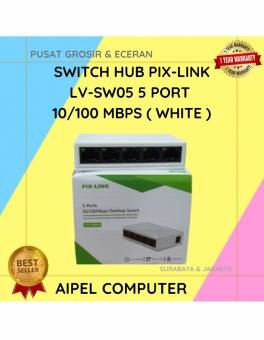
19%
A. DESKRIPSI (DESCRIPTION) Switch Hub PIX-LINK LV-SW05 5 Port 10/100 MBPS (White) adalah perangkat jaringan yang dirancang untuk memudahkan koneksi… selengkapnya
Rp 65.000 Rp 80.000
29%
A. DESKRIPSI (DESCRIPTION) Cable USB M To Lightning M GENAI GL-Q39 adalah pilihan elegan bagi Anda yang membutuhkan kabel bertenaga… selengkapnya
Rp 27.000 Rp 38.000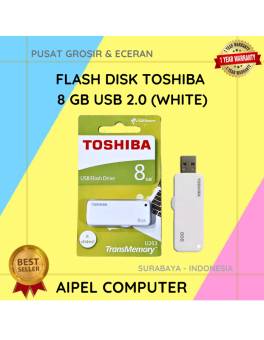
33%
A. DESKRIPSI (DESCRIPTION) Flash Disk TOSHIBA 8 GB USB 2.0 (White) adalah perangkat penyimpanan portabel yang ringkas, praktis, dan cocok… selengkapnya
Rp 20.000 Rp 30.000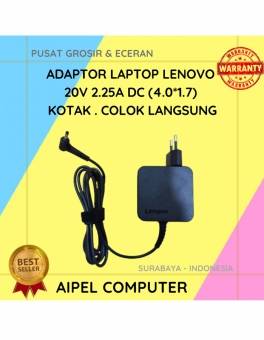
17%
A. DESKRIPSI (DESCRIPTION) Adaptor Laptop LENOVO 20V 2.25A DC (4.0*1.7) Kotak Colok Langsung adalah pilihan tepat bagi Anda yang membutuhkan… selengkapnya
Rp 75.000 Rp 90.000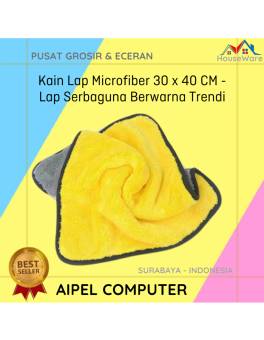
29%
A. DESKRIPSI (DESCRIPTION) Kain Lap Microfiber 30 x 40 CM Serbaguna (Grey Yellow) adalah kain pembersih serbaguna yang dirancang dengan… selengkapnya
Rp 4.250 Rp 6.000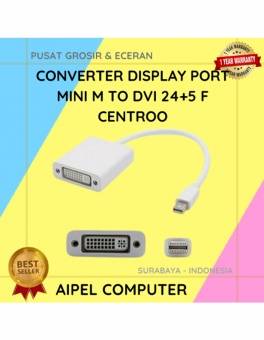
20%
A. DESKRIPSI (DESCRIPTION) Converter Display Port Mini M To DVI 24+5 F CENTROO (Black / White) adalah converter elegan dan… selengkapnya
Rp 20.000 Rp 25.000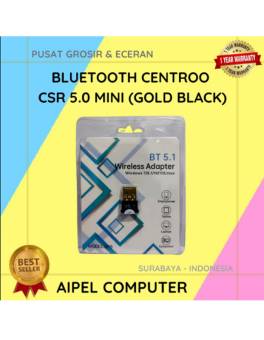
25%
A. DESKRIPSI (DESCRIPTION) Bluetooth CENTROO CSR 5.0 Mini adalah perangkat kecil dengan fungsi besar. 🛰️ Dirancang untuk Anda yang ingin… selengkapnya
Rp 15.000 Rp 20.000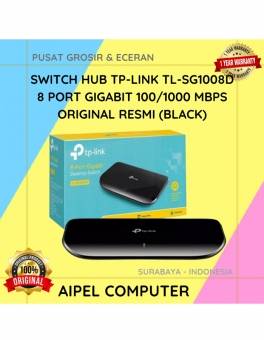
10%
A. DESKRIPSI (DESCRIPTION) Switch Hub TP-LINK SG1008D adalah solusi jaringan yang dirancang untuk menghadirkan kecepatan tinggi dan keandalan koneksi bagi… selengkapnya
Rp 260.000 Rp 290.000



Saat ini belum tersedia komentar.