- Orderan dibawah 500.00 via Goshop / Offline / Marketplace
Loose Laptop Charger Port and Wobbly Plug? Causes and Fixes
Do you find yourself constantly wiggling, bending, or propping up your laptop charger cable with heavy objects just to keep the charging light on? Dealing with a loose or wobbly charger plug is an annoying issue frequently faced by users who routinely yank out charging cords at awkward angles.
A loose charging port that fails to hold the plug firmly is far more than a minor inconvenience. Much like addressing power delivery issues on laptop usb c charging not working causes fixes, intermittent power connections generate micro-sparking (electrical arcing), excessive heat around the port, and can ultimately fry power management ICs on the motherboard.
Featured Snippet (Quick Answer):
Primary causes of a loose or wobbly laptop charger port include worn-out internal retaining clips inside the DC Jack, cracked solder joints connecting the port to the motherboard, or bent center pins inside the power connector tip.
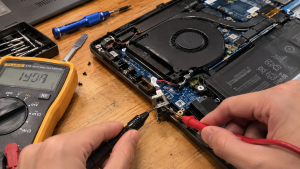
Checklist: Assessing Charging Port Damage Severity
Check the boxes below if these charging port symptoms match your current experience:
-
[ ] Charger tip feels noticeably loose or wobbles when inserted into the DC port.
-
[ ] Laptop charges only when the cable is bent, propped up, or held at a specific angle.
-
[ ] Plastic casing around the charging port becomes uncomfortably hot or smells like warm plastic.
-
[ ] Taskbar battery icon flickers rapidly between Battery Mode and AC Power.
-
[ ] Faint crackling or popping noises (arcing) occur inside the port when moving the cord.
Practical Recommendation: Never rely on bending cables or placing heavy weights on your charger tip to maintain a connection. Unstable electrical flow caused by loose connections can trigger voltage spikes that permanently damage your laptop’s internal charging circuitry.
Comparison Table: Causes of Loose Charger Ports and Recommended Fixes
| Plug Symptom | Underlying Cause | Device Damage Risk | Recommended Action |
|---|---|---|---|
| Slight Wiggle but Charges | Worn internal DC-Jack retaining clips | Unstable voltage delivery | Avoid pulling cable at sharp angles |
| Charges Only When Bent | Frayed internal wire / worn connector pin | Port area overheating | Replace DC cable harness / tighten pins |
| Wobbly + Port Extremely Hot | Cracked DC-Jack solder joints | Motherboard short circuit | Replace internal DC-Jack module |
| Flickering Power LED | Micro electrical arcing | Power IC component failure | Unplug immediately & avoid forcing use |
4 Ways to Fix a Loose Laptop Charger Port and Wobbly Plug
-
Clean Debris and Dust Out of the DC Jack Port. Power off the laptop and unplug the charger. Use a flashlight to inspect inside the charging port. Use a thin wooden toothpick to gently extract lint or compressed dust preventing the charger tip from seating fully flush.
-
Tighten the Connector Retaining Pins. On barrel-style power jacks, inspect the small brass retaining pins inside the port rim or center pin. If the pins have expanded, use a fine needle to gently bend the metal clips inward to restore a snug grip on the charger tip.
-
Replace the Adapter Cable or Use a Precision Tip Adapter. If the looseness stems from a worn-out outer tip on the charger cord itself, replacing the DC output cord or attaching a new precision-molded adapter tip can restore a firm connection.
-
Replace the Internal Laptop DC Jack Harness. If the internal DC Jack module is broken or cracked away from the motherboard, replacing the module is necessary. Most modern laptops use harness-cable DC Jacks that plug directly into the motherboard without needing complex soldering.
When to Seek Professional Repair Services
If the charging port feels excessively loose, emits burning smells, or the laptop shuts off instantly when the cord is touched, the internal DC Jack module or motherboard solder joints are severely damaged.
This condition requires installing a new original DC Jack module by a qualified repair technician to ensure a solid, stable power connection that is safe from electrical short circuits.
FAQ (Frequently Asked Questions)
Is it safe to use a laptop when the charger cable has to be bent to work?
No, it is unsafe. Bending the cable creates high electrical resistance at the flex point, generating extreme heat that can melt the charging port or create a short circuit hazard.
What causes a laptop charger port to become loose and wobbly over time?
Main causes include pulling the charger cable sideways, accidental tugs or drops while plugged in, and natural mechanical wear from years of plugging and unplugging.
Conclusion
A loose or wobbly laptop charger port is a critical power delivery warning that should not be ignored. Cleaning out trapped debris or replacing a damaged DC Jack module will safeguard your motherboard from severe electrical damage.
Shop OEM Chargers, DC Jacks & Repairs at Aipel Computer
Looking for genuine replacement laptop chargers, internal DC Jack harnesses, or professional laptop power port repair services with an official warranty? Find trusted hardware replacement parts and expert repair services directly at Aipel Computer.
For replacement chargers, port repairs, or technical consultations, visit the official Aipel Computer website today.
Tags: charger cable has to be bent to work, dc jack replacement surabaya, fix loose laptop charging port, loose laptop charger port wobbly plug

Loose Laptop Charger Port and Wobbly Plug? Causes and Fixes
Pernahkah kamu membuka dokumen berlatar putih bersih atau menjelajahi web, lalu mendadak pandangan matamu terganggu oleh noda titik terang atau... selengkapnya

Mending rakit PC. Kata-kata tersebut sering terdengar di forum diskusi komputer ketika sedang membicarakan mana yang lebih cocok, membeli komputer... selengkapnya
Stabilizer atau stavolt memiliki peran penting yang perlu dipahami oleh individu yang berurusan dengan perangkat elektronik dan listrik dalam kehidupan... selengkapnya
Plugging your headphone cable into a laptop only to hear audio coming strictly out of the left ear cup is... selengkapnya

Votre mouse saat ini memang banyak diminati. Mouse ini termasuk salah satu media hardware-nya komputer dan berperan penting sebagai alat... selengkapnya
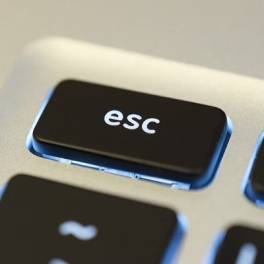
Tombol Esc pada keyboard memiliki berbagai fungsi yang berbeda. Berikut adalah beberapa kegunaan dari tombol Esc atau Escape pada keyboard... selengkapnya

Spesifikasi switch mungkin masih banyak yang belum mengetahui. Pada dunia informatika, komponen dan jaringan adalah sesuatu yang tidak bisa terlepas... selengkapnya
Komputer lengkap murah generasi pertama dibuat pada tahun 1937 ditemukan oleh Charles Babbage. Ketika itu Ia bisa menciptakan sebuah mesin... selengkapnya
Few laptop quirks are more annoying than typing on a desk only for your display panel to wobble back and... selengkapnya
Attending an important work meeting, presentation, or online lecture via Zoom or Google Meet, only to find out that no... selengkapnya
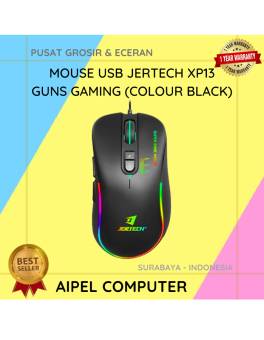
23%
A. DESKRIPSI (DESCRIPTION) Mouse USB Jertech XP13 GUNS Gaming adalah perangkat gaming berkabel dengan performa responsif tinggi yang dirancang khusus… selengkapnya
Rp 51.500 Rp 67.000
18%
A. DESKRIPSI (DESCRIPTION) EPSON S015632 For LX-310 Original 100% adalah cartridge ribbon andalan yang memberikan hasil cetakan presisi tinggi dengan… selengkapnya
Rp 47.000 Rp 57.000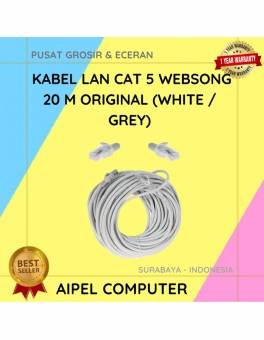
17%
A. DESKRIPSI (DESCRIPTION) Kabel LAN WEBSONG 20 M CAT 5 Original (White / Grey) hadir sebagai solusi koneksi yang stabil… selengkapnya
Rp 44.000 Rp 53.000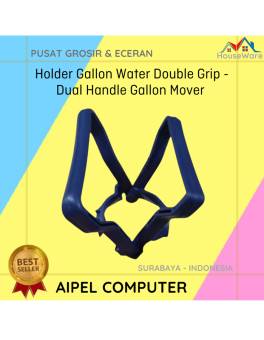
31%
A. DESKRIPSI (DESCRIPTION) Holder Gallon Water Double Grip adalah alat bantu yang memudahkan Anda dalam mengangkat galon air. 💧 Dengan… selengkapnya
Rp 2.750 Rp 4.000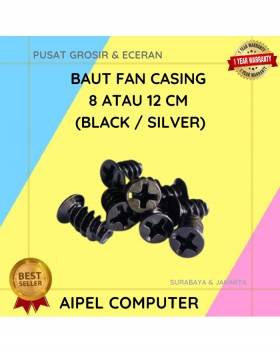
33%
A. DESKRIPSI (DESCRIPTION) Baut Fan Casing 8 CM atau 12 CM (Black / Silver) adalah sekrup khusus untuk pemasangan kipas… selengkapnya
Rp 200 Rp 300
3%
A. DESKRIPSI (DESCRIPTION) Refill Ink EPSON T6735 Light Cyan Original 100 % adalah tinta isi ulang berkualitas dari EPSON yang… selengkapnya
Rp 136.000 Rp 140.000
18%
A. DESKRIPSI (DESCRIPTION) Flash Disk SANDISK 64 GB adalah perangkat penyimpanan praktis yang mampu menampung berbagai file penting dengan mudah… selengkapnya
Rp 159.000 Rp 195.000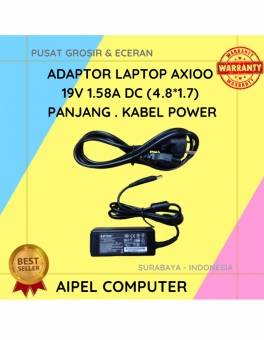
21%
A. DESKRIPSI (DESCRIPTION) Adaptor Laptop AXIOO 19V 1.58A adalah solusi ideal untuk memastikan perangkat laptop Anda selalu mendapatkan pasokan daya… selengkapnya
Rp 55.000 Rp 70.000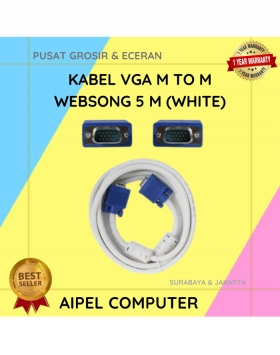
21%
A. DESKRIPSI (DESCRIPTION) Kabel VGA M To M WEBSONG 5 M (White) merupakan solusi andalan buat kamu yang butuh koneksi… selengkapnya
Rp 62.000 Rp 78.000
23%
A. DESKRIPSI (DESCRIPTION) Refill Ink EPSON 057 Black Original 100 % adalah tinta isi ulang hitam pekat berkualitas tinggi yang… selengkapnya
Rp 198.000 Rp 257.000



Saat ini belum tersedia komentar.