- Orderan dibawah 500.00 via Goshop / Offline / Marketplace
Laptop USB-C Charging Not Working? Causes and Fixes
Have you ever attempted to charge your modern laptop using a USB Type-C (Power Delivery) cable and adapter brick, only to watch battery indicator lights remain completely dead while your laptop’s charge percentage drains further?
USB Type-C cable or port charging failures on modern laptops have transformed into one of the most frequently reported customer grievances. This trouble frequently implies no catastrophic laptop destruction; instead, it is triggered by ordinary Type-C data cables lacking Power Delivery (PD) capabilities, trapped pocket debris inside port cavities, or motherboard Power Delivery IC controller chips failing to handshake adapter voltages.
Furthermore, much like troubleshooting wobbling physical connector wear in loose laptop charger port wobbly plug causes fixes, systematic inspections spanning cable specs down to physical port cleanliness are vital to restoring normal rapid charging functionality. Additionally, electrical stability can be maintained by reviewing insights from laptop giving shocks while charging causes fixes.
Featured Snippet (Quick Answer):
Primary causes of Type-C cables failing to charge laptops include utilizing cheap USB-C data cords lacking E-Marker chips and Power Delivery (PD) standards, pocket lint clogging Type-C port interiors, or motherboard power delivery controller chip malfunctions.
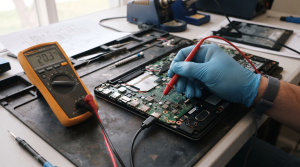
Checklist: Evaluating Type-C Charging Failure Severity
Check the boxes below if these USB-C charging symptoms match your current situation:
-
[ ] Type-C cables plug into laptops, yet Windows charging lightning bolt icons fail to appear entirely.
-
[ ] Adapter bricks and Type-C cables charge smartphones normally, yet die completely when plugged into laptops.
-
[ ] Charging crawls at snail paces or triggers “Slow charger connected” notification warnings.
-
[ ] USB Type-C ports feel loose or wobble when plugging cable connectors inside.
Practical Recommendation: Inspect symbols or fine text printed on your Type-C cables! Verify that cables carry Thunderbolt specifications or Power Delivery (PD) ratings supporting minimum 60W to 100W outputs, rather than basic phone data cords.
Comparison Table: Type-C Failure Types & Actions
| USB-C Charging Failure Symptom | Underlying Cause | Damage Risk | Recommended Action |
|---|---|---|---|
| Zero Response Upon Plugging In | Type-C cord is pure data cable lacking PD features | Electrical current blocked from entering systems | Replace with certified Power Delivery cables |
| “Slow Charger” Notifications | Adapter bricks outputting insufficient Wattage | Batteries draining faster than replenishment | Utilize adapter bricks rated minimum 65W/100W |
| Charging Cuts In/Out When Wiggling Cords | Worn or dirty internal Type-C port contact pins | Intermittent electrical power signal paths | Clean port cavities or replace port modules |
| Total Power Failure & System Hangs | Motherboard Power Delivery IC chip short circuits | Catastrophic failures across power circuits | Visit technicians for power IC circuit repairs |
4 Ways to Fix Laptop USB-C Charging Failures
-
Ensure Utilizing Power Delivery (PD) Standard Cables and Adapters.
Not all USB-C cables are created equal. Cheap smartphone adapter cords typically rate only 10W–15W and lack E-Marker chips. Deploy GaN adapter bricks rated minimum 65W paired with certified PD 100W Type-C to Type-C cables. Additionally, if you face related battery management anomalies, review proper troubleshooting procedures in laptop battery plugged in not charging causes fixes.
-
Execute Hard Resets (Power Drains) to Reset Power ICs.
Unplug Type-C charging cables and all attached USB peripherals, then press and hold the power button continuously for roughly 40 seconds. This flushes residual static electrical charges that frequently cause Power Delivery controller chips inside motherboards to hang.
-
Clean Debris and Lint Inside Type-C Port Cavities.
Pocket fabric fibers or fine dust frequently migrate and pack tight inside laptop Type-C port bases, blocking tiny internal copper pins from touching cable connectors. Clear debris gently using fine blunt needles wrapped in thin cotton or contact cleaner fluids.
-
Update USB Host Controller Drivers in Device Manager.
Press Windows + X > select Device Manager. Expand Universal Serial Bus controllers, right-click the malfunctioning controller driver, select Uninstall device, and restart your laptop so Windows automatically refreshes port configurations.
When to Seek Professional Repair Services
If you have deployed original PD 100W cables, cleaned ports, and executed power drains, yet laptop Type-C ports stubbornly refuse responding to charging currents altogether, malfunctions have migrated into internal hardware domains.
This condition requires inspecting charging circuit pathways, replacing burned Power Delivery IC chips, or replacing USB-C port modules executed by experienced technicians at trusted service centers.
FAQ (Pertanyaan yang Sering Diajukan)
Is it safe to charge laptops using phone Type-C chargers?
Generally discouraged if phone adapter bricks output below 65W (e.g., 15W or 33W). Low-wattage chargers fail to replenish active laptop batteries and frequently cause phone adapters to overheat by operating beyond design capacities.
Shop OEM Charging Parts & Repairs at Aipel Computer
Discover original Type-C cables and adapter spare parts, Power Delivery (PD) circuit repair services, and professional warranted laptop servicing in Surabaya directly through Aipel Computer.
Tags: fix type c port not charging windows 11 laptop, laptop repair surabaya, laptop usb c charging not working causes fixes, laptop usb c port repair surabaya, power delivery repair aipel komputer

Laptop USB-C Charging Not Working? Causes and Fixes
Sedang ingin menyimpan foto, memindahkan dokumen penting, atau membuka berkas di smartphone dan laptop, tetapi kartu memori microSD kamu mendadak... selengkapnya
Baterai menjadi sumber energi listrik yang perannya tak bisa dilepaskan dari laptop. Tanpa adanya baterai, maka laptop tak bisa berfungsi... selengkapnya

Have you ever intended to close your laptop screen, only to abruptly hear a startling cracking sound followed by plastic... selengkapnya
Memiliki gadget terutama komputer dan laptop merupakan kebutuhan yang tidak bisa diabaikan. Apalagi saat ini hampir semua pekerjaan membutuhkan komputer... selengkapnya
Kebutuhan aksesoris komputer dengan harga terjangkau salah satunya bisa diperoleh melalui toko grosir aksesoris komputer. Membeli produk di toko grosir... selengkapnya
Distributor Grosir Accessories Komputer sepertinya harus Anda cari tahu informasinya ketika Anda tertarik ingin berjualan berbagai produk yang terkait dengan... selengkapnya
Lagi butuh ngeprint dokumen penting, tapi printer malah nggak mau jalan? Situasi kayak gini pasti bikin panik, apalagi kalau lagi... selengkapnya
Facing an internet connection that suddenly drops while you are enjoying a streaming session or chasing a tight task deadline... selengkapnya
Pernahkah kamu berniat menutup layar laptop, lalu tiba-tiba mendengar bunyi “krak” yang mengagetkan, diikuti bodi dekat sudut layar yang menganga,... selengkapnya
Instant frustration boils over when your freshly powered-on laptop grinds to a dead halt, spinning the dreaded loading circle endlessly... selengkapnya
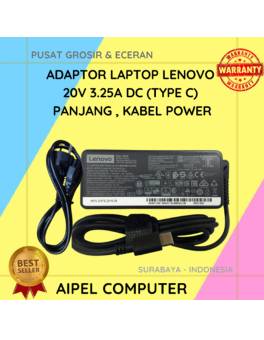
11%
A. DESKRIPSI (DESCRIPTION) Adaptor Laptop LENOVO 20V 3.25A Type C Panjang Kabel Power adalah solusi pengisian daya yang menggabungkan keandalan… selengkapnya
Rp 125.000 Rp 140.000
29%
GARANSI * AIPEL COMPUTER – Pusat Grosir & Eceran – Belanja Hebat & Hemat – Grosir Konsep Swalayan – Harga… selengkapnya
Rp 12.000 Rp 17.000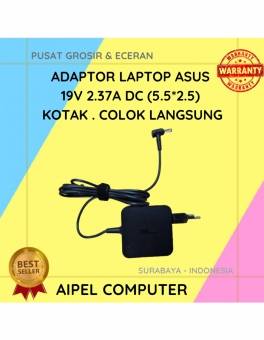
17%
A. DESKRIPSI (DESCRIPTION) Adaptor Laptop ASUS 19V 2.37A Kotak adalah perangkat pengisi daya yang dirancang khusus untuk memberikan performa optimal… selengkapnya
Rp 75.000 Rp 90.000
17%
A. DESKRIPSI (DESCRIPTION) Adaptor Laptop ASUS 19V 1.58A Kotak adalah pilihan terbaik untuk menjaga kinerja laptop Anda tetap stabil dan… selengkapnya
Rp 75.000 Rp 90.000
33%
A. DESKRIPSI (DESCRIPTION) Cable USB M To Lightning M GENAI GL-Q30 adalah kabel premium untuk perangkat Apple yang mendukung pengisian… selengkapnya
Rp 35.000 Rp 52.000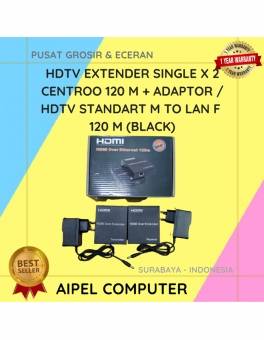
4%
A. DESKRIPSI (DESCRIPTION HDTV Extender Single X 2 CENTROO 120 M + Adaptor / HDTV STANDART M To LAN F… selengkapnya
Rp 450.000 Rp 470.000
13%
A. DESKRIPSI (DESCRIPTION) Earphone Wireless GENAI TWS G2-GE2 Earbuds adalah pilihan tepat bagi Anda yang mencari perangkat audio yang tidak… selengkapnya
Rp 104.000 Rp 119.000
23%
AIPEL COMPUTER – Pusat Grosir dan Eceran – Belanja Hebat dan Hemat – Harga Murah Garansi Prima * GARANSI –… selengkapnya
Rp 23.000 Rp 30.000
31%
AIPEL COMPUTER – Pusat Grosir dan Eceran – Belanja Hebat dan Hemat – Harga Murah Garansi Prima * GARANSI –… selengkapnya
Rp 12.500 Rp 18.000
6%
GARANSI * AIPEL COMPUTER – Pusat Grosir & Eceran – Belanja Hebat & Hemat – Grosir Konsep Swalayan – Harga… selengkapnya
Rp 1.590.000 Rp 1.700.000



Saat ini belum tersedia komentar.