- Orderan dibawah 500.00 via Goshop / Offline / Marketplace
Laptop Keyboard Key Popped Off or Broken? Causes and Fixes
Have you ever experienced the startling moment while typing or cleaning dust when a keycap on your laptop keyboard suddenly pops off, snaps its tiny plastic retainer clips, or detaches completely?
Dealing with a popped-off laptop key is frustrating because it disrupts smooth typing. However, much like troubleshooting physical key resistance in laptop spacebar or enter key sticking causes fixes, a detached key doesn’t always require replacing the entire keyboard module. The damage is frequently confined to the plastic scissor hinge clip underneath or broken tiny hooks on the keycap itself.
Featured Snippet (Quick Answer):
Primary causes of a laptop keyboard key popping off include snapped plastic retainer tabs under the keycap, a dislodged scissor hinge mechanism, or impact during cleaning. Keys can be reinstalled if the hinge clips remain unbroken.
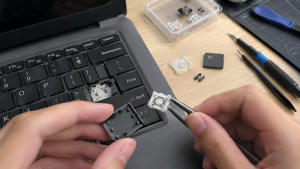
Checklist: Evaluating Laptop Key Damage Status
Check the boxes below if these keyboard symptoms match your current situation:
-
[ ] The keycapdetaches cleanly along with a tiny white plastic clip underneath.
-
[ ] One of the tiny plastic retaining feet on the scissor hinge mechanism is snapped or chipped.
-
[ ] The key can still register inputs when pressed directly on the rubber dome, but feels exposed and capless.
-
[ ] The Spacebar or Enter key detaches on one side because its metal stabilizer retainer bar popped out.
-
[ ] Keycap lettering has worn off or its mounting slots on the keyboard plate are fractured.
Practical Recommendation: Never throw away a detached keycap or the tiny plastic hinge clips! Store these components in a small container. As long as the plastic clip underneath isn’t completely crushed, the key can be reassembled precisely.
Comparison Table: Key Damage Types and Recommended Actions
| Key Damage Condition | Underlying Cause | Device Damage Risk | Recommended Action |
|---|---|---|---|
| Keycap Detached with Intact Clip | Minor impact / snagged fingernail | Disrupted typing workflow | Reattach clip & press keycap down until “click” |
| Chipped / Broken Plastic Hinge Foot | Excessive force applied to one side | Loose key wobbles & pops off easily | Replace individual scissor hinge clip |
| Loose Spacebar / Enter Bar | Stabilizer wire slipped out of mounting slot | Key depresses unevenly on one side | Re-hook metal wire into keycap retaining slots |
| Broken Base Plate / Mounting Tab | Severe physical impact on keyboard chassis | Key cannot latch securely anymore | Replace entire keyboard module |
4 Steps to Reattach a Popped-Off Laptop Key
-
Understand the Three-Part Laptop Key Structure. Modern laptop keys typically consist of three components: the rubber dome (center spring), the scissor hinge (interlocking plastic clip), and the keycap (lettered top cover).
-
Re-seat the Scissor Hinge Clip onto the Keyboard Plate. If the plastic clip detached entirely, ensure correct orientation (slide the smaller hook tabs into the metal slots on the keyboard chassis first, then press down gently until flat and flexible).
-
Hook Up Metal Stabilizer Bars (For Larger Keys). For wide keys like the Spacebar, Enter, Shift, or Backspace, ensure the small metal stabilizer bar slides into its designated mounting loops beneath the keycap before snapping it onto the plastic hinge.
-
Press Keycap Gently Until You Hear a “Click”. Position the keycap squarely over the assembled plastic hinge, then press down gently using your fingertip in the center until you hear a distinct “click” signaling the plastic tabs have locked securely.
When to Replace the Entire Keyboard Module
If the plastic retaining feet on the scissor hinge are completely snapped, or if the metal mounting tracks on the keyboard base plate are warped from heavy impact so that keycaps refuse to latch flush, targeted component repairs will fail.
This condition requires installing a new original laptop keyboard module by a qualified technician to restore normal, comfortable typing performance.
FAQ (Frequently Asked Questions)
Can I buy replacement laptop key clips individually?
Yes. Many computer parts suppliers and online vendors sell individual scissor hinge clips categorized by specific laptop brands and models (since clip designs vary across manufacturers).
Is it safe to use superglue to fix a broken laptop key?
STRONGLY DISCOURAGED! Superglue can seep into the rubber dome and ruin the underlying circuit board traces, permanently disabling that specific key.
Conclusion
A popped-off or broken laptop key can be successfully resolved by understanding the underlying scissor hinge mechanism and reattaching components carefully. If hinge clips remain intact, keys can be restored to normal operation without replacing the entire keyboard module.
Shop OEM Laptop Keyboards, Parts & Repairs at Aipel Computer
Looking for individual key clips, genuine original replacement laptop keyboards with warranty, or professional repair services? Find trusted replacement parts and expert repair services directly at Aipel Computer.
Tags: how to snap laptop key back on, laptop keyboard key popped off broken fix, laptop repair surabaya, replace missing laptop keycap

Laptop Keyboard Key Popped Off or Broken? Causes and Fixes

Have you ever been working in a dimly lit room or late at night, only to find that the backlight... selengkapnya

Penyimpanan laptop yang benar perlu dipahami. Dengan cara penyimpanan yang tepat, maka perangkat laptop akan jauh lebih awet. Harga komputer... selengkapnya

Keamanan dan Privasi di WhatsApp . Mengoptimalkan Keamanan dan Privasi di WhatsApp . Panduan Lengkap untuk Pengguna A. Pengaturan... selengkapnya
Layar laptop tiba-tiba terasa oblak saat diketik, terdengar bunyi “krek” yang makin keras tiap kali layar dibuka, atau justru bodi... selengkapnya
Motherboard adalah sebuah komponen utama dalam komputer, telah ada sejak era 1970-an. Pada awalnya, desain motherboard tidak sekompleks seperti sekarang... selengkapnya
Beberapa perangkat aksesori yang penting untuk dimiliki pada komputer meliputi keyboard, speaker, dan mouse. Meskipun demikian, seringkali orang mengabaikan pentingnya... selengkapnya
Untuk mengoptimalkan kinerja sistem, salah satu langkah efektif adalah dengan menghilangkan bloatware di Windows 10. Aplikasi bawaan yang tidak terpakai... selengkapnya

Mouse Logitech wireless telah menjadi favorit bagi banyak pengguna komputer. Brand ini telah meraih ketenaran yang luas di kalangan konsumen,... selengkapnya
Komponen hardware komputer adalah aspek yang sangat penting karena berpengaruh langsung pada kinerja optimal perangkat tersebut. Kualitas dan umur panjang... selengkapnya
Komputer Anda tak akan lengkap dengan aksesoris. Meskipun bukan merupakan hal yang wajib namun dalam kenyataannya terdapat fungsi dari komputer... selengkapnya

60%
AIPEL COMPUTER RJ45 CAT 5 BEST 1 PCS (Transparant) adalah konektor jaringan tipe RJ45 kategori 5 yang dirancang dengan bahan… selengkapnya
Rp 200 Rp 500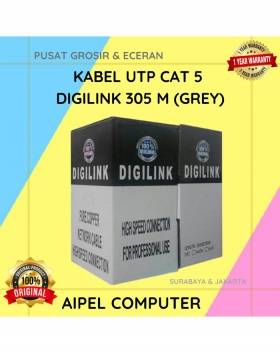
25%
A. DESKRIPSI (DESCRIPTION) DIGILINK Kabel UTP CAT 5 305 M (Grey) adalah kabel jaringan berkualitas tinggi yang dirancang untuk memenuhi… selengkapnya
Rp 300.000 Rp 400.000
25%
A. DESKRIPSI (DESCRIPTION) Adaptor Universal CENTROO 9V 0.6A DC 3.5 x 1.35 adalah adaptor berkualitas tinggi yang dirancang untuk berbagai… selengkapnya
Rp 15.000 Rp 20.000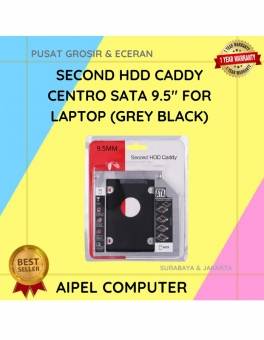
25%
A. DESKRIPSI (DESCRIPTION) Second HDD Caddy CENTROO SATA 9.5″ For Laptop adalah perangkat tambahan praktis yang memungkinkan Anda menambahkan hard… selengkapnya
Rp 13.500 Rp 18.000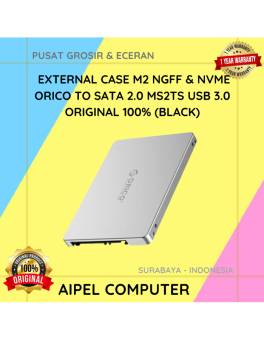
13%
AIPEL COMPUTER – Pusat Grosir dan Eceran – Belanja Hebat dan Hemat – Harga Murah Garansi Prima * GARANSI –… selengkapnya
Rp 100.000 Rp 115.000
22%
AIPEL COMPUTER Converter USB 3.0 to LAN CENTROO 100/1000 Mbps Gigabit adalah perangkat converter jaringan dari USB ke LAN yang… selengkapnya
Rp 57.000 Rp 73.000
14%
A. DESKRIPSI (DESCRIPTION) GENAI QC-Q32 Charger Type-C + Kabel Type-C to Type-C PD adalah charger bertipe QC-Q32 berdaya maksimal 30W… selengkapnya
Rp 86.000 Rp 100.000
31%
A. DESKRIPSI (DESCRIPTION) Kabel HDTV Standard M to F BEST 100 CM adalah pilihan tepat bagi Anda yang ingin memperpanjang… selengkapnya
Rp 20.000 Rp 29.000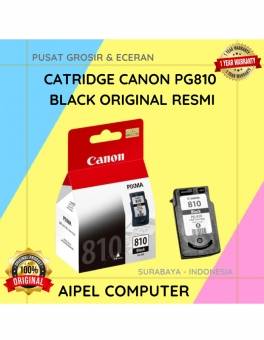
8%
A. DESKRIPSI (DESCRIPTION) Canon PG810 merupakan kartrid tinta hitam asli yang dirancang khusus untuk memberikan kualitas cetak yang optimal pada… selengkapnya
Rp 225.000 Rp 245.000
47%
AIPEL COMPUTER – Pusat Grosir dan Eceran – Belanja Hebat dan Hemat – Harga Murah Garansi Prima * GARANSI –… selengkapnya
Rp 16.000 Rp 30.000



Saat ini belum tersedia komentar.