- Orderan dibawah 500.00 via Goshop / Offline / Marketplace
3 Warning Signs Your Laptop Battery Needs a Replacement
It is completely normal for a portable device to lose its efficiency over time. However, many users fail to recognize the physical and internal red flags showing that their power source is on its last legs. Before assuming hardware damage, you should first understand how to save laptop battery properly to rule out configuration issues.
If you have already optimized your internal settings and the power still drops rapidly, you are likely dealing with classic signs that your power cells are failing. Recognizing these symptoms early will help you determine the exact time to invest in a professional laptop battery replacement before it leads to total system failure.
Featured Snippet (Instant Answer):
To tell if a laptop battery is failing, look for a drastic drop in runtime (such as lasting under 45 minutes), sudden shutdowns without low battery alerts, and physical swelling of the lower chassis or trackpad. Most lithium-ion cells last 2 to 3 years or 300 to 500 charge cycles before natural chemical degradation occurs, which is accelerated by high operating heat or leaving the charger connected continuously.
Checklist: Is Your Laptop Battery Dying or Just Poorly Configured?
Tick the boxes below if you are experiencing any of these common hardware issues:
-
[ ] Your laptop struggles to stay alive for even 45 minutes on a single charge.
-
[ ] The battery percentage glitches, dropping from high to low numbers in a matter of seconds.
-
[ ] The screen goes completely black and shuts down without any low-power warnings.
-
[ ] The trackpad feels stiff to click or is physically lifting out of place.
-
[ ] The bottom plastic shell of your device looks warped, uneven, or bloated.
Our Recommendation: If you checked off any of the physical swelling signs, stop using your charger immediately. A bloated cell creates high pressure inside the casing and poses a real fire hazard. For internal or runtime glitches, getting a professional diagnosis ensures you don’t replace parts unnecessarily.
Data Benchmark: Laptop Battery Lifespan and Degradation Factors
To give you a better idea of what to expect from your portable device, here is a quick look at standard power cell longevity and the environmental habits that alter its health:
| Battery Health Metric | Standard Optimal Lifespan | Accelerated Degradation Factors | Real-World Impact on Hardware |
|---|---|---|---|
| Operational Age | 2 to 3 Years | Running heavy background software continuously | Cuts down long-term cell health |
| Charge Lifecycles | 300 to 500 Full Cycles | Letting the device sit plugged in 24/7 | Accelerates chemical component wear |
| Operating Environment | Normal Room Temperature | Exposing the machine to high room heat | Shortens total lifespan and risks gas buildup |
The Clear Indicators of a Dying Laptop Battery
Paying close attention to how your system behaves when running unplugged can save you from sudden data loss. We see these exact hardware warnings at our service desk every single week.
-
The Device Runs Out of Power Instanks. The most obvious indicator is a drastic drop in daily runtime. If your workstation used to last 4 to 6 hours on a single charge but now struggles to cross the 45-minute mark, the cells are exhausted. In worse cases, the percentage indicator might glitch, dropping from 80% to 20% in a matter of seconds, showing that the hardware can no longer hold a stable voltage.
-
Sudden Shutdowns Occur Without Low Battery Alerts. When internal power components get too old, they struggle to supply a consistent flow of electricity during heavy processing tasks. You might notice your screen going completely black without any warning, even when the system icon claims you still have 30% power left. These random shutdowns can corrupt your operating system files and lead to lost project progress.
-
The Trackpad Lifts or the Lower Case Swells Physically. This is a dangerous physical emergency. When lithium-ion cells fail due to age or overheating, they can generate gas, causing the casing to swell up. If you notice your trackpad becoming stiff to click, or if the bottom plastic shell of your device looks warped and bloated, stop using the charger right away.
FAQ (Frequently Asked Questions)
-
What happens if I keep using a swollen laptop battery?
Please don’t risk it. A swollen battery puts extreme physical pressure on the keyboard, trackpad, and motherboard circuits. Because the gas buildup inside is highly volatile, continuing to charge a bloated battery creates a severe fire hazard.
-
Can a bad Windows setting cause sudden laptop shutdowns?
Usually no. If your laptop shuts down instantly without a “Low Battery” warning screen—especially when the meter reads 30% or higher—the issue is almost always a worn-out cell that cannot deliver stable voltage under sudden CPU load spikes.
-
How can I check my current battery cycle count?
On Windows, you can open Command Prompt and type
powercfg /batteryreport. This generates a clean HTML report showing your design capacity, full charge capacity, and how many cycles the battery has logged.
Conclusion
Getting a professional diagnosis ensures you don’t replace parts unnecessarily. A trusted technician can confirm whether your energy drainage comes from standard battery wear, general overheating, or internal power management failure. Replacing a degraded cell with a high-quality, original spare part will instantly restore your device’s portability, allowing you to work remotely without constantly hunting for an electrical wall outlet.
Visit the Aipel Computer Physical Store
If your machine cannot hold a stable charge or is showing physical signs of case warping, let our tech team inspect it immediately. We offer quick physical diagnostics, reliable battery condition checks, and premium component replacements.
For step-by-step driving routes, open hours, or to check on authentic parts availability for your specific brand, feel free to visit our main website or stop by the Aipel Computer in Surabaya service desk. We will help you get your portable workstation running safely and efficiently again!
Tags: battery saving tips, computer store surabaya, extend battery life, grosir komputer, laptop battery, laptop maintenance, laptop performance, laptop tips, save laptop battery, toko komputer surabaya

3 Warning Signs Your Laptop Battery Needs a Replacement

Membeli produk komputer, hardware, maupun komponen lainnya, sudah barang tentu tidak bisa kamu lakukan secara sembarangan. Salah satu hal penting... selengkapnya

Susunan kabel HDMI menjadi salah satu informasi yang sangat penting, terutama bagi Anda yang seringkali menggunakannya. Melalui susunannya inilah, jenis... selengkapnya
Pernahkah kamu mencoba mengisi daya laptop menggunakan kabel USB Type-C dan kepala charger HP, tetapi ikon baterai di layar tidak... selengkapnya
Sudah banyak tersedia di toko atau grosir komputer, WiFi repeater ternyata punya peran penting sekarang ini. Bekerja atau mengoperasikan komputer,... selengkapnya

Attending an important work meeting, presentation, or online lecture via Zoom or Google Meet, only to find out that no... selengkapnya

CPU komputer yang cepat panas merupakan masalah serius dan harus pengguna waspadai. Bagaimana tidak, kondisi panas pada CPU yang berlebihan... selengkapnya
Cartridge tinta merupakan salah satu bagian dalam printer yang memiliki fungsi sebagai penampung atau tempat isi ulang tinta printer. Melalui... selengkapnya
Mengalami situasi di mana kursor di layar laptop mendadak membeku dan tidak mau bergerak tentu akan langsung menghentikan seluruh produktivitas... selengkapnya

Membersihkan layar LCD laptop, komputer, maupun TV tidak bisa menggunakan LCD Cleaner sembarangan. Penggunaan cleaner ini sangat direkomendasikan agar layar... selengkapnya

Dalam era globalisasi dan persaingan kerja yang semakin ketat, semangat belajar dan mengembangkan diri menjadi kunci sukses bagi setiap individu.... selengkapnya
30%
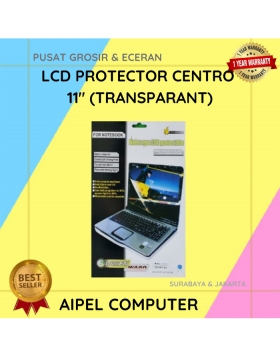
A. DESKRIPSI (DESCRIPTION) Led Protector CENTROO 11″ – Screen Ward 11 INCH (Transparant) adalah pelindung layar inovatif yang dirancang khusus… selengkapnya
Rp 7.000 Rp 10.000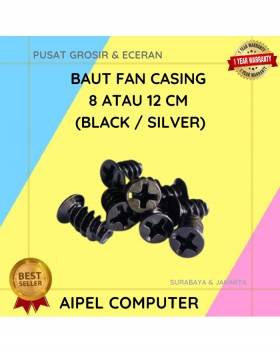
33%
A. DESKRIPSI (DESCRIPTION) Baut Fan Casing 8 CM atau 12 CM (Black / Silver) adalah sekrup khusus untuk pemasangan kipas… selengkapnya
Rp 200 Rp 300
11%
A. DESKRIPSI (DESCRIPTION) GENAI TWS25 Earbuds adalah earphone wireless tipe TWS25 yang siap menemani setiap aktivitas Anda dengan kenyamanan maksimal… selengkapnya
Rp 151.000 Rp 169.000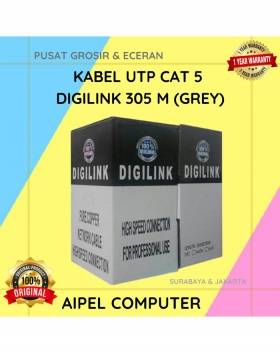
25%
A. DESKRIPSI (DESCRIPTION) DIGILINK Kabel UTP CAT 5 305 M (Grey) adalah kabel jaringan berkualitas tinggi yang dirancang untuk memenuhi… selengkapnya
Rp 300.000 Rp 400.000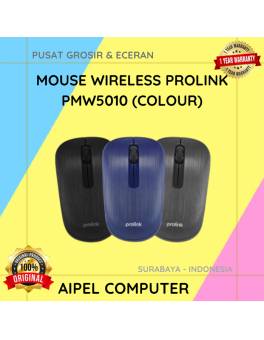
33%
A. DESKRIPSI (DESCRIPTION) Mouse Wireless PROLINK PMW5010 adalah mouse nirkabel modern dengan teknologi canggih yang siap mendukung produktivitas Anda. 💼… selengkapnya
Rp 50.000 Rp 75.000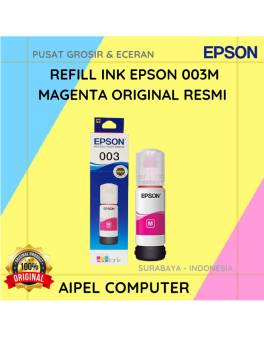
15%
A. DESKRIPSI (DESCRIPTION) Refill Ink EPSON 003M Magenta Original 100% adalah tinta isi ulang berkualitas tinggi dari EPSON yang dirancang… selengkapnya
Rp 85.000 Rp 100.000
11%
A. DESKRIPSI (DESCRIPTION) Power Supply Unit E-SMILE 500 W adalah pilihan tepat bagi Anda yang menginginkan kestabilan daya dan performa… selengkapnya
Rp 102.500 Rp 115.000
21%
A. DESKRIPSI (DESCRIPTION) Kabel LAN Websong CAT 5 adalah solusi tepat buat kamu yang butuh koneksi jaringan stabil tanpa ribet…. selengkapnya
Rp 15.000 Rp 19.000
14%
A. DESKRIPSI (DESCRIPTION) Router Wireless Access Point TP-LINK DECO E4 3-Pack AC1200 adalah sistem wifi mesh pintar yang dirancang untuk… selengkapnya
Rp 1.035.000 Rp 1.200.000
12%
A. DESKRIPSI (DESCRIPTION) Microphone JERTECH T20 Original 100 % adalah microphone stylish yang menggabungkan desain minimalis dengan kualitas audio premium…. selengkapnya
Rp 64.362 Rp 73.000



Saat ini belum tersedia komentar.