- Orderan dibawah 500.00 via Goshop / Offline / Marketplace
Swollen Laptop Battery Trackpad Lifting? Danger and Easy Fixes
Finding your laptop trackpad stiff to click, raised above the palm rest, or noticing the bottom casing bulging so the machine wobbles on your desk is concerning. Often mistaken for loose casing screws, this structural warping is an urgent warning that the internal lithium-ion battery has swollen.
Battery swelling occurs when degrading chemical reactions generate pressurized gas inside sealed pouch cells. Continuing to use and charge an expanding battery damages trackpad electronics and risks chemical fires (thermal runaway). Just like spotting early signs laptop battery dying to protect your power circuits, dealing with an expanding battery requires strict physical safety precautions.
Featured Snippet (Quick Answer):
To handle a swollen laptop battery, power off immediately, disconnect the charger, stop using the machine, remove the bottom cover to extract the battery without piercing the foil cells, and safely dispose of it at an authorized e-waste facility.
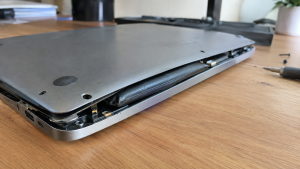
Checklist: Physical Warning Signs of a Swollen Battery
Check the boxes below if your laptop exhibits any of these symptoms:
-
[ ] The trackpad is raised, unclickable, or pushed out of its socket frame.
-
[ ] The laptop rocks unevenly when placed on flat tables.
-
[ ] Chassis seams near the palm rest are splitting open.
-
[ ] The keyboard deck bows upward in the center.
-
[ ] Battery percentage drops from 100% down to near empty within minutes.
Practical Recommendation: Never press down on a bulging laptop casing or puncture a swollen battery. Puncturing battery cells causes immediate explosions and toxic fires.
Comparison Table: Battery Swelling Stages and Safety Actions
Here is an overview of battery swelling stages and recommended responses:
| Swelling Stage | Physical Signs | Damage Risk | Action Required |
|---|---|---|---|
| Mild Swelling | Trackpad feels hard to click | Pinches trackpad ribbon cable | Replace battery promptly |
| Moderate Swelling | Bottom chassis bows & splits | Strips internal casing screw threads | Remove battery & stop charging |
| Severe Swelling | Keyboard bows; lid won’t close | Warps internal aluminum chassis | Extract battery & store safely |
| Chemical Breach | Sweet chemical / metallic odor | Severe internal fire risk | Keep away from flammable objects |
4 Safe Steps to Handle a Swollen Laptop Battery
Follow these emergency safety procedures:
-
Power Off and Disconnect the Charger Immediately. Stop working immediately. Shut down Windows and unplug the power cord from the wall. Pumping current into degraded battery cells raises temperatures and accelerates dangerous chemical reactions.
-
Never Force the Casing Shut or Apply Pressure. Leave warped panels alone. Never try bending bulging plastic flat or forcing trackpads downward, as jagged internal plastic edges can rupture delicate battery pouch layers.
-
Remove the Bottom Cover and Disconnect the Battery. Unscrew the bottom chassis panel using precision electronics screwdrivers. Unplug the battery cable connector from the motherboard before loosening mounting screws. Carefully lift the pack by its plastic housing edges.
-
Store in a Fireproof Container and Install an OEM Unit. Place the removed battery inside an airtight metal tin or bucket of dry sand in a cool, well-ventilated area. Install a brand-new original replacement battery equipped with certified short-circuit protection circuits.
When to Seek Professional Hardware Help
If your laptop uses heavy industrial adhesive strips under the battery pack—common in modern ultra-thin laptops—never pry the cells with metal screwdrivers or blades.
Metal punctures ignite violent chemical flares instantly. Bringing the machine to a technician who uses dedicated adhesive-dissolving solvents is the safest route.
FAQ (Frequently Asked Questions)
What causes laptop batteries to swell?
Battery swelling is caused by heat buildup from blocked vents, prolonged charging under high ambient temperatures, and natural chemical aging past rated charge cycles.
Can I run my laptop without a battery installed?
Yes. Most modern laptops run safely on AC wall power alone once the defective battery pack has been removed.
Conclusion
A swollen laptop battery is a genuine physical safety hazard that threatens your chassis and creates fire risks. By disconnecting power promptly, extracting the battery without punctures, and installing an OEM replacement, you can safely preserve your laptop.
Shop OEM Laptop Batteries, Toolkits & Service at Aipel Computer
Need an authentic replacement laptop battery backed by warranty, precision screwdriver sets, or professional battery installation service? Discover reliable computer components at wholesale prices directly in our store.
To check battery availability for your specific laptop model or get store directions, visit the official Aipel Computer website in Surabaya today.
Tags: bulging laptop chassis fix, how to remove swollen battery, pregnant laptop battery danger, replace laptop battery surabaya, swollen laptop battery trackpad lifting

Swollen Laptop Battery Trackpad Lifting? Danger and Easy Fixes
Wireless printers are an absolute lifesaver for daily productivity, helping you easily print out university assignments or handle busy office... selengkapnya

Saat akan membeli mouse, toko komputer adalah tempat yang tempat. Hal itu karena biasanya mereka menyediakan cukup banyak pilihan. Dari... selengkapnya
Motherboard adalah sebuah komponen utama dalam komputer, telah ada sejak era 1970-an. Pada awalnya, desain motherboard tidak sekompleks seperti sekarang... selengkapnya

Fungsi konektor RJ 45 penting untuk Anda ketahui. Bagi yang sering berkutat dengan perangkat komputer, tentu sudah tidak asing lagi... selengkapnya
Pekerjaan kini bisa dengan mudah diselesaikan berkat bantuan komputer. Seiring berjalannya waktu, bidang teknologi memang mengalami peningkatan. Hal ini mendorong... selengkapnya
Facing an internet connection that suddenly drops while you are enjoying a streaming session or chasing a tight task deadline... selengkapnya
Pernahkah kamu menyalakan laptop untuk bersiap bekerja, tetapi ikon internet di sudut kanan bawah Windows mendadak menampilkan tanda silang merah... selengkapnya
Connecting your laptop to an office or café Wi-Fi network only to see a full signal bar in the taskbar,... selengkapnya

HDD caddy adalah casing khusus untuk hard drive atau SSD yang terbuat dari bahan alumunium. Dalam casing ini ada bingkai... selengkapnya
Pointer komputer menjadi pilihan terbaik sebagai alat penunjuk. Tidak perlu menggunakan alat penunjuk seperti penggaris kayu panjang lagi. Saat ini... selengkapnya
61%
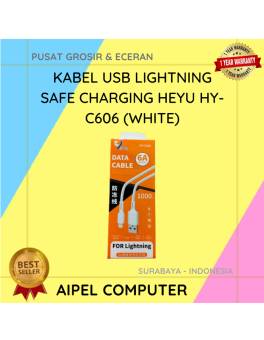
A. DESKRIPSI (DESCRIPTION) Kabel USB Lightning HEYU HY-C606 Safe Charging (White) adalah kabel berkualitas tinggi yang dirancang khusus untuk perangkat… selengkapnya
Rp 7.000 Rp 18.000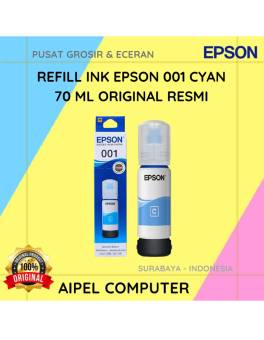
3%
A. DESKRIPSI (DESCRIPTION) Refill Ink EPSON 001 Cyan 70 ML Original 100 % adalah tinta isi ulang dengan hasil cetakan… selengkapnya
Rp 117.000 Rp 120.000
5%
A. DESKRIPSI (DESCRIPTION) USB HUB 3.0 7 Port FIDECO Aluminium + 3IN1 (Black/Grey) adalah solusi ideal untuk Anda yang membutuhkan… selengkapnya
Rp 355.000 Rp 375.000
6%
AIPEL COMPUTER – Pusat Grosir dan Eceran – Belanja Hebat dan Hemat – Harga Murah Garansi Prima * GARANSI –… selengkapnya
Rp 277.000 Rp 295.000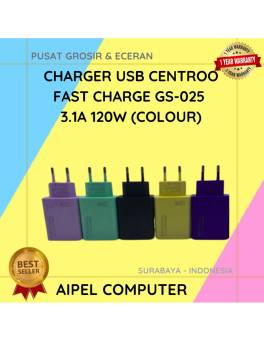
26%
A. DESKRIPSI (DESCRIPTION) Charger USB CENTROO Fast Charge 3.1A 120W adalah pengisi daya serbaguna yang dilengkapi fitur fast charging untuk… selengkapnya
Rp 25.000 Rp 34.000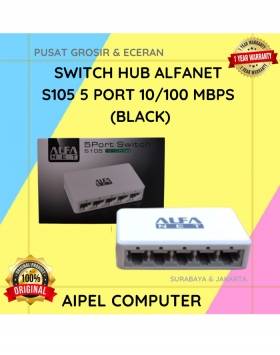
19%
A. DESKRIPSI (DESCRIPTION) Switch Hub ALFANET S105 5 Port 10/100 MBPS (Black) adalah perangkat jaringan yang memberikan koneksi cepat dan… selengkapnya
Rp 65.000 Rp 80.000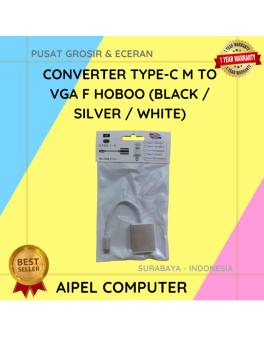
27%
A. DESKRIPSI (DESCRIPTION) Converter Type-C M to VGA F HOBOO (Black / Silver / White) adalah perangkat konversi praktis yang… selengkapnya
Rp 40.000 Rp 55.000
11%
A. DESKRIPSI (DESCRIPTION) Converter USB 3.0 ke VGA CENTROO adalah solusi praktis untuk menghubungkan perangkat USB ke monitor VGA hanya… selengkapnya
Rp 65.000 Rp 73.000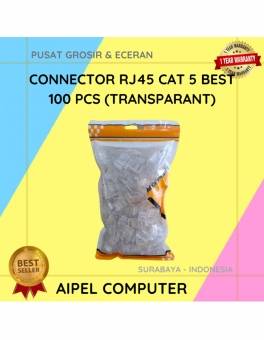
32%
GARANSI * AIPEL COMPUTER – Pusat Grosir & Eceran – Belanja Hebat & Hemat – Grosir Konsep Swalayan – Harga… selengkapnya
Rp 17.000 Rp 25.000
10%
A. DESKRIPSI (DESCRIPTION) Earphone Wireless GENAI TWS GE5 PRO Earbuds LCD Touch Screen adalah solusi audio masa kini dengan tampilan… selengkapnya
Rp 185.000 Rp 205.000



Saat ini belum tersedia komentar.