- Orderan dibawah 500.00 via Goshop / Offline / Marketplace
Laptop Giving Shocks While Charging? Causes and 4 Easy Fixes
Resting your wrists on an aluminum laptop while typing only to feel a sudden prickling electric shock is startling. This subtle tingling vibration—often described as feeling like tiny ant bites—typically intensifies when your bare feet touch cold tile floors directly.
A tingling metal laptop chassis rarely means your laptop is about to explode or short circuit; it points to stray electrostatic leakage current. Stray electrical charges build up when power adapters cannot discharge excess current into the earth, usually caused by 2-prong ungrounded plugs, home wall outlets lacking grounding wires, or loose socket prongs. Much like troubleshooting loose power outlet how to fix to ensure stable electrical connections, you can eliminate tingling chassis shocks on your own with a few practical steps.
Featured Snippet (Quick Answer):
To stop a laptop from shocking you while charging, wear rubber-soled slippers or rest your feet on a rug when working over tile floors, upgrade to a grounded 3-prong AC power cord, plug directly into grounded wall outlets, and try flipping the charger wall plug 180 degrees.
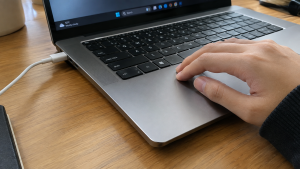
Checklist: Signs of Chassis Static Leakage
Check the boxes below if these conditions match your experience:
-
[ ] You feel a subtle buzzing or prickling sensation when gliding fingers across metal panels.
-
[ ] The tingling feels sharper along sharp, chamfered aluminum chassis edges.
-
[ ] The shocking sensation vanishes immediately upon unplugging the AC charger.
-
[ ] Shocks occur primarily when sitting barefoot on cold tile or concrete floors.
-
[ ] You are using a 2-prong flat plug or a flimsy travel converter adapter.
Practical Recommendation: Wear rubber slippers or rest your feet on a thick rug. Insulating your feet from bare floors stops your body from acting as an electrical ground pathway.
Comparison Table: Causes of Tingling Laptop Chassis and Fixes
Here is an overview of why metal laptops tingle while charging and recommended fixes:
| Shock Symptom | Root Cause | Real Device Impact | Recommended Action |
|---|---|---|---|
| Sharp shocks barefoot | Missing earth ground pathway | Minor skin shock sensations | Wear rubber slippers / use rug |
| Subtle tingling on touch | 2-prong power cord lacks ground pin | Stray static collects on chassis | Switch to a 3-prong power cable |
| Shocks on power strips | Power strip lacks active ground wire | Risks arcing into USB ports | Plug directly into wall outlet |
| Shocks with burning smell | Broken insulation inside charger brick | Motherboard short-circuit risk | Replace with new OEM charger |
4 Ways to Stop a Laptop from Shocking You While Charging
Follow these practical electrical safety steps:
-
Wear Rubber Slippers or Place a Mat Under Your Desk. The fastest zero-cost fix is breaking the electrical circuit to the floor. When walking barefoot on tile floors, your body conducts stray static electricity from the laptop chassis into the ground. Slipping into rubber-soled house shoes or resting your feet on a fabric mat immediately halts the shocking sensation.
-
Upgrade to a Grounded 3-Prong Power Cord. Many laptop chargers ship with basic 2-prong ungrounded plugs. Replace the detachable wall cable with a heavy-duty 3-prong AC power cord featuring earth ground prongs on both sides. This routes excess electrostatic charges safely into your building’s grounding installation rather than through the laptop frame.
-
Flip the Charger Plug Orientation. On older household electrical installations where live and neutral wires may be reversed, flipping your 2-prong adapter plug 180 degrees in the wall socket can balance voltage polarity and neutralize static chassis vibrations.
-
Ditch Cheap Multi-Plug Splitter Adapters. Avoid daisy-chaining your laptop charger onto loose, ungrounded universal socket adapters. Loose plug contacts generate inductive micro-arcs that bleed directly into metallic laptop panels. Plug your charger directly into a certified, well-grounded wall socket.
When Tingling Chassis Shocks Become Dangerous
If you feel sharp, painful electric shocks while wearing thick rubber slippers, or notice a distinct burning odor emitting from the DC charging port, electrical leakage has surpassed safe thresholds.
This signals that internal transformer insulation inside the charging brick has failed or high-voltage wiring is touching the metal laptop chassis, meaning the charger must be retired immediately to prevent permanent motherboard damage.
FAQ (Frequently Asked Questions)
Can a tingling laptop chassis damage internal components?
Mild electrostatic leakage does not harm internal laptop hardware because motherboards sit on insulated standoffs. However, prolonged ungrounded static can degrade USB and audio controller chips over several years.
Why don’t plastic laptops ever give electric shocks?
Plastic is a pure electrical insulator that cannot conduct static charges, whereas modern premium laptops feature magnesium or aluminum alloy chassis that are naturally conductive.
Conclusion
A laptop chassis that tingles or shocks while charging is typically caused by ungrounded wall sockets or 2-prong power cables lacking earth pins. By wearing rubber-soled slippers and using grounded 3-prong power cables, your metal laptop will remain comfortable and completely shock-free.
Shop Grounded 3-Prong Power Cords, OEM Chargers & Parts at Aipel Computer
Looking for heavy-duty 3-prong power cables, original manufacturer laptop chargers with factory warranty, anti-arcing wall sockets, or precision electronics repair tools? Explore our full lineup of dependable computer hardware at wholesale prices directly in our store.
To check cable compatibility or get directions to our retail store, visit the official Aipel Computer website in Surabaya today.
Tags: 3 prong laptop charger cable, fix laptop shocking my hands, laptop electric shock while charging, laptop static leakage ground, metal laptop chassis tingling

Laptop Giving Shocks While Charging? Causes and 4 Easy Fixes
Emosi langsung memuncak saat laptop yang baru saja dinyalakan mendadak macet total, kursor berputar tiada akhir, dan aplikasi yang ingin... selengkapnya
Router WiFi adalah perangkat yang tidak terpisahkan dari jaringan internet. Adanya router memungkinkan beberapa perangkat bisa terkoneksi ke internet. Di... selengkapnya
RAM (Random Access Memory) adalah salah satu komponen paling penting dalam komputer yang mempengaruhi kecepatan dan efisiensi sistem. Ketika RAM... selengkapnya
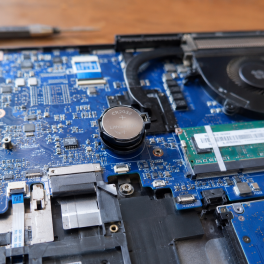
Pernahkah kamu menyalakan laptop, tetapi tanggal dan jam di sudut kanan bawah taskbar mendadak berubah kembali ke tahun lama (seperti... selengkapnya
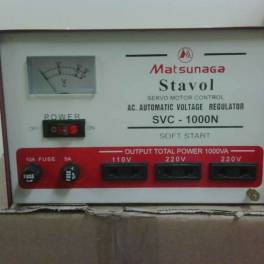
Stabilizer atau stavolt memiliki peran penting yang perlu dipahami oleh individu yang berurusan dengan perangkat elektronik dan listrik dalam kehidupan... selengkapnya
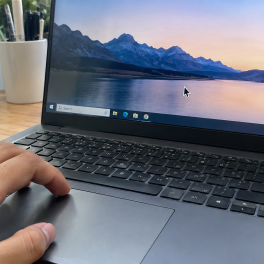
While you are busy typing a document, editing an image, or browsing the web on your laptop, the mouse pointer... selengkapnya
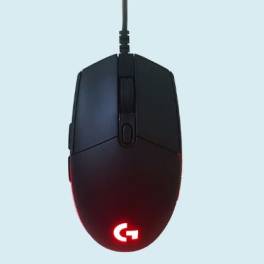
Beberapa perangkat aksesori yang penting untuk dimiliki pada komputer meliputi keyboard, speaker, dan mouse. Meskipun demikian, seringkali orang mengabaikan pentingnya... selengkapnya
Tips memilih keyboard protector laptop atau pelindung keyboard berikut ini bisa diterapkan untuk mendapatkan produk yang paling tepat dan bagus.... selengkapnya

Jangan Salah Pilih Hardware Hardware merupakan perangkat keras yang termasuk bagian penting pada komputer. Untuk memastikan perangkat yang Anda miliki... selengkapnya

Konverter USB to LAN adalah salah satu perangkat penting dalam dunia komputer maupun PC. Sama seperti komponen lainnya, perangkat tersebut... selengkapnya
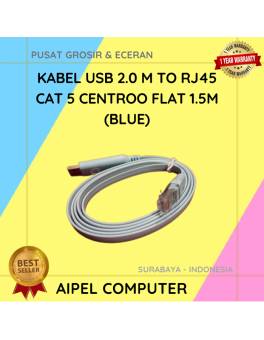
26%
AIPEL COMPUTER – Pusat Grosir dan Eceran – Belanja Hebat dan Hemat – Harga Murah Garansi Prima * GARANSI –… selengkapnya
Rp 28.000 Rp 38.000
38%
AIPEL COMPUTER – Pusat Grosir dan Eceran – Belanja Hebat dan Hemat – Harga Murah Garansi Prima * GARANSI –… selengkapnya
Rp 20.000 Rp 32.000
33%
A. DESKRIPSI (DESCRIPTION) Cable USB M To Micro M GENAI GL-Q28 adalah kabel Micro USB dari GENAI yang mengusung teknologi… selengkapnya
Rp 22.000 Rp 33.000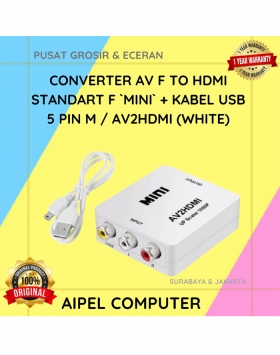
10%
A. DESKRIPSI (DESCRIPTION) AV to HDMI Converter Mini adalah perangkat converter praktis yang mampu mengubah sinyal AV menjadi output HDMI… selengkapnya
Rp 45.000 Rp 50.000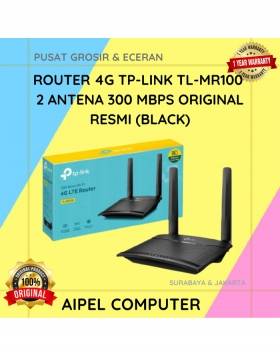
9%
A. DESKRIPSI (DESCRIPTION) TP-LINK MR100 adalah router 4G yang dirancang untuk menghadirkan koneksi internet cepat dan stabil di mana saja… selengkapnya
Rp 608.000 Rp 665.000
33%
A. DESKRIPSI (DESCRIPTION) Kabel USB Micro BEST adalah kabel pengisian dan transfer data yang penuh warna dan gaya. 🎨⚡ Dengan… selengkapnya
Rp 4.000 Rp 6.000
19%
A. DESKRIPSI (DESCRIPTION) LENOVO Adaptor Laptop 20V 3.25A DC (USB) adalah adaptor original berkualitas yang dilengkapi konektor USB pin, memberikan… selengkapnya
Rp 65.000 Rp 80.000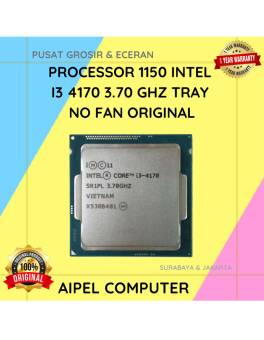
12%
A. DESKRIPSI (DESCRIPTION) Processor INTEL I3 4170 3.70 GHz Tray No Fan Original adalah salah satu prosesor tercepat di kelasnya… selengkapnya
Rp 88.000 Rp 100.000
13%
A. DESKRIPSI (DESCRIPTION) Refill Ink CANON GI-71 Yellow adalah tinta cetak berkualitas tinggi yang dirancang khusus untuk printer Canon. Tinta… selengkapnya
Rp 70.000 Rp 80.000
57%
AIPEL COMPUTER – Pusat Grosir dan Eceran – Belanja Hebat dan Hemat – Harga Murah Garansi Prima * GARANSI –… selengkapnya
Rp 1.065.000 Rp 2.500.000



Saat ini belum tersedia komentar.