- Orderan dibawah 500.00 via Goshop / Offline / Marketplace
Laptop Touchpad Jumping and Not Responding? Causes and Fixes
Have you been in the middle of typing a document or editing photos when suddenly your screen cursor starts jumping erratically, moving on its own, or freezing completely?
Dealing with a malfunctioning touchpad is incredibly frustrating because it halts your productivity instantly. Much like resolving cursor navigation issues in bluetooth mouse not connecting causes fixes, erratic touchpad behavior is rarely caused by physical panel damage. It is usually triggered by electrical static interference (grounding issues), accumulated oils/moisture, or corrupted I2C HID drivers.
Featured Snippet (Quick Answer):
Primary causes of a jumping or unresponsive laptop touchpad include oil and grime buildup on the trackpad surface, static electricity from ungrounded chargers, corrupted Intel Serial IO / I2C HID Device drivers, or accidentally disabling the touchpad via Fn hotkeys.
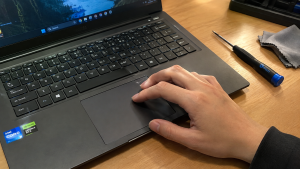
Checklist: Diagnosing Laptop Touchpad Behavior
Check the boxes below if these touchpad symptoms match your situation:
-
[ ] Cursor jumps wildly only when the laptop is plugged into its charger.
-
[ ] Touchpad is completely unresponsive, but an external USB mouse moves the cursor normally.
-
[ ] Cursor movement feels laggy, jerky, and triggers phantom clicks without being touched.
-
[ ] Multitouch gestures (such as two-finger scrolling or pinch-to-zoom) fail to work.
-
[ ] Touchpad returns to normal once the laptop cools down or is unplugged from AC power.
Practical Recommendation: If your touchpad jumps around while charging, avoid taking the laptop apart immediately. First, unplug the charger cable. If the cursor stabilizes instantly while running on battery power, the root cause is electrical static leakage (grounding issue) from the wall outlet or power adapter.
Comparison Table: Touchpad Symptoms and Recommended Actions
| Touchpad Symptom | Underlying Cause | Device Damage Risk | Recommended Action |
|---|---|---|---|
| Wild Cursor Jumping While Charging | Current leakage / poor grounding | Static charge on laptop body | Use grounded socket / change charger |
| Completely Frozen / Unresponsive | Fn hotkey / driver disabled | Cursor navigation halted | Press Fn hotkey (Fn + F6/F7) / update driver |
| Laggy & Ghost Clicks | Oil / moisture residue on surface | Moisture damages sensor | Clean surface with microfiber cloth & alcohol |
| Gestures Stopped Working | Corrupted I2C HID / Synaptics driver | Multitouch features disabled | Reinstall drivers via Device Manager |
4 Ways to Fix a Jumping and Unresponsive Laptop Touchpad
-
Re-enable Touchpad via Keyboard Hotkeys. Press Fn + F6, Fn + F7, Fn + F9, or the dedicated touchpad key on your keyboard to ensure the touchpad hasn’t been accidentally toggled off.
-
Clean Oil and Grime Off the Trackpad Surface. Turn off the laptop, dampen a microfiber cloth slightly with 70% isopropyl alcohol, and gently wipe the touchpad surface to remove oily films interfering with capacitive sensors.
-
Reinstall I2C HID Device & Serial IO Drivers. Open Device Manager > expand Human Interface Devices > right-click I2C HID Device > select Uninstall device. Do the same under Mice and other pointing devices for Synaptics/ELAN drivers. Afterward, restart your laptop to let Windows perform a clean driver installation.
-
Adjust Touchpad Sensitivity in Settings. Go to Settings > Bluetooth & devices > Touchpad. Ensure the Touchpad toggle is On, then change Touchpad sensitivity from High down to Medium sensitivity to reduce erratic cursor movement.
When to Seek Professional Repair Services
If you have reinstalled drivers and the touchpad continues jumping even when running on battery power, or if the bottom chassis around the touchpad feels swollen, your internal laptop battery may be expanding (swollen battery) and pressing against the touchpad panel from underneath.
This condition requires installing a new internal battery or original touchpad module by a qualified technician to relieve physical pressure and restore accurate cursor navigation.
FAQ (Frequently Asked Questions)
Why does my laptop touchpad move on its own when plugged in?
This is caused by residual static electrical leakage from power adapters or home electrical wiring lacking proper grounding circuits.
Is it safe to clean a laptop touchpad with eucalyptus oil?
Not recommended. Essential oils can strip the matte protective coating on the touchpad surface and leave sticky residues that worsen capacitive sensor errors.
Conclusion
A laptop touchpad that is jumping or unresponsive is typically caused by static electricity, surface grime, or corrupted controller drivers. By keeping the trackpad clean and resetting I2C HID drivers, smooth cursor navigation can be restored easily.
Shop OEM Laptop Parts, Accessories & Repairs at Aipel Computer
Need original touchpad module replacements, swollen battery servicing, or reliable wireless mice with an official warranty? Find trusted hardware replacement parts and expert repair services directly at Aipel Computer.
For replacement components or technical repair consultations, visit the official Aipel Computer website today.
Tags: fix cursor moving on its own laptop, laptop touchpad jumping and not responding, laptop trackpad frozen fix, touchpad repair surabaya

Laptop Touchpad Jumping and Not Responding? Causes and Fixes
Tips memilih motherboard yang tepat di toko komputer berikut ini bisa diterapkan agar mendapatkan produk motherboard yang paling pas untuk... selengkapnya
Kabel power SATA termasuk dalam komponen komputer. Kabel SATA atau Serial Advanced Technology Attachment adalah sebuah kabel standar Internasional yang... selengkapnya
Mengalami masalah laptop lemot atau laptop lambat saat sedang dikejar tenggat waktu tugas tentu sangat mengganggu aktivitas harian Anda. Banyak... selengkapnya

USB hub 4 port bisa menjadi pilihan untuk pelengkap komputer. Port pada komputer atau laptop memang sangat terbatas. Sehingga sebagian... selengkapnya
Saat ini ada berbagai jenis kabel di grosir komputer dengan fungsi, kelebihan, dan kekurangan masing-masing. Adapun salah satunya yaitu kabel... selengkapnya

Switch komputer menjadi barang yang berguna dalam kebutuhan perangkat komputer. Perangkat komputer tidak bisa lepas dari berbagai komponen yang mendukung.... selengkapnya
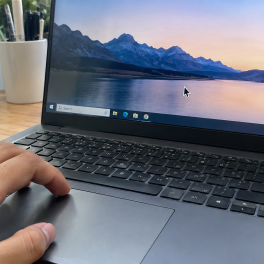
Sedang asyik mengetik dokumen, mengedit gambar, atau browsing di laptop, tiba tiba kursor panah mouse bergerak melayang sendiri ke sudut... selengkapnya

Sebenarnya apa saja fungsi router itu? Router menjadi salah satu perangkat yang sudah banyak digunakan di zaman modern ini. Router... selengkapnya
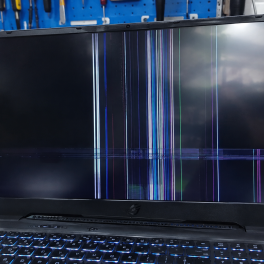
Have you ever been working or watching a movie on your laptop when the screen suddenly starts flickering, blinking intermittently,... selengkapnya

18%
A. DESKRIPSI (DESCRIPTION) Adaptor Laptop ACER 19V 4.74A DC (5.5 X 1.7) adalah solusi ideal untuk mengisi daya laptop ACER… selengkapnya
Rp 70.000 Rp 85.000
40%
AIPEL COMPUTER – Pusat Grosir dan Eceran – Belanja Hebat dan Hemat – Harga Murah Garansi Prima * GARANSI –… selengkapnya
Rp 9.000 Rp 15.000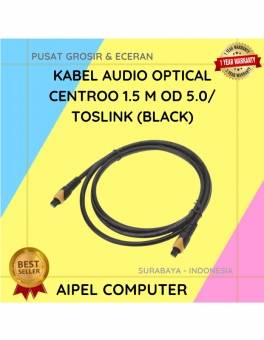
40%
A. DESKRIPSI (DESCRIPTION) Kabel Audio Optical CENTROO adalah kabel digital berkualitas tinggi yang dirancang untuk mengalirkan suara jernih dari perangkat… selengkapnya
Rp 30.000 Rp 50.000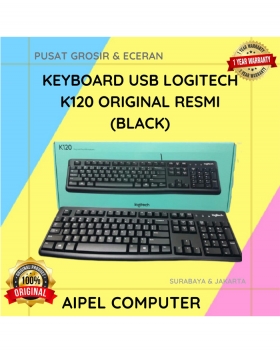
25%
A. DESKRIPSI (DESCRIPTION) Keyboard LOGITECH K120 adalah solusi keyboard full-size yang dirancang untuk kenyamanan mengetik optimal sepanjang hari. ⌨️💼 Terbuat… selengkapnya
Rp 109.000 Rp 146.000
7%
A. DESKRIPSI (DESCRIPTION) Canon GI-790Y Refill Ink Kuning adalah tinta asli yang dirancang khusus untuk printer Canon Anda. Dengan kualitas… selengkapnya
Rp 102.000 Rp 110.000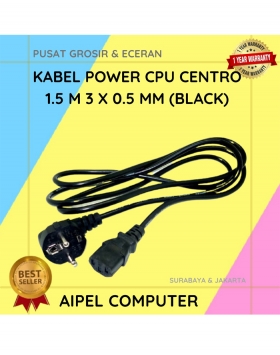
20%
A. DESKRIPSI (DESCRIPTION) Kabel power CPU adalah kabel power berkualitas tinggi dengan panjang 1,5 meter, dirancang khusus untuk penggunaan di… selengkapnya
Rp 8.000 Rp 10.000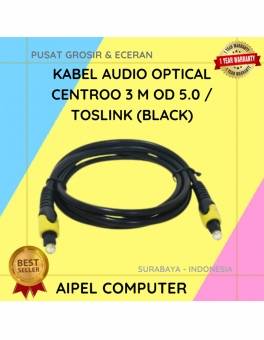
26%
A. DESKRIPSI (DESCRIPTION) Kabel Audio Optical CENTROO 3 M OD 5.0 adalah solusi terbaik untuk menghadirkan kualitas audio digital tanpa… selengkapnya
Rp 40.000 Rp 54.000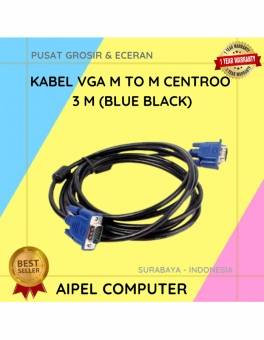
20%
A. DESKRIPSI (DESCRIPTION) Kabel VGA M to M CENTROO 3M adalah perangkat andal untuk menghubungkan monitor dan proyektor dengan PC… selengkapnya
Rp 16.000 Rp 20.000
15%
AIPEL COMPUTER Switch HDTV 1‑5 Manual CENTROO adalah alat pengalih sinyal HDMI yang memungkinkan Anda memilih salah satu dari lima perangkat… selengkapnya
Rp 72.000 Rp 85.000
38%
AIPEL COMPUTER – Pusat Grosir dan Eceran – Belanja Hebat dan Hemat – Harga Murah Garansi Prima * GARANSI –… selengkapnya
Rp 20.000 Rp 32.000



Saat ini belum tersedia komentar.