- Orderan dibawah 500.00 via Goshop / Offline / Marketplace
Laptop USB Port Not Working or Loose? Causes and Fixes
Have you ever plugged a flash drive, mouse, or external keyboard into your laptop, only to find that the device isn’t recognized at all, the flash drive light fails to turn on, or you have to wiggle and hold the cable at a specific angle to maintain a connection?
Dealing with a loose or unresponsive USB port is a frustrating “minor” issue faced constantly by laptop users. However, much like troubleshooting power delivery hurdles in laptop usb c charging not working causes fixes, an undetected USB port is rarely caused by complete motherboard controller failure. It is usually triggered by pocket lint buildup inside the port, oxidized contact pins, or Windows Selective Suspend power policies.
Featured Snippet (Quick Answer):
Primary causes of a laptop USB port not working or feeling loose include compressed dust/lint inside the port opening, oxidized copper contact pins, active USB Selective Suspend features in Windows, or expanded outer metal retention clips.
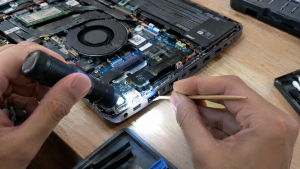
Checklist: Evaluating Laptop USB Port Behavior
Check the boxes below if these USB port symptoms match your current situation:
-
[ ] Devices are detected only when the USB plug is bent or pushed firmly upward/downward.
-
[ ] A “USB Device Not Recognized” error notification pops up in the bottom-right corner of Windows.
-
[ ] USB port is completely unresponsive, but connected devices work normally in an adjacent port.
-
[ ] Flash drive plug feels noticeably loose or wobbly when inserted into the port opening.
-
[ ] USB port resumes functioning normally after restarting the laptop or clearing residual static power.
Practical Recommendation: Never attempt to scrape inside a USB port using conductive metal objects (such as safety pins or paperclips). Touching internal components with metal can bend the copper contacts or cause a short circuit on the motherboard.
Comparison Table: USB Port Symptoms and Recommended Actions
| USB Port Symptom | Underlying Cause | Device Damage Risk | Recommended Action |
|---|---|---|---|
| Undetected + Loose Plug | Compressed lint / expanded retention clips | Interrupted power flow | Clean out dust & tighten metal port clips |
| “USB Not Recognized” Error | Corrupted USB Controller driver / moisture | Data communication failure | Uninstall USB driver via Device Manager |
| Auto Disconnects on Battery | Active USB Selective Suspend feature | Power saving policy cuts port | Disable Selective Suspend in Power Options |
| Permanently Dead After Taut Pull | Broken/cracked USB port solder joints | Motherboard short circuit | Replace internal USB Board module |
4 Ways to Fix an Undetected and Loose Laptop USB Port
-
Clear Dust and Debris Out of Port Opening. Power off the laptop. Use a flashlight to inspect inside the USB port. Use a thin wooden toothpick dampened with 70% isopropyl alcohol to gently extract lint and packed dust blocking the copper contact pins.
-
Disable USB Selective Suspend in Windows Settings. Open Control Panel > Power Options > click Change plan settings next to your active plan > select Change advanced power settings. Expand USB settings > USB selective suspend setting > change the value to Disabled for both On battery and Plugged in.
-
Reinstall USB Controller Drivers in Device Manager. Press Windows + X > select Device Manager. Expand Universal Serial Bus controllers. Right-click USB Root Hub or Generic USB Hub > select Uninstall device. Afterward, restart your laptop to let Windows perform a clean driver reinstall.
-
Tighten Outer Metal Retention Clips. If your flash drive feels excessively loose, power off the laptop. Use a wooden toothpick to gently press down on the small metal retention tabs inside the top of the port to restore a firm, snug grip on inserted plugs.
When to Seek Professional Repair Services
If you have reinstalled system drivers and cleaned out debris yet the USB port remains completely unresponsive, or if the plastic tongue inside the port is broken, the physical USB connector is severely damaged.
This condition requires installing a new original USB Port Board module by a qualified repair technician to restore stable power and data transmission for external devices.
FAQ (Frequently Asked Questions)
Is it safe to plug a multi-port USB Hub into a loose USB port?
Not recommended. A loose port delivers unstable power flow. Plugging a multi-port USB Hub into a loose port increases the risk of data corruption on connected flash drives or external hard drives.
Why do USB 3.0 ports (blue ports) fail to read older USB 2.0 devices?
USB 3.0 ports feature two rows of internal contacts (USB 2.0 power pins at the front, USB 3.0 data pins at the back). If dust accumulates near the front, USB 2.0 devices fail to connect while USB 3.0 devices still work.
Conclusion
A laptop USB port that is undetected or loose is typically caused by accumulated lint, Windows power-saving policies, or expanded metal retention clips. Cleaning out the port opening and resetting USB Controller drivers will restore smooth external device connections.
Shop Genuine Flash Drives, USB Hubs & Repairs at AipeAipel Computerl Computer
Looking for genuine warranty-backed flash drives, high-quality USB hubs, or professional laptop USB port repair services? Find trusted replacement parts and expert repair services directly at Aipel Computer.
For accessories, flash drives, or technical repair consultations, visit the official website today.
Tags: fix usb device not recognized, laptop usb port loose repair, laptop usb port not working loose, replace laptop usb port surabaya

Laptop USB Port Not Working or Loose? Causes and Fixes
Dealing with a laptop that suddenly gets hot quickly accompanied by a loud, noisy fan sound is definitely annoying, especially... selengkapnya
Connecting an HDMI cable from your laptop to an LED TV or external monitor for movies or work presentations, only... selengkapnya
Mouse komputer menjadi aksesoris pendukung yang penting dimiliki. Meskipun demikian, seringkali orang-orang cenderung tidak memperhatikan dalam memilih mouse tersebut dengan... selengkapnya

Cara menggunakan komputer yang tepat menjadi penting diketahui, terutama untuk para pemula. Sebagian orang awam beranggapan bahwa memulai untuk belajar... selengkapnya
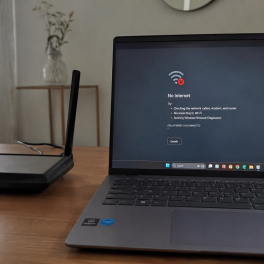
Facing an internet connection that suddenly drops while you are enjoying a streaming session or chasing a tight task deadline... selengkapnya
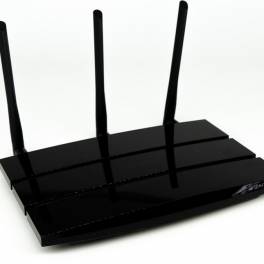
Toko komputer adalah tempat yang paling tepat untuk mencari berbagai perlengkapan dan aksesoris komputer. Tidak hanya itu, mereka juga bisa... selengkapnya

Pada umumnya, distributor perangkat komputer profesional menyediakan bermacam produk untuk memenuhi kebutuhan setiap konsumennya. Sebut saja mulai dari hardware hingga... selengkapnya
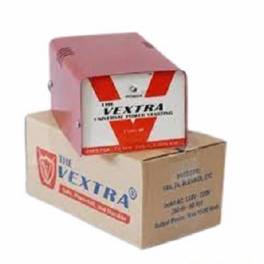
Apa itu stavolt memang perlu Anda ketahui sebelum memutuskan membeli. Fungsi stabilizer atau stavolt perlu diketahui, apalagi bagi yang berkecimpung... selengkapnya
Sekarang Anda bisa menggunakan kalimat perintah OK Google Toko Komputer Terdekat. Untuk mencari semua toko komputer yang ada di sekitar... selengkapnya
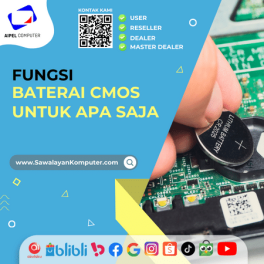
Baterai CMOS berfungsi untuk memberikan daya ke CPU yang masih erat kaitannya dengan data dari sebuah perangkat lunak. Nah, mari... selengkapnya
19%
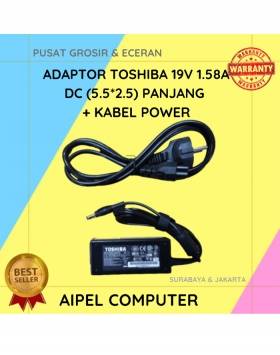
A. DESKRIPSI (DESCRIPTION) Adaptor Laptop 19V 1.58A DC (5.5*2.5) adalah pengisi daya berkualitas untuk kebutuhan laptop dengan spesifikasi tertentu. 🌟… selengkapnya
Rp 65.000 Rp 80.000
6%
AIPEL COMPUTER – Pusat Grosir dan Eceran – Belanja Hebat dan Hemat – Harga Murah Garansi Prima * GARANSI –… selengkapnya
Rp 240.000 Rp 255.000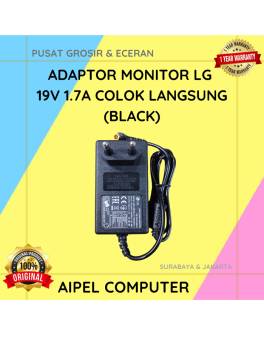
21%
A. DESKRIPSI (DESCRIPTION) Adaptor Monitor LG 19V 1.7A Colok Langsung (Black) adalah perangkat pendukung daya yang stabil dan hemat energi… selengkapnya
Rp 75.000 Rp 95.000
40%
AIPEL COMPUTER – Pusat Grosir dan Eceran – Belanja Hebat dan Hemat – Harga Murah Garansi Prima * GARANSI –… selengkapnya
Rp 9.000 Rp 15.000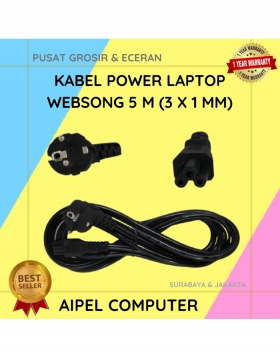
17%
A. DESKRIPSI (DESCRIPTION) Kabel Power Laptop WEBSONG 5 M (Black) merupakan salah satu inovasi unggulan dari WEBSONG yang dirancang khusus… selengkapnya
Rp 72.500 Rp 87.000
18%
A. DESKRIPSI (DESCRIPTION) Refill Ink CENTROO 100 ML Magenta adalah tinta isi ulang berwarna magenta yang ideal untuk mencetak gambar,… selengkapnya
Rp 14.000 Rp 17.000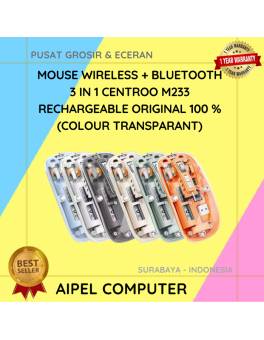
13%
A. DESKRIPSI (DESCRIPTION) Mouse Wireless + Bluetooth 3 in 1 CENTROO Rechargeable Transparant adalah mouse modern dengan kemampuan koneksi ganda,… selengkapnya
Rp 135.000 Rp 155.000
15%
A. DESKRIPSI (DESCRIPTION) Refill Ink EPSON 664K Black Original 100% adalah tinta hitam original dari EPSON yang cocok untuk berbagai… selengkapnya
Rp 85.000 Rp 100.000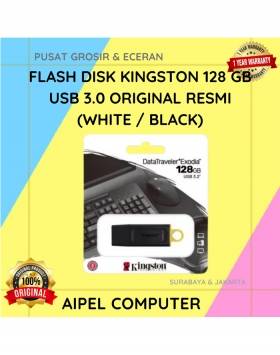
19%
A. DESKRIPSI (DESCRIPTION) Flash Disk KINGSTON 128 GB USB 3.0 Original 100 % (White / Black) adalah perangkat penyimpanan portabel… selengkapnya
Rp 179.500 Rp 222.000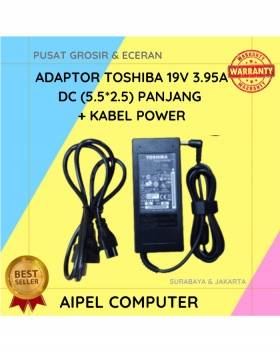
18%
A. DESKRIPSI (DESCRIPTION) Adaptor Laptop TOSHIBA 19V 3.95A DC (5.5*2.5) ini adalah pilihan praktis untuk kamu yang butuh daya stabil… selengkapnya
Rp 70.000 Rp 85.000



Saat ini belum tersedia komentar.