- Orderan dibawah 500.00 via Goshop / Offline / Marketplace
Laptop Battery Draining Fast or Dropping? Causes and Fixes
Have you ever felt frustrated watching your laptop battery percentage plunge from 100% to 20% in mere minutes, or watched the machine shut down completely the second you unplug the charger even though indicators previously showed 50%?
A laptop battery draining fast, dropping rapidly, or going dead represents one of the most classic hardware complaints as devices age. However, much like troubleshooting performance drops in ssd laptop lambat read-only penyebab solusi, declining battery performance does not automatically demand purchasing a brand-new unit. Most instances stem from high battery cycle counts, power-hungry background apps, or internal cell imbalances (uncalibrated cells).
Featured Snippet (Quick Answer):
Primary causes of a laptop battery draining fast include high battery wear levels from aging cells, active background Windows processes, excessive display brightness, or lost operating system capacity percentage calibration.
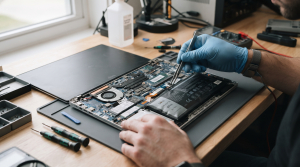
Checklist: Evaluating Laptop Battery Health
Check the boxes below if these battery symptoms match your current situation:
-
[ ] Battery percentages drop abnormally fast (e.g., plunging straight from 60% down to 10% within 5 minutes).
-
[ ] The laptop powers down instantly when unplugged from the charger without low battery warnings.
-
[ ] A red cross icon or warning message reading “Consider replacing your battery” appears in the Windows taskbar.
-
[ ] The bottom chassis of the laptop appears warped or swollen (swollen battery) near the trackpad area.
-
[ ] Laptop runtime that used to last 4 hours now barely holds charge for less than 45 minutes.
Practical Recommendation: Never allow your laptop battery to drain completely down to 0% routinely, especially with modern Lithium-ion cells. Make a habit of plugging in the charger when battery capacity hits the 20% – 30% threshold to extend internal chemical cell longevity.
Comparison Table: Battery Issues and Recommended Actions
| Battery Failure Symptom | Underlying Cause | Damage Risk | Recommended Action |
|---|---|---|---|
| Rapid Drop / Sudden Shutdown | Worn battery cells (Wear level above 50%) | Permanent loss of power storage capacity | Battery calibration / replace with new internal battery |
| Swollen Battery Chassis | Chemical gas pressure from overheating | Damages trackpad & warps casing | Mandatory immediate replacement for safety! |
| Fast Drain During Workloads | Background apps & 100% brightness | Heavy CPU & display power draw | Cap display screen brightness & close startup apps |
| Stuck / Error Battery Percentage | Out-of-sync BIOS capacity calibration | Windows indicator misreads capacity | Perform battery calibration via BIOS / charge to 100% |
4 Ways to Fix a Fast-Draining Laptop Battery
-
Check Battery Health via Command Prompt (Battery Report). Type
cmdin the Windows search bar, right-click Command Prompt > Run as administrator. Type the commandpowercfg /batteryreportand press Enter. Open the generated HTML file to review your current maximum battery capacity versus its original factory design capacity. -
Optimize Power & Battery Settings. Open Settings > System > Power & battery. Enable Battery Saver mode automatically when battery drops below 20%, lower display brightness levels to 50%-60%, and turn off keyboard backlight LEDs when not typing.
-
Disable Power-Hungry Background Apps. Press Ctrl + Shift + Esc to open Task Manager. Inspect which apps run in the background consuming high resources, then close non-essential apps to reduce processor workloads.
-
Perform Periodic Battery Calibration. Charge the laptop up to 100%, leave it plugged in for 2 hours, then use the laptop until the battery drains completely to an automatic shutdown (0%). Afterward, recharge uninterrupted back up to 100%. This refreshes the operating system’s percentage reading.
When to Seek Professional Repair Services
If your battery health percentage drops below 60%, or most dangerously if the physical battery chassis starts swelling (swollen battery), do not delay getting it replaced.
This condition requires replacing an original new battery module set by an experienced technician to ensure safe operation without risk of short circuits or chassis damage.
FAQ (Frequently Asked Questions)
Is it safe to keep the laptop charger plugged in once battery reaches 100%?
Yes, absolutely safe. Modern laptops feature built-in smart charging circuitry that automatically cuts off electrical current entering the battery once capacity reaches 100%, preventing overcharging.
What is the average lifespan of a laptop battery?
Lithium-ion laptop batteries generally boast a lifecycle of around 300 to 500 full charge cycles (roughly 2 to 3 years of normal usage) before their maximum capacity begins declining naturally.
Conclusion
A laptop battery draining fast or dropping rapidly is typically driven by chemical aging, poorly optimized power settings, or extreme usage habits. Routinely monitoring battery health shields you from unexpected shutdowns during work.
Shop OEM Laptop Batteries & Repairs at Aipel Computer
Looking for genuine original replacement laptop batteries with warranty, professional battery installation, or expert hardware diagnostic services in Surabaya? Find trusted spare parts and expert technicians directly at Aipel Computer.
Tags: battery health drop repair surabaya, fix battery draining fast windows 11 laptop, laptop battery draining fast health drop causes fixes, laptop battery replacement service surabaya

Laptop Battery Draining Fast or Dropping? Causes and Fixes

Mencetak dokumen bisa dilakukan secara mudah dengan bantuan printer. Tak hanya dokumen saja, printer juga bisa dimanfaatkan untuk mencetak foto.... selengkapnya

Mengembalikan kursor laptop hilang ternyata bisa dilakukan oleh siapa saja. Bahkan bagi pengguna yang masih awam. Dengan langkah-langkah sederhana, kursor... selengkapnya

Mempunyai budget terbatas, dan saat ini sedang mencari toko komputer murah terdekat. Maka ini akan jadi ulasan yang tepat untuk... selengkapnya

Cara setting WiFi repeater lewat HP cukup mudah. Selama ini tak sedikit pengguna yang beranggapan bahwa setting WiFi repeater hanya... selengkapnya
Untuk Anda yang kini tengah mencari adaptor monitor LG, sebaiknya tidak sembarangan membeli. Terkadang karena terburu-buru Anda bahkan jadi gegabah... selengkapnya
Tips memilih charger USB tidak boleh sembarangan. Charger USB ini bisa pengguna dapatkan di berbagai toko komputer terpercaya. Dengan berbagai... selengkapnya

Laptop saat ini telah menjadi kebutuhan utama atau primer untuk banyak orang. Namun, penggunaan laptop yang berkelanjutan dalam waktu lama... selengkapnya

Have you ever plugged a flash drive, mouse, or external keyboard into your laptop, only to find that the device... selengkapnya

Komputer sudah menjadi barang yang penting di kehidupan manusia. Toko servis komputer terdekat memiliki peran penting dalam penyedia perangkat keras... selengkapnya
Have you ever prepared to join an important Zoom meeting, Google Meet session, or video call, only to discover a... selengkapnya
20%
A. DESKRIPSI (DESCRIPTION) Ribbon Cartridge EPSON ERC-38 B For TM-U220 Original 100% adalah solusi cetak berkualitas tinggi untuk menunjang kebutuhan… selengkapnya
Rp 36.000 Rp 45.000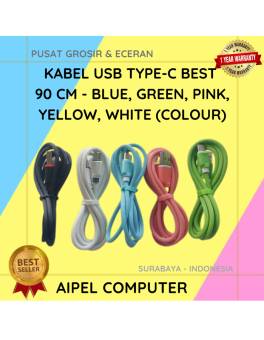
29%
A. DESKRIPSI (DESCRIPTION) Kabel USB Type-C BEST 90 CM adalah kabel serbaguna yang dirancang untuk mengisi daya dan mentransfer data… selengkapnya
Rp 5.000 Rp 7.000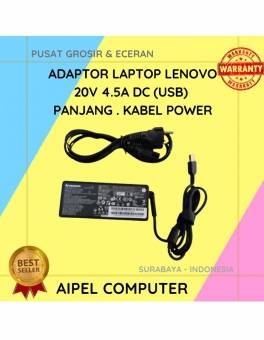
16%
A. DESKRIPSI (DESCRIPTION) Adaptor Laptop LENOVO 20V 4.5A DC (USB) Panjang Kabel Power adalah solusi terbaik bagi pengguna laptop yang… selengkapnya
Rp 80.000 Rp 95.000
8%
A. DESKRIPSI (DESCRIPTION) External Box SSD M2 NVME ORICO TCM2-C3 adalah perangkat penyimpanan eksternal yang dibuat untuk mendukung kecepatan dan… selengkapnya
Rp 275.000 Rp 300.000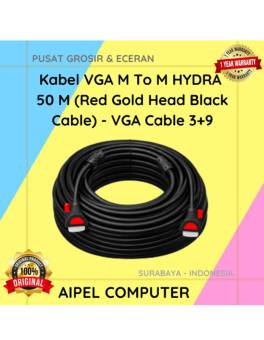
12%
AIPEL COMPUTER – Pusat Grosir dan Eceran – Belanja Hebat dan Hemat – Harga Murah Garansi Prima * GARANSI –… selengkapnya
Rp 354.000 Rp 400.000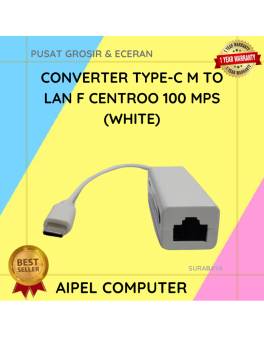
26%
A. DESKRIPSI (DESCRIPTION) Converter Type-C M to LAN F HOBOO 100 MPS (White) adalah converter jaringan yang memungkinkan Anda menghubungkan… selengkapnya
Rp 28.000 Rp 38.000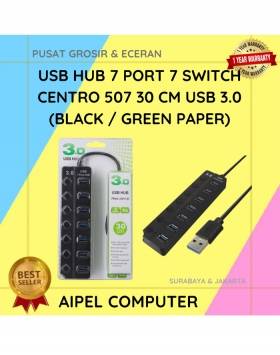
20%
A. DESKRIPSI (DESCRIPTION) USB Hub 7 Port 7 Switch CENTROO 507 adalah perangkat ekspansi port USB yang fungsional dan bergaya…. selengkapnya
Rp 60.000 Rp 75.000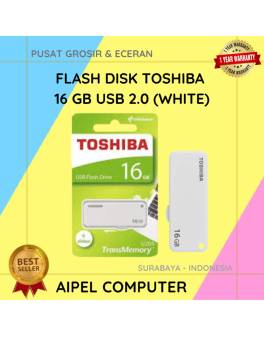
36%
A. DESKRIPSI (DESCRIPTION) Flash Disk TOSHIBA 16 GB USB 2.0 (White) adalah solusi penyimpanan digital yang menawarkan ruang lebih besar… selengkapnya
Rp 22.500 Rp 35.000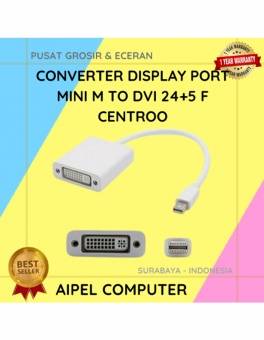
20%
A. DESKRIPSI (DESCRIPTION) Converter Display Port Mini M To DVI 24+5 F CENTROO (Black / White) adalah converter elegan dan… selengkapnya
Rp 20.000 Rp 25.000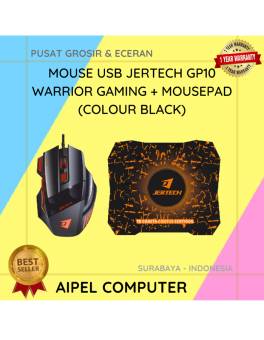
13%
A. DESKRIPSI (DESCRIPTION) Mouse USB JERTECH GP10 WARRIOR Gaming + Mousepad adalah perangkat andalan yang dirancang khusus untuk para gamer… selengkapnya
Rp 91.500 Rp 105.000



Saat ini belum tersedia komentar.