- Orderan dibawah 500.00 via Goshop / Offline / Marketplace
Laptop Overheating & Shutting Down? Causes and 4 Easy Fixes
Enjoying your favorite game or rendering a heavy video project, only for your laptop chassis to feel scorching hot, cooling fans to roar at full speed, and the screen to turn off completely (blackout) is alarming. Attempting to power it back on immediately often fails until internal components cool down.
A laptop overheating and shutting down unexpectedly is a protective failsafe built into modern hardware called a Thermal Shutdown. This safety feature trips automatically when processor (CPU) or graphics card (GPU) temperatures breach critical thresholds (typically between 95°C and 100°C) to prevent silicone chips from melting. Much like diagnosing laptop overheating and noisy fan causes how to fix to maintain device health, you can lower laptop temperatures effectively with a few maintenance steps.
Featured Snippet (Quick Answer):
To fix a laptop overheating and shutting down, clear lint buildup out of the cooling fans and heatsink fins, re-apply fresh thermal paste onto the processor, use an elevated laptop stand or cooling pad, and cap the Maximum Processor State setting in Windows Power Options.
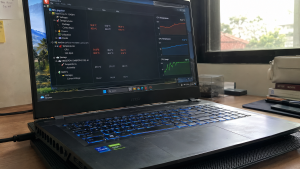
Checklist: Diagnosing Laptop Overheating Symptoms
Check the boxes below if these conditions describe your laptop:
-
[ ] The top chassis area above the keyboard feels burning hot to the touch.
-
[ ] Internal cooling fans spin continuously at high, whining RPM speeds.
-
[ ] Game performance stutters severely (FPS drops) moments before the laptop shuts off.
-
[ ] The laptop stays powered on for only 10–20 minutes when running heavy software.
-
[ ] The underside chassis gets uncomfortably warm even shortly after a cold boot.
Practical Recommendation: Never operate an overheating laptop on beds, blankets, or directly on your lap. Fabric surfaces block underside intake vents, trapping extreme heat inside the chassis.
Comparison Table: Causes of Overheating Laptops and Fixes
Here is an overview of why laptops overheat and recommended troubleshooting actions:
| Heat Symptom | Underlying Cause | Device Damage Risk | Recommended Action |
|---|---|---|---|
| Loud fans, cold exhaust | Exhaust fins clogged with thick dust | Traps heat inside chassis | Blow out vents using compressed air |
| 90°C temperatures at idle | Dried & hardened thermal paste | Permanent CPU/GPU degradation | Clean & apply fresh thermal paste |
| Sudden shutdown in games | Critical limit (Thermal Shutdown) | Unexpected power loss | Use cooling pads & lower graphics |
| Scorching underside chassis | Underside intake vents blocked | Accelerates battery swelling | Elevate laptop using a laptop stand |
4 Ways to Fix a Laptop Overheating and Shutting Down
Follow these maintenance steps in order:
-
Operate Your Laptop on Elevated, Hard Surfaces. Always place your laptop on flat wood or glass desks. Use an elevated laptop stand or prop up the rear corners by 1–2 cm to ensure adequate clearance for intake fans underneath the chassis.
-
Clear Dust Out of Fans and Heatsink Fins. Dust accumulating over years forms carpet-like mats blocking copper heatsink fins. Remove the bottom chassis cover and clear fan blades and exhaust vents using a soft brush or canned compressed air.
-
Re-apply Processor Thermal Paste Periodically. Thermal paste is a heat-conductive compound bridging CPU/GPU dies to copper heatsink plates. This compound hardens and loses effectiveness after 1 to 2 years of use. Clean off old paste and apply a fresh high-performance carbon-based compound to drop temperatures by up to 15°C.
-
Cap Maximum Processor State in Windows. Open Control Panel > Power Options > Change plan settings > Change advanced power settings. Expand Processor power management > Maximum processor state. Adjust the Plugged in value from 100% down to 95% or 90%. This disables aggressive CPU Turbo Boost states that drive temperature spikes.
When to Seek Professional Hardware Service
If you have replaced thermal paste and cleared dust yet internal cooling fans fail to spin completely (fan failure), or copper heatpipes have leaked their thermal fluid, passive cooling will not suffice.
This requires replacing the internal cooling fan unit or installing a new OEM heatsink assembly to restore active heat dissipation.
FAQ (Frequently Asked Questions)
What is a normal operating temperature for laptops?
Normal idle temperatures (typing/browsing) range between 40°C and 55°C. Under heavy gaming or video rendering loads, temperatures between 75°C and 88°C are acceptable. Temperatures exceeding 95°C represent dangerous thermal ranges.
Do laptop cooling pads actually work?
Yes, particularly sealed vacuum cooling pads (IETS/Llano) or high-CFM cooling stands blowing directly into underside intake vents, which can lower internal temperatures by 5°C to 10°C.
Conclusion
A laptop overheating and shutting down is usually caused by dust blockage in exhaust vents, dried thermal paste, or operating on soft fabric surfaces. By cleaning heatsink fins, re-applying thermal paste, and adjusting Windows power state limits, your laptop will run cool and stay stable during demanding tasks.
Shop Laptop Cooling Accessories, Thermal Paste & Repair at Aipel Computer
Struggling with an overheating laptop, dead cooling fans, or needing professional cleaning and thermal paste repasting services with warranty? Find complete laptop maintenance services and hardware accessories at wholesale prices directly in our store.
To check product availability or get store directions, visit the official Aipel Computer website in Surabaya today.
Tags: fix laptop thermal shutdown, laptop cooling pad effective, laptop overheating and shutting down, laptop turns off while gaming, replace laptop thermal paste surabaya

Laptop Overheating & Shutting Down? Causes and 4 Easy Fixes
Waktu booting lama pada sistem operasi Windows bisa menjadi masalah yang mengganggu. Proses booting yang lambat tidak hanya menghambat produktivitas.... selengkapnya

Cara menyalakan lampu keyboard laptop akan sangat bermanfaat. Lampu pada keyboard laptop akan menambah kesan unik dan menarik pada perangkat.... selengkapnya
Adaptor laptop adalah salah satu komponen krusial yang memungkinkan laptop Anda berfungsi dengan baik. Adaptor ini berfungsi untuk mengubah arus... selengkapnya
Hardisk komputer rusak wajib menjadi perhatian penting bagi pengguna komputer. Komponen utama ini, berfungsi sebagai media penyimpanan utama seluruh data... selengkapnya

USB Hub merupakan salah satu perangkat yang digunakan sebagai perantara. Perantara ini diperlukan untuk menghubungkan antara perangkat eksternal dengan komputer.... selengkapnya
You press the power button multiple times, yet the laptop stays completely dark with zero reaction. There are no indicator... selengkapnya

Hard disk laptop merupakan salah satu komponen penting dalam laptop. Bagi yang sudah sering menggunakan komputer atau laptop pasti sudah... selengkapnya
Pernahkah kamu menyalakan laptop seperti biasa, lalu layar menampilkan logo merek laptop disusul titik-titik mutar melingkar (spinning dots) khas Windows... selengkapnya
Turning on your wireless Bluetooth mouse only to find the screen cursor completely frozen is a common headache. Checking your... selengkapnya

Di era digital seperti sekarang, laptop telah menjadi perangkat penting bagi banyak orang, baik untuk pekerjaan, studi, maupun hiburan. Untuk... selengkapnya
19%
A. DESKRIPSI (DESCRIPTION) Adaptor Laptop HP 19.5V 3.33A DC (4.5*3.0) Panjang Biru Kabel Power adalah perangkat pengisian daya yang dirancang… selengkapnya
Rp 65.000 Rp 80.000
31%
A. DESKRIPSI (DESCRIPTION) Cable USB M To Micro M GENAI GL-Q31 adalah kabel USB ke Micro dari GENAI yang mendukung… selengkapnya
Rp 20.000 Rp 29.000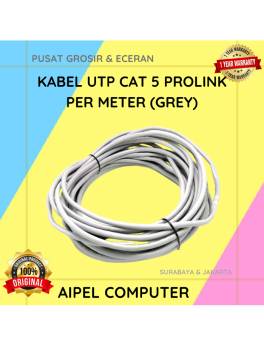
33%
A. DESKRIPSI (DESCRIPTION) Kabel UTP CAT 5 PROLINK Per Meter (Grey) adalah solusi jaringan berkualitas tinggi yang dirancang untuk memberikan… selengkapnya
Rp 4.000 Rp 6.000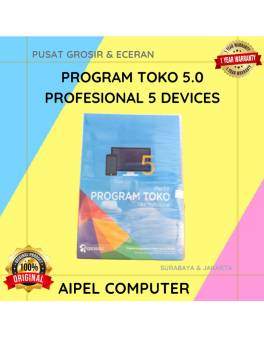
17%
A. DESKRIPSI (DESCRIPTION) IPOS5 adalah software toko profesional yang dirancang untuk mempermudah manajemen usaha retail Anda secara digital. 🌟 Dilengkapi… selengkapnya
Rp 750.000 Rp 900.000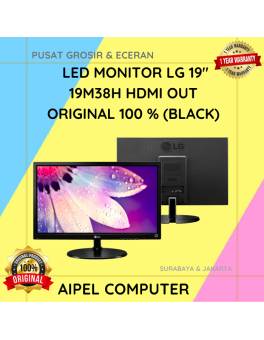
5%
AIPEL COMPUTER – Pusat Grosir dan Eceran – Belanja Hebat dan Hemat – Harga Murah Garansi Prima * GARANSI –… selengkapnya
Rp 1.045.000 Rp 1.100.000
8%
A. DESKRIPSI (DESCRIPTION) Adaptor Laptop ASUS 19V 6.32A DC dengan konektor 4.5mm x 3.0mm adalah pilihan ideal bagi pengguna yang… selengkapnya
Rp 185.000 Rp 200.000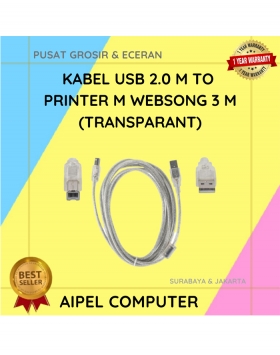
19%
A. DESKRIPSI (DESCRIPTION) Kabel USB printer WEBSONG 3 meter transparan adalah salah satu pilihan terbaik buat kamu yang lagi cari… selengkapnya
Rp 19.500 Rp 24.000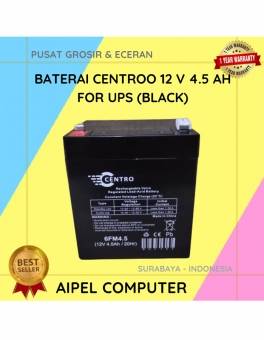
36%
A. DESKRIPSI (DESCRIPTION) Battery CENTROO 12 V 4.5 AH adalah solusi daya cadangan handal untuk perangkat UPS Anda. 🔋⚙️ Didesain… selengkapnya
Rp 90.000 Rp 140.000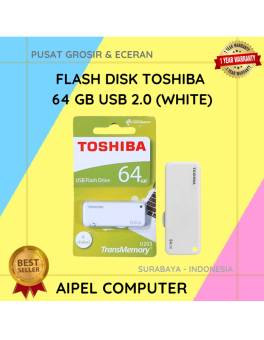
27%
A. DESKRIPSI (DESCRIPTION) Flash Disk USB 2.0 64 GB (White) adalah media penyimpanan portabel yang cocok untuk kamu yang butuh… selengkapnya
Rp 33.000 Rp 45.000
20%
A. DESKRIPSI (DESCRIPTION) Gamepad Double DIGIGEAR Analog Motor (Black) adalah kontroler yang dirancang untuk memberikan pengalaman gaming yang seru dan… selengkapnya
Rp 60.000 Rp 75.000



Saat ini belum tersedia komentar.