- Orderan dibawah 500.00 via Goshop / Offline / Marketplace
New Laptop RAM Installed But Not Detected or Showing Reduced Usable Memory? Causes and Fixes
Have you recently purchased a new RAM stick to upgrade your laptop’s memory (for instance, upgrading from 8GB to 16GB), only to check Task Manager or System Properties and find that the total capacity hasn’t increased, isn’t detected at all, or reads “16 GB (8 GB Usable)”?
Dealing with undetected RAM capacity often leads users to assume that their newly purchased RAM stick is completely defective. However, much like troubleshooting hardware detection issues in bluetooth mouse not connecting causes fixes, unreadable RAM is rarely caused by physical memory chip failure. It is usually triggered by oxidized gold contact pins, heavy hardware reservations for integrated graphics (iGPU VRAM), or locked Maximum Memory settings within Windows.
Featured Snippet (Quick Answer):
Primary causes of newly installed laptop RAM not being detected or showing reduced usable memory include oxidized gold contacts, loose SODIMM slots, excessive VRAM allocation for integrated graphics, or checked Maximum Memory limits in Windows
msconfig.
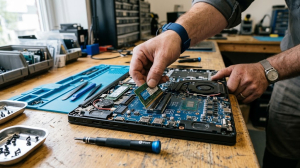
Checklist: Evaluating Laptop RAM Detection Status
Check the boxes below if these RAM detection symptoms match your situation:
-
[ ] Total capacity is detected in BIOS, but Windows displays a drastically reduced Usable RAM figure.
-
[ ] Laptop emits repeating beep codes or shows a black screen (no display) upon powering on post-upgrade.
-
[ ] New RAM stick fails to appear in Task Manager’s Performance tab (detecting only 1 slot).
-
[ ] Laptop experiences frequent Blue Screen (BSOD) crashes with
MEMORY_MANAGEMENTerror codes after adding RAM. -
[ ] New RAM frequency (speed/MHz) automatically downclocks to match the older RAM stick.
Practical Recommendation: Do not panic if your new RAM isn’t showing up. Before taking your laptop apart again, open Task Manager > click the Performance tab > select Memory. Check the Hardware Reserved figure. If it shows a large number (such as 8 GB), your system actually detects the new RAM, but has allocated it to your integrated graphics card (iGPU) as extra VRAM.
Comparison Table: RAM Detection Causes and Recommended Actions
|
4 Ways to Fix an Undetected or Reduced Laptop RAM Upgrade
-
Clean Gold RAM Pins and SODIMM Slots. Turn off the laptop, unplug the charger, and disconnect the internal battery. Remove the RAM module from its slot, then gently rub the gold connector pins with a clean white pencil eraser until bright and shiny. Blow away dust inside the SODIMM slot before reseating the RAM firmly until side clips snap into place.
-
Uncheck Maximum Memory in Msconfig. Press Windows + R on your keyboard > type
msconfigand press Enter. Navigate to the Boot tab > click Advanced options…. In the Maximum memory field, ensure the checkbox is UNCHECKED. Click OK > Apply > and restart your laptop. -
Adjust UMA Frame Buffer (VRAM) in BIOS. Power on the laptop and tap F2/Delete/Fn+F2 to enter BIOS. Navigate to Advanced or Chipset Configuration > locate UMA Frame Buffer Size or iGPU Memory. Lower excessively high values (e.g., from 8GB down to 2GB or Auto) so system RAM returns to Windows.
-
Swap RAM Stick Positions (Cross-Check Slots). If using a 2-stick memory setup (Dual Channel), swap RAM stick A into slot B and vice versa. Test one RAM stick individually in each slot to determine whether the issue stems from the new RAM module or a faulty motherboard slot.
When to Seek Professional Repair Services
If you have cleaned the gold contacts and swapped slots yet the new RAM stick remains completely unreadable in your laptop (while working fine in another computer), the second SODIMM slot on your motherboard may have internal corrosion, bent pins, or broken trace lines to the CPU memory controller.
This condition requires SODIMM socket circuit cleaning or motherboard memory trace repairs by a qualified technician to restore Dual Channel memory functionality.
FAQ (Frequently Asked Questions)
Can I mix two RAM sticks with different capacities and brands?
Yes, as long as the memory type (DDR3/DDR4/DDR5) and operating voltages match. The system will run in Flex Dual Channel Mode. However, for maximum system stability, using two identical RAM sticks with matching capacity and speed (MHz) is recommended.
Why does my 16GB RAM show only 13.9 GB Usable in Windows 11?
The missing memory portion is automatically assigned by the operating system as Hardware Reserved memory for integrated graphics processors (like Intel Graphics or AMD Radeon Graphics) to display visuals smoothly.
Conclusion
An undetected laptop RAM upgrade or reduced usable memory figure is typically caused by oxidized gold contacts, excessive integrated VRAM allocation, or Windows msconfig memory limits. Cleaning the contact pins and resetting system memory allocations will restore full memory detection.
Shop OEM RAM Modules, Upgrades & Repairs at Aipel Computer
Need genuine original SODIMM laptop RAM upgrades with warranty, dual channel memory slot diagnostics, or motherboard repair services? Find trusted hardware replacement parts and expert repair services directly at Aipel Computer.
For memory modules, upgrade consultations, or technical repair inquiries, visit the official Aipel Computer website today.
Tags: fix unusable ram capacity windows 11, laptop ram upgrade surabaya, new laptop ram not detected usable memory, new ram stick not showing up task manager

New Laptop RAM Installed But Not Detected or Showing Reduced Usable Memory? Causes and Fixes

CPU nyala monitor mati, kira-kira apa yang menyebabkan hal tersebut bisa terjadi? Ketika kita menyalakan PC dan CPU berfungsi dengan... selengkapnya
Memiliki soft case laptop yang tepat sangatlah penting. Terutama untuk menjaga laptop kesayangan tetap aman dan nyaman ketika dibawa kemana... selengkapnya

Grosir komputer bergaransi menyediakan berbagai peranti dan komponen PC dengan harga terjangkau, lengkap, dan berkualitas tinggi. Pengguna di era digital... selengkapnya
Power supply 500w menjadi pilihan terbaik sebagai pendukung aliran listrik. Setiap alat elektronik pastinya memerlukan aliran listrik supaya bisa berjalan.... selengkapnya

Komputer client merupakan sebuah komponen utama dalam sistem jaringan yang berfungsi sebagai pengguna layanan. Baik itu dalam hal menjalankan aplikasi,... selengkapnya
Finding your laptop keyboard keys completely unresponsive when trying to finish urgent documents is frustrating. You press individual keys repeatedly,... selengkapnya
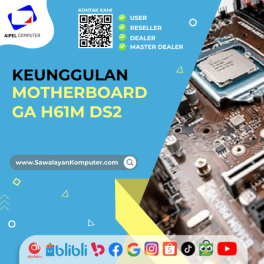
GA H61M DS2 merupakan salah satu tipe motherboard dari vendor Gigabyte, yang biasa digunakan dalam perangkat laptop atau PC. Motherboard... selengkapnya

Layar komputer blank hitam tapi hidup tiba-tiba bisa menjadi masalah yang membingungkan. Indikasi umum dari kondisi ini adalah lampu indikator... selengkapnya
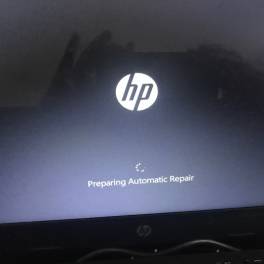
Laptop stuck di logo dapat mengganggu aktivitas dan kinerja perangkat IT tersebut secara keseluruhan. Penyebab umumnya bisa bermacam-macam, salah satunya... selengkapnya

Komputer tidak bisa shutdown adalah masalah umum yang sering dihadapi oleh pengguna. Ketika komputer tidak merespon perintah shutdown, ini dapat... selengkapnya
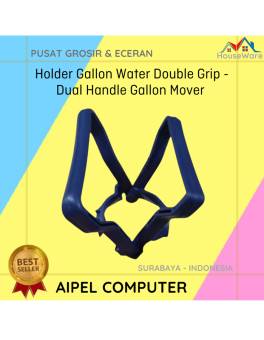
31%
A. DESKRIPSI (DESCRIPTION) Holder Gallon Water Double Grip adalah alat bantu yang memudahkan Anda dalam mengangkat galon air. 💧 Dengan… selengkapnya
Rp 2.750 Rp 4.000
38%
A. DESKRIPSI (DESCRIPTION) Earphone GENAI GM-M20 adalah perangkat audio dengan desain modern yang memadukan kenyamanan dan performa suara berkualitas tinggi…. selengkapnya
Rp 20.000 Rp 32.000
44%
A. DESKRIPSI (DESCRIPTION) Mouse Pad JERTECH MP32 Gaming 24 x 32 CM adalah aksesoris yang dirancang khusus untuk menunjang kenyamanan… selengkapnya
Rp 16.200 Rp 29.000
31%
A. DESKRIPSI (DESCRIPTION) Kabel Audio 3.5 M-2 To F BEST adalah kabel splitter audio praktis yang dirancang untuk membagi satu… selengkapnya
Rp 5.500 Rp 8.000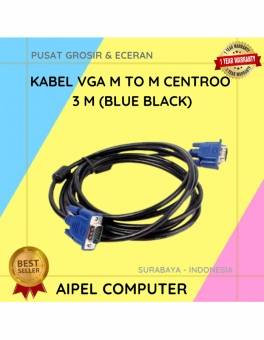
20%
A. DESKRIPSI (DESCRIPTION) Kabel VGA M to M CENTROO 3M adalah perangkat andal untuk menghubungkan monitor dan proyektor dengan PC… selengkapnya
Rp 16.000 Rp 20.000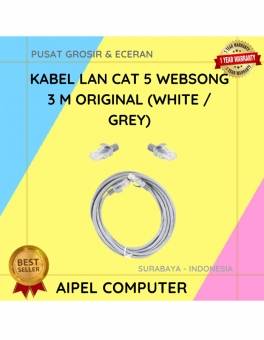
18%
A. DESKRIPSI (DESCRIPTION) Kabel LAN Websong CAT 5 sepanjang 3 meter adalah pilihan tepat buat kamu yang butuh koneksi stabil… selengkapnya
Rp 12.250 Rp 15.000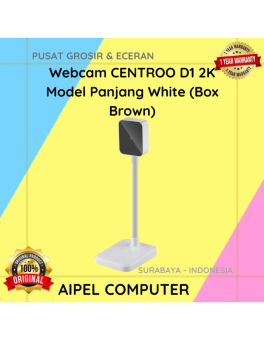
9%
A. DESKRIPSI (DESCRIPTION) Webcam D1 2K Model Panjang White (Box Brown) adalah webcam dengan resolusi 2K dan desain model panjang… selengkapnya
Rp 149.500 Rp 165.000
60%
A. DESKRIPSI (DESCRIPTION) Pasta Processor Suntik Kecil / Silicon Grease Small Injection (Grey / Silver) adalah solusi ideal untuk kebutuhan… selengkapnya
Rp 2.000 Rp 5.000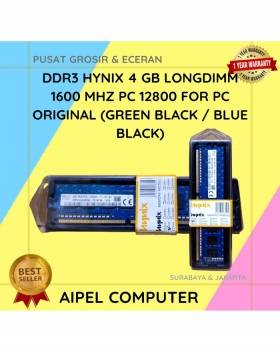
8%
A. DESKRIPSI (DESCRIPTION) DDR3 HYNIX 4GB Longdimm 1600 MHz PC 12800 adalah RAM desktop dengan performa tangguh dan daya tahan… selengkapnya
Rp 175.000 Rp 190.000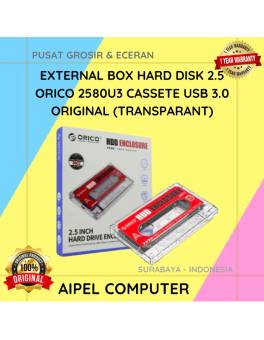
17%
A. DESKRIPSI (DESCRIPTION) ORICO 2580U3 USB 3.0 Transparan adalah external box 2.5 inch dengan desain kaset transparan yang unik dan… selengkapnya
Rp 73.000 Rp 88.000



Saat ini belum tersedia komentar.