- Orderan dibawah 500.00 via Goshop / Offline / Marketplace
Loose Power Outlet? Here Is How to Fix It Safely
Have you ever felt frustrated because your laptop charger or desktop power cord easily slips out of the wall socket, or even emits a small blue spark when plugged in? A loose power outlet is often overlooked as a minor inconvenience that can be ignored. In reality, an unstable electrical connection from a wobbly plug is one of the primary silent causes behind damaged charger adapters and short-circuited laptop power chips.
If you have already applied the steps on how to maintain laptop longevity to keep your machine running smoothly for years, ensuring a stable electric current from your power outlet is the next vital physical protection step. Let us explore the root causes, hidden dangers, and practical ways on how to fix a loose power outlet safely below.
Featured Snippet (Instant Answer):
The most effective way to fix a loose power outlet safely is to switch off the main circuit breaker (MCB) for safety, unscrew the outlet faceplate, and gently bend the internal brass contact prongs back together using insulated pliers, or replace the worn-out outlet unit with a high-quality replacement featuring thick brass contacts.
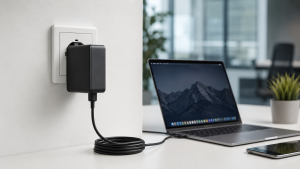
Checklist: Is Your Wall Power Outlet No Longer Safe to Use?
Tick the boxes below if you frequently encounter these symptoms when plugging in your electronic devices:
-
[ ] The charger plug feels wobbly, loose, and easily pulls out of the wall socket holes.
-
[ ] Visible blue sparks appear or a faint sizzling sound (arcing) is heard when inserting the plug.
-
[ ] The charging indicator on your laptop screen repeatedly flickers between battery mode and plugged-in mode.
-
[ ] The outer plastic casing or the holes around the wall socket look slightly blackened or scorched.
-
[ ] The charger adapter brick gets unusually scalding hot to the touch during normal use.
Our Recommendation: If you check two or more boxes above, relocate your laptop or desktop power cord to a different wall outlet immediately. Forcing a connection on a loose socket risks damaging your laptop’s internal charging circuit within a short period.
Data Benchmark: Electrical Stability Based on Power Outlet Condition
To give you a clearer picture of how wall outlet quality impacts the lifespan of your electronic hardware, here is a comparison of power delivery stability:
| Power Outlet Condition | Current Flow Stability | Voltage Surge Risk | Real-World Impact on Devices |
|---|---|---|---|
| Tight & Firm Contacts | Highly Stable & Constant | Extremely Low | Cool charger temp, healthy battery, safe circuitry |
| Loose & Wobbly (Gaps) | Intermittent (Arcing) | High & Unstable | Charger overheats quickly, charging indicator drops |
| Scorched & Overloaded | Short Circuit Hazard | Very High | Severe risk of burning power ICs on the motherboard |
4 Easy Ways to Fix a Loose Power Outlet Safely
You do not need to panic when encountering a wobbly wall plug at home or in the office. Try these basic technical steps to fix the connection:
-
Tighten the Internal Brass Contacts. Always shut off the main circuit breaker (MCB) first to completely cut off electricity. Unscrew the outlet faceplate, and use insulated needle-nose pliers to carefully press the internal brass contact plates closer together so they grip the plug prongs firmly.
-
Replace the Outlet Unit with a High-Quality Component. If the internal brass plates are worn out or cracked due to years of heavy use, the best course of action is to replace the entire wall receptacle with a brand new unit featuring thick brass contacts and flame-retardant housing.
-
Use a Sturdy Plug Converter. Sometimes the issue is not the wall socket itself, but rather thin or undersized charger prongs. Plugging your charger into a sturdy, well-fitted standard adapter plug can help create a tight and secure fit.
-
Connect Through a Surge Protected Power Strip. If you cannot dismantle the wall outlet right away, plug your devices into a heavy-duty extension cord featuring built-in surge protection. This feature helps filter out voltage spikes caused by intermittent electrical contacts.
Hidden Dangers of Ignoring a Loose Power Outlet
Plugging your laptop or PC into a loose electrical connection continuously carries severe long-term consequences for your internal hardware components:
-
Damages Power IC Components on the Motherboard: Electrical currents breaking and reconnecting in milliseconds create rapid voltage surges (power surges) that easily burn delicate power management chips (Power ICs).
-
Accelerates Battery Health Degradation: Unstable power delivery confuses the battery management controller, causing laptop batteries to degrade, lose capacity, or swell prematurely.
-
Causes Charger Adapters to Burn Out: Internal capacitors inside the charger brick must work overtime to dampen erratic current flows, leading to extreme heat buildup and sudden adapter failure.
FAQ (Frequently Asked Questions)
-
Is a small spark normal when plugging in a laptop charger?
A tiny initial spark when inserting the plug can be normal due to the sudden inrush of electrical current. However, if sparks occur repeatedly whenever the cord is moved, it is a clear sign that the outlet’s internal contacts are loose and hazardous.
-
Is it safe to shim a loose plug with paper or tape?
Absolutely not! Stuffing synthetic materials or paper into a power socket is extremely dangerous, as these materials can melt under heat and trigger an electrical fire.
-
Why does my laptop charger get extremely hot on a loose outlet?
Excessive heat is generated by high electrical resistance caused by poor contact between the metal prongs and internal brass plates, converting wasted electrical energy directly into intense heat.
Conclusion
Fixing a loose power outlet is a simple preventative measure that is vastly cheaper than repairing a shorted motherboard or buying a replacement charger brick. However, if your laptop has already suffered a sudden power failure or refuses to charge due to voltage spikes from a faulty outlet, seeking expert technical evaluation is the safest choice to ensure your internal power circuits are fully intact.
Visit the Aipel Computer Physical Store
If your charger adapter is damaged or your laptop internal charging circuit is malfunctioning due to electrical instability, let our expert team inspect your hardware safely.
For step-by-step driving routes, opening hours, or to consult with our technician team, feel free to visit our main website at Aipel Computer in Surabaya for prompt and reliable service!
Tags: computer store surabaya, dangerous loose power socket, fix loose electrical outlet, fix wobbly wall plug, laptop charger sparking loose outlet, loose power outlet how to fix

Loose Power Outlet? Here Is How to Fix It Safely
Ketika menggunakan laptop, sinyal WiFi yang kuat sangat penting untuk memastikan koneksi internet yang cepat dan stabil. Namun, sering kali... selengkapnya

Layar komputer blank hitam tapi hidup tiba-tiba bisa menjadi masalah yang membingungkan. Indikasi umum dari kondisi ini adalah lampu indikator... selengkapnya
When you open Zoom, Google Meet, or the built in Windows Camera app, an error message suddenly pops up stating... selengkapnya

Perkembangan teknologi membuka cabang bisnis baru. Peralatan-peralatan komputer menjadi komoditas bisnis yang cukup menjanjikan untuk ditekuni dengan profesinya sebagai distributor... selengkapnya
While you are working or watching a video on your laptop, a thin white, green, pink, or black line suddenly... selengkapnya
Ingin beli PC? Bingung harus ke pusat komputer terdekat atau belanja secara online? Bagi yang merasa kesulitan, tidak ada salahnya... selengkapnya

Layar monitor 24 inci menawarkan berbagai kelebihan tersendiri yang pastinya cukup bahkan sangat menguntungkan bagi para penggunanya. Layar komputer memang... selengkapnya

Keyboard menjadi salah satu komponen penting komputer maupun laptop. Sehingga, saat keyboard komputer tidak bisa mengetik maka harus tahu penyebabnya.... selengkapnya

Harga mouse laptop memang sangat beragam. Ada berbagai jenis mouse laptop yang bisa ditemukan di pusat grosir komputer. Tentu saja... selengkapnya
Cara memilih SSD untuk laptop berikut ini tentunya cukup penting agar bisa mendapatkan SSD yang paling tepat dan tidak salah... selengkapnya

14%
A. DESKRIPSI (DESCRIPTION) Kabel HDTV Standard M to M CENTROO 15 M 4K (Box) adalah kabel HDMI premium dari CENTROO… selengkapnya
Rp 120.000 Rp 140.000
10%
A. DESKRIPSI (DESCRIPTION) Earphone Wireless GENAI TWS GE5 PRO Earbuds LCD Touch Screen adalah solusi audio masa kini dengan tampilan… selengkapnya
Rp 185.000 Rp 205.000
29%
A. DESKRIPSI (DESCRIPTION) Connector Audio 3.5 M To F-2 adalah splitter audio praktis tanpa kabel dengan desain unik berbentuk huruf… selengkapnya
Rp 5.000 Rp 7.000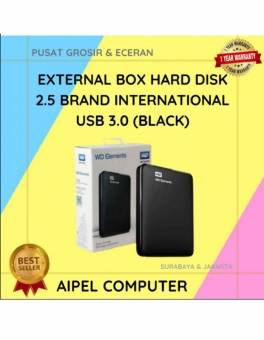
21%
A. DESKRIPSI (DESCRIPTION) External Box Hard Disk 2.5 WD Elements USB 3.0 (Black) adalah solusi ideal untuk menyimpan dan memindahkan… selengkapnya
Rp 55.000 Rp 70.000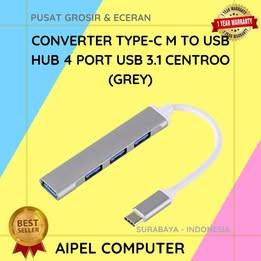
28%
A. DESKRIPSI (DESCRIPTION) Converter Type-C M to 4 Port USB 3.1 HOBOO (Grey) adalah solusi multifungsi untuk pengguna yang membutuhkan… selengkapnya
Rp 27.500 Rp 38.000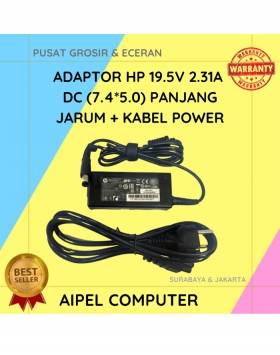
19%
A. DESKRIPSI (DESCRIPTION) Adaptor Laptop HP 19.5V 2.31A DC (7.4*5.0) Panjang Jarum Kabel Power adalah pilihan ideal bagi pengguna laptop… selengkapnya
Rp 65.000 Rp 80.000
8%
GARANSI * AIPEL COMPUTER – Pusat Grosir & Eceran – Belanja Hebat & Hemat – Grosir Konsep Swalayan – Harga… selengkapnya
Rp 170.000 Rp 185.000
23%
A. DESKRIPSI (DESCRIPTION) Adaptor Universal CENTROO 5V 2A DC 5.5 * 2.5 adalah perangkat daya multifungsi yang dirancang untuk memberikan… selengkapnya
Rp 23.000 Rp 30.000
22%
A. DESKRIPSI (DESCRIPTION) Kabel HDTV STANDART M To M WEBSONG 5 M (White) adalah solusi sempurna untuk Anda yang mencari… selengkapnya
Rp 62.000 Rp 79.000
40%
AIPEL COMPUTER – Pusat Grosir dan Eceran – Belanja Hebat dan Hemat – Harga Murah Garansi Prima * GARANSI –… selengkapnya
Rp 9.000 Rp 15.000



Saat ini belum tersedia komentar.