- Orderan dibawah 500.00 via Goshop / Offline / Marketplace
Laptop Won’t Turn On at All? Check This Before Repairing
You press the power button multiple times, yet the laptop stays completely dark with zero reaction. There are no indicator lights, no fan noise, and the screen remains pitch black. A laptop with no power at all is different from a laptop that shuts down suddenly during use, because here the device shows no signs of life right from the start.
Many people panic and assume the motherboard is burned out. However, in most cases, a laptop with no power is triggered by simple issues such as static electricity trapped on the motherboard, a dead power adapter, or a completely drained battery with no residual charge. Just like when troubleshooting a loose power outlet at home, checking the most basic power sources is often the key to solving the problem.
Featured Snippet (Quick Answer):
The fastest way to fix a laptop that won’t turn on at all is by performing a Hard Reset or Power Drain (unplug the battery and charger, hold the power button for 30 seconds), verifying that the charger adapter works by testing it on another laptop, checking the charging LED indicator on the laptop body, and inspecting the DC Jack port for physical damage.
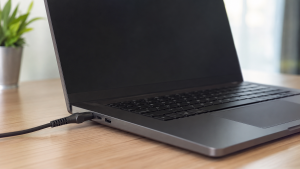
Checklist: Why Won’t Your Laptop Turn On at All?
Check the boxes below if any of these symptoms match your laptop’s current condition:
-
[ ] No power or charging indicator lights turn on when the charger is plugged in.
-
[ ] The laptop was exposed to liquid spills or high humidity before turning off completely.
-
[ ] Before shutting down permanently, the laptop showed unusual symptoms like continuous restarting or screen flickering.
-
[ ] The charger cable feels excessively hot or smells burnt when plugged in.
-
[ ] The laptop still turns on when the battery is removed and powered solely by the charger for removable battery models.
Practical Recommendation: If the laptop remains completely dark even after testing different wall outlets and power adapters, the issue is likely within the internal components like the motherboard or DC Jack rather than the external power source.
Comparison Table: Causes of Unresponsive Laptops
To help map out the root cause of your laptop’s power issue, here is a quick comparison based on physical symptoms:
| Physical Symptom | Likely Cause | Primary Fix | Real Device Impact |
|---|---|---|---|
| No indicator light, charger is fine | Static electricity trapped on motherboard | Hard Reset / Power Drain for 30 seconds | Laptop turns back on at no cost |
| Charging indicator on, screen stays dark | Display screen (LCD/backlight) failure | Test via speakers or external HDMI | Determines if display or motherboard is faulty |
| Charger cold / no LED response | Power adapter is dead | Replace with a new power adapter | Restores stable power flow to laptop |
| Burnt smell / liquid spill marks | Shorted internal components | Consult a professional technician | Requires hardware inspection by an expert |
4 Ways to Fix a Laptop That Won’t Turn On at All
Try these step by step DIY recovery methods before taking your laptop to a repair shop:
-
Perform a Hard Reset (Power Drain). Unplug the charger and remove the battery if it is removable. Press and hold the Power button for 30 to 60 seconds to discharge residual static electricity trapped in the motherboard. Reattach the battery and charger, then try turning it on.
-
Test the Power Adapter on Another Device. Verify that your charger is supplying power by plugging it into another compatible laptop, or use a multimeter to check its output voltage. A faulty charger is the most common and least expensive cause to fix.
-
Check the LED Indicator Lights on the Laptop. Observe if a small light turns on near the charging port when the cable is plugged in. If this light turns on but the laptop stays dark, the issue likely lies within the display system rather than the motherboard.
-
Inspect the Physical Condition of the DC Jack Port. Check if the charger port feels loose, wobbly, or bent when inserting the cable. A worn out port caused by frequent pulling can cut off electrical flow even if the charger itself is functioning well.
When Should You Consult a Technician?
If you have tried all the steps above and the laptop still shows no signs of life, there may be damage to the following components that require expert repair:
-
Shorted Motherboard: Usually triggered by liquid spills or electrical surges that damage main circuit traces.
-
Faulty Power IC: A small chip responsible for distributing power from the adapter to all laptop components has failed.
-
Broken DC Jack from Motherboard: Solder joints connecting the charging port to the circuit board have broken due to repeated physical pressure.
FAQ (Frequently Asked Questions)
Can data be recovered from a laptop that won’t turn on at all?
Yes, as long as the damage is limited to the power delivery system and not the storage drive like an SSD or HDD. Storage drives can usually be removed and read via external devices even if the motherboard is non functional.
Are generic replacement power adapters safe to use?
Not always. Ensure that the output voltage (V) and amperage (A) of the replacement adapter match your laptop’s original specifications. An adapter with wattage that is too low can prevent the laptop from turning on altogether even when plugged in.
Conclusion
A laptop that won’t turn on at all does not always mean the motherboard is severely damaged. Most cases can be resolved with a simple hard reset or by replacing a dead power adapter. However, if your laptop was exposed to liquid or shows signs of short-circuiting, stop using it immediately and consult a trusted technician before damage spreads further.
Shop Power Adapters & Laptop Spare Parts at Aipel Computer
Need an original replacement charger adapter for various brands like Asus, Acer, HP, Lenovo, Dell, a replacement laptop battery, or other spare parts to fix a power issue? Explore our full range of laptop components at competitive wholesale prices directly in our store.
To check our hardware catalog, spare part stock availability, or store location details, visit the official Aipel Computer website today!
Tags: causes of dead laptop, fix dead laptop, laptop charger dead, laptop no power, laptop wont turn on at all

Laptop Won’t Turn On at All? Check This Before Repairing
Ketika membeli komputer di toko komputer terbaik dan terpercaya, pastinya bisa mendapatkan produk berkualitas. Akan tetapi, seiring berjalannya waktu, komputer... selengkapnya
Opening a blank document or browsing clean web pages only to spot a distracting bright dot or faint white patch... selengkapnya
Tips memilih charger USB tidak boleh sembarangan. Charger USB ini bisa pengguna dapatkan di berbagai toko komputer terpercaya. Dengan berbagai... selengkapnya
Pernahkah kamu hendak bekerja menggunakan mouse Bluetooth nirkabel, tetapi saat sakelar mouse digeser ke posisi ON, kursor di layar tetap... selengkapnya

Sebagaimana yang kita tahu bahwa harga komputer bervariasi. Tak sedikit yang telah membuktikan bahwa kualitas mempengaruhi harganya. Semakin baik kualitasnya,... selengkapnya

CMYK Printer menggunakan tinta untuk menampilkan warna cerah dan solid. Tinta CMYK biasa digunakan pada industri percetakan dalam menciptakan aneka... selengkapnya

Layar monitor komputer berbayang adalah masalah umum yang sering dialami oleh pengguna, terutama saat komputer atau laptop baru dinyalakan. Masalah... selengkapnya

Sebelum Anda memutuskan untuk mengunjungi tempat toko komputer terdekat, untuk membeli laptop yang sesuai kebutuhan, ada baiknya jika Anda membaca... selengkapnya

Lagi mengetik dokumen, mengedit tugas, atau bermain gim, tapi tiba-tiba di layar muncul deretan huruf berulang seperti ada yang menekan... selengkapnya
Have you ever experienced the startling moment while typing or cleaning dust when a keycap on your laptop keyboard suddenly... selengkapnya

14%
A. DESKRIPSI (DESCRIPTION) Tang Crimping Tool CENTROO Double for Cat 5 6 7 (Black Yellow) adalah alat presisi tinggi yang… selengkapnya
Rp 120.000 Rp 140.000
4%
A. DESKRIPSI (DESCRIPTION) Refill Ink EPSON 008 Black 127 ML Original adalah tinta hitam berkualitas tinggi yang diformulasikan secara khusus… selengkapnya
Rp 275.000 Rp 285.000
18%
A. DESKRIPSI (DESCRIPTION) Adaptor Laptop TOSHIBA 19V 3.95A DC (5.5*2.5) ini adalah pilihan praktis untuk kamu yang butuh daya stabil… selengkapnya
Rp 70.000 Rp 85.000
29%
SPESIFIKASI Panjang kabel : 1.5 m Warana : Putih Kuantitas: 1 Hi-Speed hingga 480 Mbps Kecepatan transmisi hingga 47.8 MB/S… selengkapnya
Rp 12.000 Rp 17.000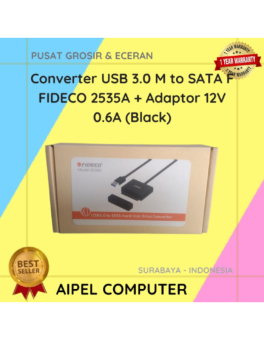
12%
A. DESKRIPSI (DESCRIPTION) Converter USB 3.0 to SATA F FIDECO dengan adaptor adalah perangkat multifungsi yang dirancang untuk memberikan akses… selengkapnya
Rp 190.000 Rp 215.000
27%
AIPEL COMPUTER Kabel USB 10 IN 1 KU10IN1 adalah jawaban bagi Anda yang menginginkan fleksibilitas penuh dalam satu kabel. Dengan… selengkapnya
Rp 9.500 Rp 13.000
25%
A. DESKRIPSI (DESCRIPTION) Second HDD Caddy CENTROO Sata 12.7″ For Laptop adalah solusi praktis untuk memperluas penyimpanan laptop Anda tanpa… selengkapnya
Rp 13.500 Rp 18.000
23%
AIPEL COMPUTER – Pusat Grosir dan Eceran – Belanja Hebat dan Hemat – Harga Murah Garansi Prima * GARANSI –… selengkapnya
Rp 23.000 Rp 30.000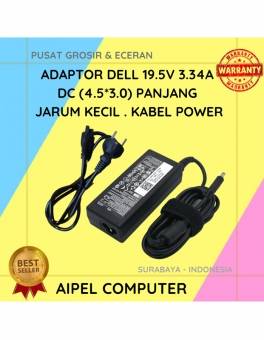
18%
A. DESKRIPSI (DESCRIPTION) Adaptor ini menyediakan daya output 19.5 V dengan arus 3.34 A, konektor barrel 4.5×3.0 mm dengan pin tengah kecil. Cocok… selengkapnya
Rp 70.000 Rp 85.000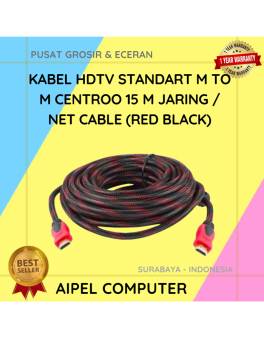
9%
A. DESKRIPSI (DESCRIPTION) Kabel HDTV Standart M to M CENTROO 15 M Jaring / Braid Cable (Red Black) adalah solusi… selengkapnya
Rp 52.500 Rp 58.000



Saat ini belum tersedia komentar.