- Orderan dibawah 500.00 via Goshop / Offline / Marketplace
Laptop USB Ports Not Working or Unresponsive? Here is How to Fix It
When you try to transfer important files via a flash drive, plug in an external mouse, or connect a keyboard to your laptop, the device is suddenly not detected at all. The indicator light on the flash drive fails to turn on, or an annoying error notification appears stating USB Device Not Recognized.
Having laptop USB ports that refuse to work is a frustrating daily disruption that halts your productivity. Many users immediately assume that the USB socket is physically broken or that a motherboard circuit has burned out. However, in most cases, an unresponsive USB port is simply caused by the Windows USB Selective Suspend power saving feature cutting off electrical current, dust buildup on internal copper pins, or a crashed Universal Serial Bus Controller driver. Just as when troubleshooting laptop bluetooth not connecting to restore your wireless connectivity, you can perform several quick DIY fixes directly on your laptop.
Featured Snippet (Quick Answer):
The fastest way to fix unresponsive laptop USB ports is by disabling the USB Selective Suspend setting in Power Options, reinstalling the USB Host Controller drivers in Device Manager, cleaning out dirt from the USB port contact pins, and performing a Hard Reset to clear static electricity from the USB power rail.
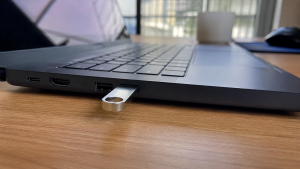
Checklist: Why Are Your Laptop USB Ports Not Responding?
Check the boxes below if any of these symptoms match your laptop’s current condition:
-
[ ] A flash drive or mouse does not power on when plugged into a specific USB port.
-
[ ] You receive a USB Device Not Recognized or Power Surge on the USB Port error message.
-
[ ] The USB port feels loose and the connection disconnects if the cable is nudged slightly.
-
[ ] The exact same USB peripheral works perfectly when plugged into another port or a different laptop.
-
[ ] All USB ports on the laptop stop working simultaneously after waking up from Sleep mode.
Practical Recommendation: If only a single USB port is dead while the others function normally, the cause is likely trapped lint or loose physical solder joints. If all USB ports stop working at the same time, the issue is almost certainly tied to Windows driver or power management settings.
Comparison Table: Causes of Laptop USB Port Errors and Fixes
To help identify the root cause of your USB connection problem, here is a quick comparison based on physical and system symptoms:
4 Ways to Fix Laptop USB Ports Not WorkingTry these step by step DIY recovery methods to restore your laptop USB functionality:
When Should You Use an External USB Type C Hub?If one of the standard USB Type A ports on your laptop has sustained permanent physical damage to its motherboard solder pins, you do not need to rush into disassembling the laptop. Most modern laptops feature a versatile USB Type C port that remains fully functional and offers significantly faster data transfer speeds. You can simply connect a USB Type C Multiport Hub to expand a single Type C port into multiple extra USB 3.0 ports, SD card slots, and HDMI outputs instantly. FAQ (Frequently Asked Questions)Why does a Power Surge on the USB Port warning appear?This warning appears when a connected USB device draws more electrical current than the laptop port can safely handle, or when there is a short circuit inside the USB socket. Disconnect the device immediately to protect the motherboard. Can using a USB Hub damage my laptop ports?No, as long as you use a quality USB Hub. However, if you plan to connect several high power peripherals simultaneously (such as multiple external hard drives), it is recommended to use a Powered USB Hub that comes with its own dedicated AC power adapter. ConclusionLaptop USB ports that are not working or unresponsive are most commonly caused by aggressive power saving modes cutting current, corrupted Universal Serial Bus Controller drivers, or dust blocking contact pins. By turning off USB Selective Suspend and refreshing drivers in Device Manager, your USB data and power functions will typically be restored right away. Shop USB Hubs, Converters & Computer Accessories at Aipel ComputerLooking for high speed multiport USB Hubs, Type C to USB 3.0 converters, original USB flash drives, data cables, or other laptop accessories? Explore our full range of computer peripherals at competitive wholesale prices directly in our store. To check our hardware catalog, spare part stock availability, or store location details, visit the official Aipel Computer website today! |
Tags: fix usb device not recognized, laptop usb ports not working, loose laptop usb port, usb driver windows 10

Laptop USB Ports Not Working or Unresponsive? Here is How to Fix It

Building a custom gaming or workstation PC can often feel overwhelming for beginners due to the vast selection of hardware... selengkapnya

Tombol keyboard keras saat ditekan adalah masalah umum yang sering dialami oleh pengguna komputer. Kondisi ini bisa menjadi sangat mengganggu,... selengkapnya
BNC Connector memiliki banyak jenisnya. Konektor adalah sebuah alat yang berguna untuk menghubungkan sebuah perangkat dengan kabel. Penggunaan konektor ini... selengkapnya
Enjoying a movie, listening to your favorite playlist, or attending an important online meeting when your laptop audio suddenly cuts... selengkapnya
Saat ini ada berbagai jenis kabel di grosir komputer dengan fungsi, kelebihan, dan kekurangan masing-masing. Adapun salah satunya yaitu kabel... selengkapnya

Saat telah memutuskan untuk membeli sebuah komputer, terdapat beberapa hal yang layak untuk menjadi pertimbangan. Memilih komputer yang baik bisa... selengkapnya
Casing CPU merupakan salah satu komponen komputer yang sangat penting karena memiliki banyak manfaat atau fungsi. Namun tidak sedikit pengguna... selengkapnya
Pernahkah kamu mendapati permukaan touchpad laptop mendadak keras saat ditekan, terangkat naik melebihi permukaan bodi, atau bagian bawah casing laptop... selengkapnya
TP LINK 150mbps atau TP LINK TL-WN722N merupakan perangkat wireless yang berfungsi sebagai pengganti wireless internal laptop atau PC. Perangkat... selengkapnya
Perangkat keras jaringan komputer adalah suatu bagian atau komponen yang berfungsi menghubungkan dua komputer atau lebih. Adanya sistem jaringan tersebut... selengkapnya
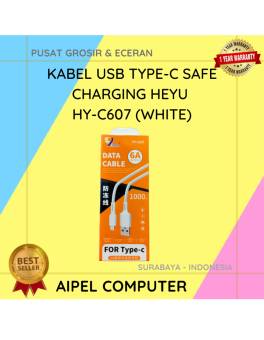
38%
A. DESKRIPSI (DESCRIPTION) Kabel USB Type-C HEYU HY-C607 Safe Charging (White) adalah solusi terbaik bagi Anda yang mencari kabel pengisian… selengkapnya
Rp 8.000 Rp 13.000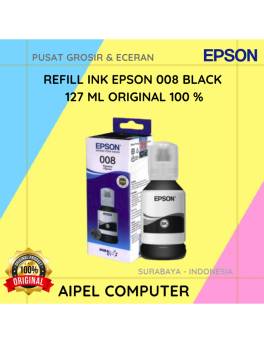
4%
A. DESKRIPSI (DESCRIPTION) Refill Ink EPSON 008 Black 127 ML Original adalah tinta hitam berkualitas tinggi yang diformulasikan secara khusus… selengkapnya
Rp 275.000 Rp 285.000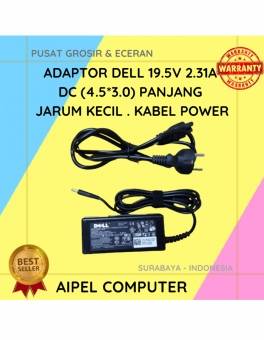
18%
A. DESKRIPSI (DESCRIPTION) Adaptor ini cocok bagi laptop yang memerlukan daya lebih rendah, sekitar 45 W (19.5 V, 2.31 A). Menggunakan konektor 4.5×3.0 mm… selengkapnya
Rp 70.000 Rp 85.000
22%
AIPEL COMPUTER Switch HDTV CENTROO 3 Port Manual adalah alat praktis untuk mengatur koneksi HDMI dari beberapa perangkat ke satu… selengkapnya
Rp 39.000 Rp 50.000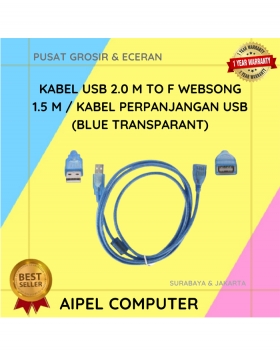
17%
A. DESKRIPSI (DESCRIPTION) Kabel perpanjangan USB dari Websong adalah solusi simpel buat kamu yang sering butuh akses port USB tambahan… selengkapnya
Rp 12.500 Rp 15.000
32%
AIPEL COMPUTER – Pusat Grosir dan Eceran – Belanja Hebat dan Hemat – Harga Murah Garansi Prima * GARANSI –… selengkapnya
Rp 25.000 Rp 37.000
45%
AIPEL COMPUTER – Pusat Grosir dan Eceran – Belanja Hebat dan Hemat – Harga Murah Garansi Prima * GARANSI –… selengkapnya
Rp 11.000 Rp 20.000
3%
A. DESKRIPSI (DESCRIPTION) Refill Ink EPSON 001 Yellow 70 ML Original 100 % adalah solusi tinta isi ulang berkualitas dengan… selengkapnya
Rp 117.000 Rp 120.000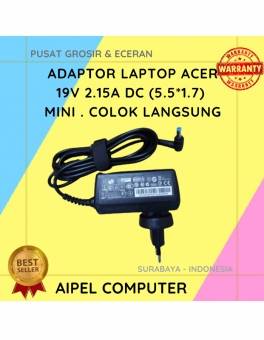
18%
A. DESKRIPSI (DESCRIPTION) ACER192155517MCL adalah adaptor laptop resmi yang dirancang khusus untuk berbagai model laptop ACER, menawarkan daya 19V dan… selengkapnya
Rp 70.000 Rp 85.000
29%
A. DESKRIPSI (DESCRIPTION) Earphone GENAI GM-T11 adalah pilihan ideal untuk pengguna yang mencari kenyamanan, koneksi Type-C, dan audio beresolusi tinggi… selengkapnya
Rp 37.000 Rp 52.000



Saat ini belum tersedia komentar.