- Orderan dibawah 500.00 via Goshop / Offline / Marketplace
Laptop Won’t Sleep and Getting Hot in Bag? Causes and Easy Fixes
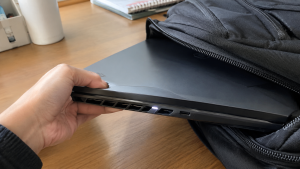
Have you ever closed your laptop lid, put it inside your backpack, and pulled it out a few hours later only to find your bag radiating intense heat? When you open the machine, the cooling fans are spinning at full speed, the chassis feels burning hot, and a full battery has plummeted down to critical levels.
A laptop failing to enter sleep mode is a serious concern. Trapped inside a cramped backpack without proper airflow, the heat cannot dissipate, risking long term battery degradation and processor stress. This issue is commonly triggered by Windows Modern Standby (S0 state) maintaining active background tasks, system wake timers, or connected wireless peripherals repeatedly waking the laptop. Just like taking the right steps to maintain laptop hardware for stable daily performance, you can resolve these sleep issues on your own with a few system adjustments.
Featured Snippet (Quick Answer):
To fix a laptop that won’t sleep and overheats in your bag, find programs preventing sleep via Command Prompt (
powercfg /requests), turn off wake timers in Power Options, disable wake permissions for USB devices in Device Manager, and set the close lid action to Hibernate.
Checklist: Symptoms of Laptop Sleep Failures
Check the boxes below if any of these match your laptop’s current issue:
-
[ ] Power LEDs stay lit or cooling fans keep blowing even after closing the lid.
-
[ ] The laptop feels warm or hot when removed from your bag.
-
[ ] The battery drains substantially (over 15–30%) while left asleep overnight.
-
[ ] The laptop immediately wakes back up right after you press the sleep button.
-
[ ] Bumping a wireless mouse or keyboard accidentally powers the screen back on.
Practical Recommendation: When carrying your laptop inside an enclosed backpack, make it a habit to use Hibernate or Shut Down instead of basic Sleep. Hibernate cuts power completely to all internal components.
Comparison Table: Causes of Sleep Mode Bugs and Practical Fixes
Here is a breakdown of why laptops fail to enter deep sleep and how to resolve them:
|
4 Ways to Fix a Laptop That Won’t Sleep
Follow these troubleshooting steps in order:
-
Check What Is Keeping Your Laptop Awake via CMD. Open Command Prompt by selecting Run as Administrator. Type the command
powercfg /requestsand press Enter. Review the EXECUTION, SYSTEM, or AWAYMODE sections. If active audio processes or downloading tools are listed, close those programs so Windows can enter sleep. -
Disable Wake Timers in Power Options. Press
Win + R, typecontrol, and open Power Options. Click Change plan settings next to your active power plan, then click Change advanced power settings. Expand the Sleep > Allow wake timers branch, set both battery and plugged-in options to Disable, and click Apply. -
Turn Off Wake Permissions for Mouse and Network Devices. Open Device Manager, expand Mice and other pointing devices, right-click your mouse, and choose Properties. Under the Power Management tab, uncheck Allow this device to wake the computer. Apply the same check to your Wi-Fi card under Network adapters.
-
Change the Close Lid Action to Hibernate. Return to the Power Options window in Control Panel and click Choose what closing the lid does on the left menu. On the When I close the lid row, change both the battery and plugged-in settings to Hibernate, then click Save changes.
When to Consider a BIOS or Firmware Update
If you have adjusted all power settings in Windows and the fans still spin aggressively when closing the lid, your motherboard BIOS may have an unresolved power management bug.
Installing the latest official BIOS update from your laptop manufacturer’s support site will help synchronize power transitions between Windows and your hardware controllers.
FAQ (Frequently Asked Questions)
What is the difference between Sleep and Hibernate?
Sleep keeps your current session stored in RAM while using a tiny trickle of power so you can resume instantly. Hibernate writes all RAM data onto your storage drive and powers off the machine completely, making it ideal for travel inside bags.
Why does Modern Standby cause laptops to run hot?
Modern Standby keeps network connections active so laptops can receive incoming updates like smartphones. However, if background processes hang or misbehave, the CPU keeps running hot inside sealed bags without airflow.
Conclusion
A laptop failing to enter sleep mode and heating up inside a bag is typically caused by background processes blocking sleep, active wake timers, or Modern Standby behavior. By turning off wake permissions for external devices and setting your lid action to Hibernate, you can keep your laptop cool and preserve battery life on the move.
Shop Laptop Batteries, Cooling Pads & Service at Aipel Computer
Experiencing battery drain from sleep mode bugs, noisy fans, or needing fresh processor thermal paste? Find genuine replacement components, cooling accessories, and repair services at competitive wholesale prices directly in our store.
To check part availability or get directions to our retail store, visit the official Aipel Computer website in Surabaya today.
Tags: disable modern standby windows, fix windows 10 sleep mode bug, laptop battery replacement surabaya, laptop repair surabaya, laptop running hot in backpack, laptop wont sleep hot in bag

Laptop Won’t Sleep and Getting Hot in Bag? Causes and Easy Fixes
Kerusakan pada layar komputer bisa menjadi masalah besar bagi penggunanya. Beberapa faktor dapat menyebabkan layar komputer rusak, dan Anda bisa... selengkapnya
Beberapa perangkat aksesori yang penting untuk dimiliki pada komputer meliputi keyboard, speaker, dan mouse. Meskipun demikian, seringkali orang mengabaikan pentingnya... selengkapnya

Peran komputer dalam dunia modern sangatlah besar. Hampir semua aktivitas saat ini sangat bergantung pada teknologi ini. Berkembangnya inovasi telah... selengkapnya
Pointer komputer menjadi pilihan terbaik sebagai alat penunjuk. Tidak perlu menggunakan alat penunjuk seperti penggaris kayu panjang lagi. Saat ini... selengkapnya
Komputer terdiri dari serangkaian sistem dan beberapa komponen yang sering dikenal dengan sebutan perangkat keras. Perangkat keras mempunyai fungsi yang... selengkapnya
Kabel data atau data cable merupakan alat banyak dijumpai di toko-toko komputer. Bahkan, mungkin Anda sudah tidak asing lagi dengan... selengkapnya
When you switch on your laptop, you suddenly hear an irritating high pitched buzzing, a heavy rattling noise, or a... selengkapnya

Komputer merupakan salah satu jenis gadget yang paling dibutuhkan di zaman modern ini. Seperti kebanyakan aplikasi lainnya, komputer juga memerlukan... selengkapnya
Driver Epson L121 menarik untuk kita ulas! Berbicara perihal spesifikasi printer yang irit dan berkualitas namun tetap terjangkau, maka Epson... selengkapnya

Untuk memudahkan proses mencetak, kini telah tersedia printer. Printer itu pun tersedia dalam beragam merek. Salah satunya ialah printer HP.... selengkapnya

50%
A. DESKRIPSI (DESCRIPTION) Kabel Audio 3.5 mm Male to Male BEST 30–50 CM adalah kabel audio pendek yang ideal untuk… selengkapnya
Rp 1.000 Rp 2.000
15%
AIPEL COMPUTER – Pusat Grosir dan Eceran – Belanja Hebat dan Hemat – Harga Murah Garansi Prima * GARANSI –… selengkapnya
Rp 40.000 Rp 47.000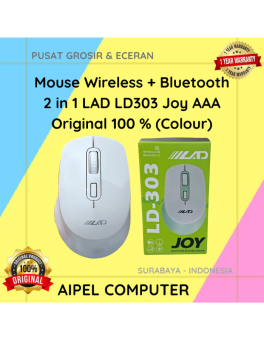
26%
A. DESKRIPSI (DESCRIPTION) Mouse Wireless + Bluetooth 2 in 1 LAD LD303 Joy AAA Original 100% (Colour) merupakan mouse dengan… selengkapnya
Rp 39.000 Rp 53.000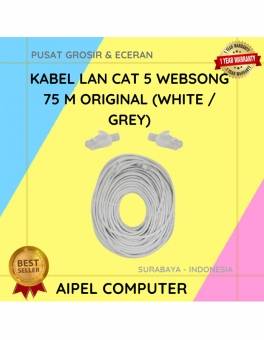
9%
A. DESKRIPSI (DESCRIPTION) Kabel Lan Websong hadir untuk Anda yang mendambakan koneksi stabil, cepat, dan andal dalam setiap aktivitas digital…. selengkapnya
Rp 155.000 Rp 170.000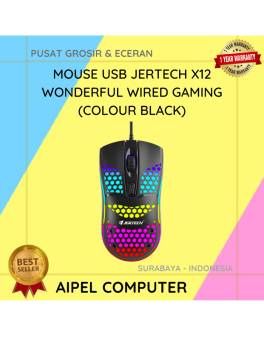
21%
AIPEL COMPUTER – Pusat Grosir dan Eceran – Belanja Hebat dan Hemat – Harga Murah Garansi Prima * GARANSI –… selengkapnya
Rp 42.000 Rp 53.000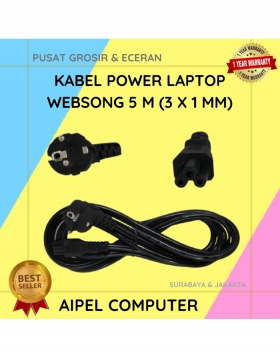
17%
A. DESKRIPSI (DESCRIPTION) Kabel Power Laptop WEBSONG 5 M (Black) merupakan salah satu inovasi unggulan dari WEBSONG yang dirancang khusus… selengkapnya
Rp 72.500 Rp 87.000
18%
A. DESKRIPSI (DESCRIPTION) Refill Ink CENTROO 100 ML Magenta adalah tinta isi ulang berwarna magenta yang ideal untuk mencetak gambar,… selengkapnya
Rp 14.000 Rp 17.000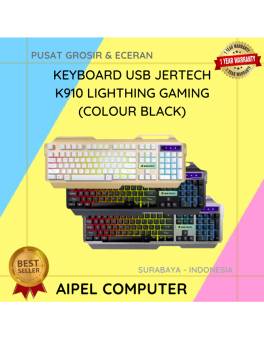
18%
A. DESKRIPSI (DESCRIPTION) Keyboard USB JERTECH K910 LIGHTHING Gaming adalah perangkat keyboard stylish yang dipadukan dengan pencahayaan yang memikat. 🌈✨… selengkapnya
Rp 102.850 Rp 125.000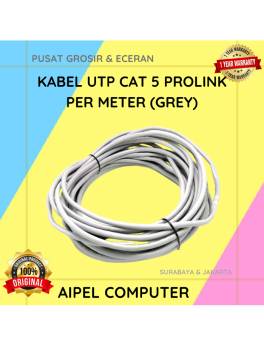
33%
A. DESKRIPSI (DESCRIPTION) Kabel UTP CAT 5 PROLINK Per Meter (Grey) adalah solusi jaringan berkualitas tinggi yang dirancang untuk memberikan… selengkapnya
Rp 4.000 Rp 6.000
9%
A. DESKRIPSI (DESCRIPTION) Adaptor Laptop LENOVO 19.5V 6.15A DC (USB) Panjang Slim Kabel Power adalah solusi daya modern yang dirancang… selengkapnya
Rp 155.000 Rp 170.000



Saat ini belum tersedia komentar.