- Orderan dibawah 500.00 via Goshop / Offline / Marketplace
Laptop Shuts Down Suddenly with Full Battery? Here Is Why
Working on an important task, attending an online meeting, or playing a game when suddenly your laptop completely cuts power without warning can be frustrating. The panic increases when you power the laptop back on and notice that the battery percentage icon at the bottom corner of your screen still reads 80%, 90%, or even a full 100%.
Experiencing a sudden shutdown when the battery capacity appears full indicates a power management conflict or an internal thermal issue. Many users immediately assume that their motherboard has fried. In reality, this problem is usually triggered by miscalibrated battery readings, processor overheating, or a failing Battery Management System (BMS) circuit. Understanding early warning symptoms like those in our guide on signs laptop battery dying can help you identify whether the issue stems from battery cells or internal hardware components.
Featured Snippet (Instant Answer):
To fix a laptop that shuts down suddenly with a full battery, perform a Power Reset to clear residual static electricity, recalibrate the Windows battery driver, clean the cooling fan of dust buildup to prevent overheating, or check battery health via Command Prompt using the “powercfg /batteryreport” command.
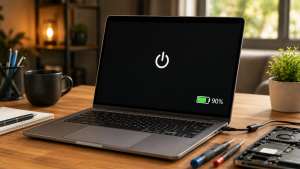
Checklist: Why Is Your Laptop Powering Off Unexpectedly?
Tick the boxes below if any of these symptoms match your current situation:
-
[ ] The laptop cuts power the exact moment you unplug the charger cable.
-
[ ] The bottom chassis feels extremely hot and fan noise ramps up loudly right before shutting down.
-
[ ] The laptop shuts down consistently during heavy processing tasks (such as video rendering or gaming).
-
[ ] The battery percentage drops drastically in seconds (e.g., jumping from 80% straight down to 0%).
-
[ ] The laptop can only be turned back on once the charger is plugged into a wall outlet.
Our Recommendation: If your laptop powers off the moment the power cord is disconnected, your internal battery cells can no longer sustain voltage delivery (voltage drop), regardless of what the 100% Windows software indicator displays.
Comparison Table: Sudden Shutdown Root Cause Breakdown
To help you diagnose the power delivery issue on your system, here is a comparison based on system behavior:
| Sudden Shutdown Symptom | Likely Root Cause | Required Action | Real-World Impact on Device |
|---|---|---|---|
| Turns off when unplugging charger | Dead battery cell / voltage drop | Physical internal battery replacement | Restores stable mobile power delivery |
| Turns off when chassis is very hot | Overheating / Thermal Throttling | Clean cooling fan & re-paste CPU | Lowers temps, stops thermal shutdowns |
| Random shutdowns + percentage jumps | BMS miscalibration / driver glitch | Power Reset / Reinstall battery driver | Restores accurate battery metering |
4 Easy Ways to Fix a Laptop That Shuts Down Suddenly
You do not need to panic right away. Try these troubleshooting steps to stabilize your laptop’s power system:
-
Perform a Power Reset (Clear Static Electricity). Shut down the laptop, unplug the charger, and disconnect all external USB peripherals. If your laptop features a removable battery, take it out. Press and hold the power button for 30 to 60 seconds to drain residual static charge from the motherboard. Reattach the battery/charger, then turn it on.
-
Reinstall the Windows Battery Driver. Right-click the Start button, launch Device Manager, and expand the Batteries category. Right-click Microsoft ACPI-Compliant Control Method Battery, click Uninstall device, and restart your laptop so Windows downloads a clean power management driver automatically.
-
Generate a Windows Battery Report. Open Command Prompt (CMD) as Administrator, type
powercfg /batteryreport, and press Enter. Open the generated HTML file to compare Design Capacity (original factory capacity) against Full Charge Capacity (current maximum charge limit). If the number has dropped significantly, the battery cells have degraded. -
Clean Exhaust Vents and Cooling Fans. If your laptop shuts down due to thermal throttling, protect the processor from extreme heat by cleaning dust buildup from exhaust vents using a soft brush or compressed air.
When Should You Replace the Internal Battery?
If you have performed a power reset and updated drivers but your laptop still shuts down the moment the charger is unplugged, the battery module has likely suffered physical hardware damage, such as:
-
Short-Circuited BMS Circuit: The battery’s internal controller board fails to deliver high voltage to the motherboard.
-
Swollen Battery Cells: Chemical reactions inside the battery produce gas that expands, pressing against internal components and causing short circuits.
-
Extreme Voltage Drop: The battery holds charge (showing 100%), but its voltage output collapses instantly when processor loads spike.
FAQ (Frequently Asked Questions)
-
Why does my laptop shut down when the battery meter shows 100%?
This happens because the Windows battery percentage measures charge volume, not voltage stability. When battery cells age, their output voltage drops instantly under processing load, triggering an automatic safety shutdown to protect internal hardware.
-
Does leaving a laptop plugged in continuously ruin the battery?
Modern laptops feature built-in overcharge protection that halts power delivery when full. However, exposing the battery to excessive internal laptop heat over long periods while plugged in accelerates cell wear.
-
How long does it take to replace a laptop battery at a service center?
For laptops with internal (non-removable) batteries, disassembly and installation of a new battery module typically takes around 30 to 45 minutes.
Conclusion
A laptop that shuts down suddenly despite showing a full battery is often caused by aging battery cells, miscalibrated power metrics, or CPU overheating. Performing a power reset and reviewing a generated battery report are effective ways to determine whether the issue can be fixed via software or requires a new battery module.
Visit the Aipel Computer Physical Store
If your laptop continues to shut down unexpectedly, has a swollen battery, or requires a genuine replacement battery with official warranty coverage, let our technical team inspect your device safely.
For step-by-step driving routes, opening hours, or to check battery stock availability for your laptop model, feel free to visit our main website at Aipel Computer in Surabaya for prompt and reliable service!
Tags: check windows battery report, computer store surabaya, fix sudden laptop shutdown, laptop battery replacement surabaya, laptop shuts down suddenly with full battery, laptop turns off when unplugged

Laptop Shuts Down Suddenly with Full Battery? Here Is Why

Connector HDMI memiliki banyak tipe yang perlu Anda sesuaikan dengan kebutuhan. Dunia teknologi saat ini telah mengalami perkembangan pesat. Untuk... selengkapnya
Pernahkah Anda menekan tombol cetak pada komputer, namun tidak ada respons apa pun dari mesin printer meskipun status perangkat keras... selengkapnya
Trying to save photos, transfer important documents, or open files on your smartphone or laptop, only to find that your... selengkapnya
Pernahkah kamu menutup layar laptop, memasukkannya ke dalam ransel, lalu beberapa jam kemudian mendapati tas terasa panas membara? Saat laptop... selengkapnya
Having a high-performance desktop computer for work, video editing, or gaming is a goal for many tech enthusiasts. However, when... selengkapnya

Working on an important document or playing a game when suddenly a stream of repeated letters appears across your screen... selengkapnya

Flashdisk tidak terbaca merupakan masalah umum yang sering dihadapi oleh pengguna laptop atau PC. Flashdisk adalah perangkat penyimpanan data portable... selengkapnya
Connecting an HDMI cable from your laptop to an LED TV or external monitor for movies or work presentations, only... selengkapnya

Pecinta game pastikan memiliki gamepad. Alas kendali ini memberikan kemudahan bagi gamers untuk memainkan game. Dengan menggunakan alat tersebut, gaya... selengkapnya

Manfaat belanja di grosir komputer penting untuk Anda pertimbangkan. Sebagaimana yang kita tahu, grosir menyediakan produk secara lengkap dengan harga... selengkapnya
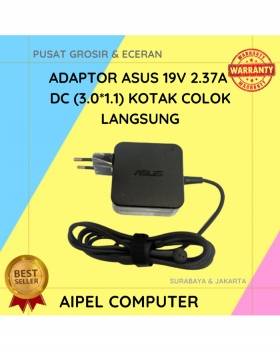
17%
A. DESKRIPSI (DESCRIPTION) Adaptor Laptop ASUS 19V 2.37A Kotak adalah perangkat pengisian daya yang efisien dan portabel untuk berbagai model… selengkapnya
Rp 75.000 Rp 90.000
32%
A. DESKRIPSI (DESCRIPTION) Cable USB M To Lightning M GENAI GL-Q12 adalah kabel charger dan data USB ke Lightning yang… selengkapnya
Rp 17.000 Rp 25.000
25%
A. DESKRIPSI (DESCRIPTION) Car Mount Holder GENAI GN-Z07 adalah perangkat praktis yang dirancang untuk memastikan kenyamanan saat berkendara sambil tetap… selengkapnya
Rp 51.000 Rp 68.000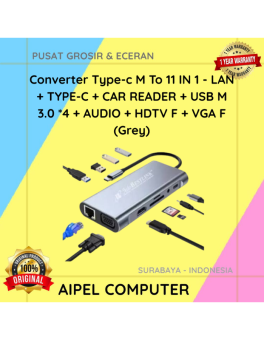
11%
A. DESKRIPSI (DESCRIPTION) Converter Type-C M To 11 IN 1 (Grey) adalah converter multifungsi yang menyediakan berbagai pilihan koneksi dalam… selengkapnya
Rp 120.000 Rp 135.000
25%
A. DESKRIPSI (DESCRIPTION) Cable Type-C M To Lightning M GENAI GL-Q27 adalah kabel berkualitas tinggi dengan panjang ekstra 200 cm… selengkapnya
Rp 51.000 Rp 68.000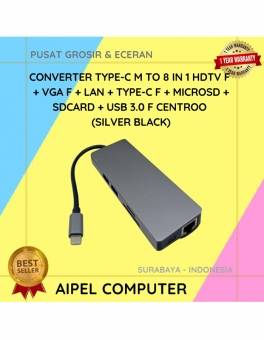
10%
A. DESKRIPSI (DESCRIPTION) Converter Type C To 8 IN 1 HOBOO – HDTV + LAN + Micro SD + SD… selengkapnya
Rp 289.432 Rp 320.000
32%
AIPEL COMPUTER – Pusat Grosir dan Eceran – Belanja Hebat dan Hemat – Harga Murah Garansi Prima * GARANSI –… selengkapnya
Rp 25.000 Rp 37.000
21%
A. DESKRIPSI (DESCRIPTION) Kabel Audio RCA-2 M to M CENTROO 1.5M adalah solusi sempurna untuk Anda yang menginginkan koneksi suara… selengkapnya
Rp 11.000 Rp 14.000
4%
A. DESKRIPSI (DESCRIPTION) Kabel LAN WEBSONG 50 Meter merupakan salah satu inovasi unggulan dari WEBSONG yang hadir untuk menjawab kebutuhan… selengkapnya
Rp 110.000 Rp 115.000
4%
A. DESKRIPSI (DESCRIPTION) Keyboard + Mouse LOGITECH MK120 adalah pilihan terbaik untuk pengguna yang membutuhkan kombinasi perangkat input yang solid… selengkapnya
Rp 163.500 Rp 170.000



Saat ini belum tersedia komentar.